Choosing the best kiosk software is one of the most important decisions you will make for your business. Get it right, and your kiosk runs smoothly, serves customers faster, and saves your team hours every week. Get it wrong, and you are stuck with downtime, frustrated customers, and hardware collecting dust.
Whether you are a business owner struggling with outdated kiosk hardware looking to give it a second life, or someone setting up kiosks for the very first time, this guide is for you. Both situations need the same careful thinking, and this step by step guide walks you through exactly how to choose kiosk software that fits your business, your hardware, and your budget.
What Kiosk Software Actually Does?
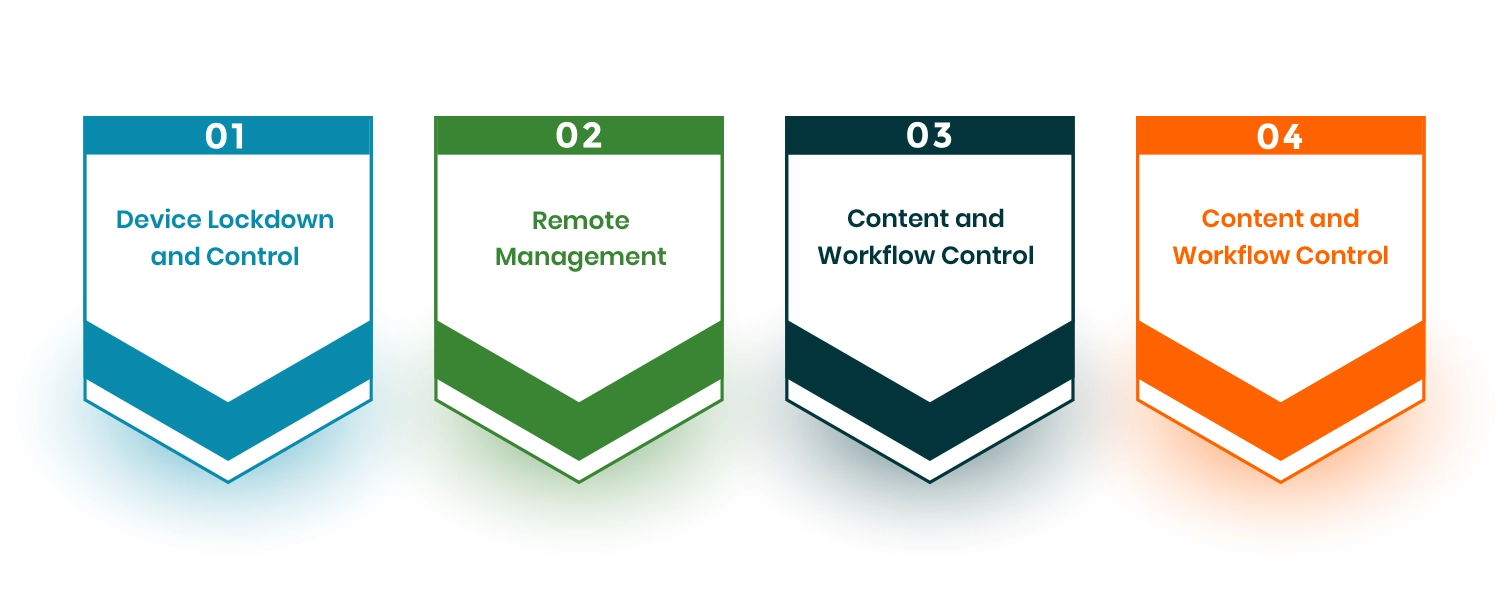
Before comparing options, it helps to understand what kiosk software really covers. Many business owners assume it is just a lockdown app. It is much more than that.
Device Lockdown and Control
Kiosk software locks your device so users can only access what you want them to access. Without this, a customer or employee can exit your app, change device settings, or browse the internet on a terminal you paid to run a specific service. Device lockdown is the foundation of any kiosk setup. It is non negotiable regardless of whether your hardware is brand new or five years old.
Remote Management
Good kiosk software lets you manage every device from one dashboard without physically visiting each one. You can push app updates, change settings, restart devices, and monitor status from anywhere. For businesses with kiosks across multiple locations, this is not a nice to have. It is essential.
Content and Workflow Control
Kiosk software controls what users see on the screen. It also controls how they move through each step. This can be a check in form, a payment screen, or a product list. You can change the content anytime. You can also update layouts and schedule screens for different times of the day. No need to touch the device.
Monitoring and Alerts
Good kiosk software tells you when something goes wrong. If a device goes offline or shows an error, you get an alert. This helps fix issues early. It is very important for unattended kiosks because no staff is there to notice problems.
A Step by Step Guide to Picking the Right Kiosk Software
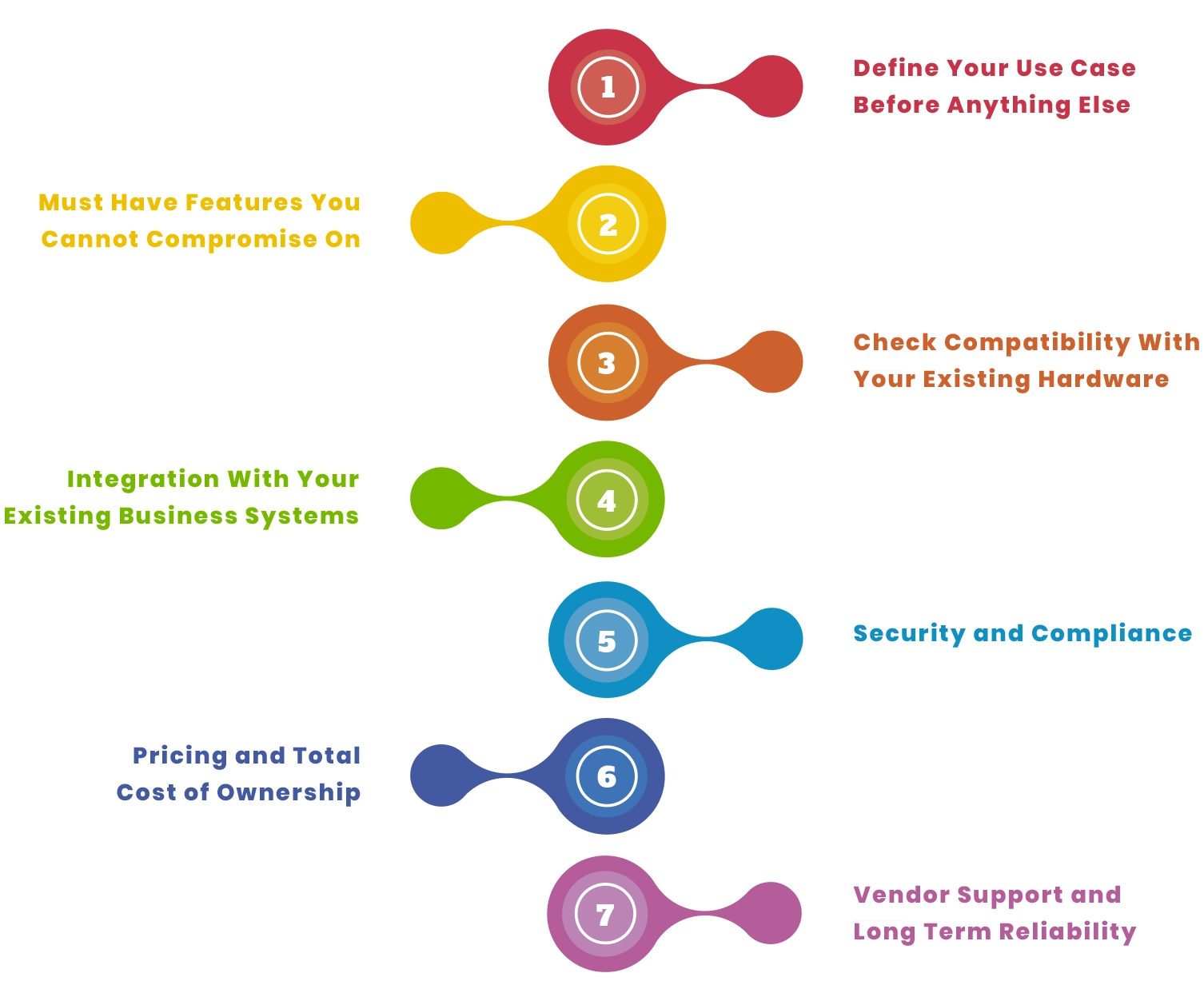
There is no one size fits all answer when it comes to kiosk software. But if you work through each of these steps, you will end up with something that fits your hardware, your systems, and the way your business actually runs.
Step 1: Define Your Use Case Before Anything Else
Many businesses make a mistake here. They start comparing software too early. First, you should clearly decide what your kiosk needs to do. Once this is clear, choosing the right software becomes much easier.
What Will Your Kiosk Do?
Write down the core task your kiosk needs to handle. Is it checking customers in? Taking payments? Displaying information? Processing orders? Each use case places different demands on the software. A payment kiosk needs encryption and payment gateway integration. A check in kiosk needs fast workflows and possibly scanner or camera support. An information kiosk mostly needs a locked down browser and a good content management system.
Where Will It Operate?
Where your kiosk is used affects the software features you need. An indoor kiosk in a reception area has different needs than one in a shopping mall or outdoors.
High traffic locations need strong uptime monitoring. They also need fast error recovery when something goes wrong. Low traffic or supervised areas are easier to manage and have more flexibility.
Is Your Hardware Old or New?
This is important if you are using existing devices. Some kiosk software only works on newer operating systems. Others are built to run well on older Android, Windows, or iOS devices.
Always check the minimum system requirements before shortlisting any platform. Good kiosk software should help extend the life of older hardware instead of forcing a replacement.
Step 2: Must Have Features You Cannot Compromise On
Once your use case is clear, match it with the features your setup needs. These are not optional. If a platform cannot handle them properly, it is better to skip it.
Kiosk Mode and Session Reset
The software should lock the device into your selected app or workflow. It should also reset after each user session. This makes sure no previous data stays on the screen. It keeps the experience clean and safe for the next user.
App and OS Level Lockdown
Screen lock alone is not enough. The software should block system settings, the app store, and any apps you do not allow. This is important in public kiosks where users may try to exit or change settings.
Remote Update and Configuration
You should not need to visit each device to make changes. The software should let you update apps and settings from one dashboard. This saves a lot of time, especially when kiosks are in different locations.
Peripheral Support
Most kiosks connect to external devices like printers, barcode scanners, QR scanners, payment terminals, or cameras. The software must support these devices. Poor hardware support is one of the main reasons kiosk setups fail after launch.
Step 3: Check Compatibility With Your Existing Hardware
This step is important if you already have kiosk devices. Many businesses want to upgrade software without buying new hardware.
Operating System Requirements
Every kiosk software has minimum system requirements. Some only run on newer Android or Windows versions. Older devices may not work with them.
Before choosing a platform, check if your devices meet the requirements. If they do not, ask if there is a lighter version or a setup that works on older hardware.
Processing Power and Memory
Older devices often have less RAM and slower processors. Some kiosk software needs more power and may run slowly on low end hardware.
Ask vendors for minimum hardware requirements. Test the software on your actual device during the trial. Do not rely only on written specs.
Software and Driver Compatibility
Some kiosk setups use drivers for devices like printers or payment terminals. Check if the software supports those drivers.
Compatibility issues often show up during real use, not during setup. Always test the full hardware setup before making a final decision.
Cloud vs On Premise Deployment
Some kiosk software runs in the cloud. Others run on local systems. Cloud platforms are easier to manage and update remotely. But they need a stable internet connection.
On premise or hybrid setups work better when the internet is weak or unstable. They can also be more stable for older hardware.
Step 4: Integration With Your Existing Business Systems
Kiosk software does not work alone. It needs to connect with your other business tools. Poor integration often causes issues after launch.
Payment Systems
If your kiosk takes payments, it must connect with your payment system or POS. The connection should be secure and follow payment rules. It should also work smoothly between the kiosk screen and payment hardware.
Before choosing a platform, ask which payment providers are supported and how the integration works.
CRM and Customer Data
Many businesses want their kiosk to feed customer data directly into their CRM. Check in kiosks in healthcare, hospitality, and retail are common examples. The software should support this through a proper API rather than a manual export process. A manual workaround will create data gaps and extra work for your team.
APIs and Custom Integrations
A good kiosk platform will have clear, well documented APIs so developers can hook it up to whatever other systems your business already runs. If you have specific needs, ask the vendor for API documentation before you decide on anything. Without proper API support, the software will hold you back as your business gets bigger.
Step 5: Security and Compliance
Kiosks that deal with customer data, payments, or personal information have real security responsibilities attached to them. No matter how big or small your business is, these are not areas you can cut corners on.
Device Level Security
The software has to stop people from getting into the device’s operating system or local storage. That means secure startup, encrypted storage, and controls that block users from putting anything on the device you have not approved. This matters whether your kiosk sits in a staffed office or out in a public space where no one is watching.
Role Based Access Control
Not everyone in your business should have the same level of access. A store manager does not need the same permissions as your IT person. So with role based access, you can set exactly what each type of user can and cannot do. That way, accidental changes are less likely, and if something does go wrong, the damage stays limited.
Audit Logs
Every change to your kiosk settings, every error, and every remote session should be saved with a time stamp. This is not just useful for fixing problems, but it is also a requirement in industries like healthcare and finance. So if a vendor cannot show you proper audit log features, walk away.
Step 6: Pricing and Total Cost of Ownership
The price you see on a vendor’s website is rarely what you will actually end up paying. Before you commit to anything, it is worth understanding what the full cost looks like over time.
License Models
Kiosk software gets priced in a few different ways. Some vendors charge per device each month, others go by location or by feature, and some sell one time licenses. A per device fee that looks reasonable at three kiosks can get very expensive once you are running thirty, so think ahead before you commit.
Hidden Costs to Watch For
Things like setup work, custom changes, onboarding, training, and higher tier support rarely show up in the starting price. So before you sign anything, ask the vendor to give you the full cost of getting their software running in your specific setup and get that in writing.
The Value of Keeping Old Hardware
If you want new software so your current devices can keep running, factor in what you are saving by not buying new ones. Because when you add up license fees, support costs, and the hardware you are skipping over two to three years, updating the software first usually works out cheaper than replacing everything at once.
Step 7: Vendor Support and Long Term Reliability
When something goes wrong with a kiosk on a busy day, the quality of your vendor’s support is what makes or breaks the situation. This is worth checking carefully before you sign anything.
Support Response Times
Ask vendors how fast they respond and whether that changes on evenings or weekends. Because if your kiosks are in retail or hospitality, they will be busiest at exactly the times when most support teams are not available. Find out whether 24/7 support exists, what it costs, and get the response time terms in writing before you agree to anything.
Product Updates and Roadmap
A vendor that keeps updating their platform is one that is still putting real work into it. So ask how often updates come out and what is in the pipeline. If they have not released anything in six months, that is a problem. You want someone who is moving forward, not just keeping things from falling apart.
Reference Customers and Track Record
Ask for reference customers who run a business similar to yours in size and type, because a platform built for large companies may be way too much for a small business with a handful of kiosks and older hardware. What really matters is whether the vendor has handled a situation like yours before and whether those customers would go back to them again.
The Bottom Line
Picking the right kiosk software is not about finding the one with the most features. It is about finding the one that works with your hardware, connects to your existing systems, stays secure, and lets you manage everything without having to show up in person every time something needs fixing.
Whether you are updating software on older hardware or starting from scratch, the steps are the same. Work out what you need, check what is compatible, confirm how everything connects, get clear on the real cost, and test it properly before you commit. And if you are not sure where to begin or need something more than off the shelf kiosk software can offer, Linkitsoft works with businesses to look at their existing setup and build or configure kiosk software that fits how things actually run. Talk to Linkitsoft and get kiosk software built around how your business actually operates.
Frequently Asked Questions
Can I use new kiosk software on my old hardware?
Often yes. A lot of kiosk apps run fine on older Android or Windows devices. Just check the system requirements first, and if your device has the right processor, memory, and OS version, it should work without any issues. That also means you can hold off on buying new hardware for now.
How do I know if kiosk software will work with my payment terminal?
Ask the vendor directly. Most platforms have a list of the payment systems they support, and if yours is not on it, ask whether a connection is still possible and who would sort out the setup. Either way, always test payments in real conditions before you go live.
Is cloud based kiosk software better than on premise?
It depends on your setup. Cloud software is easier to manage, and you can get into it from anywhere, but it needs a reliable internet connection. On premise works better when your connection is patchy, and it also gives you more control over your data. So the right choice really comes down to how your location runs.
What should I ask a vendor before signing a contract?
Start by asking whether it works with your existing hardware, like printers, scanners, and payment terminals. Then find out the full cost, not just the opening price. Ask how fast their support team responds and how often the software gets updated. And if you can, ask them to point you to businesses similar to yours that are already using it.