Installing a kiosk is easy. Keeping hundreds of them running smoothly is the real challenge.
From payment terminals in retail stores to check-in screens at airports, kiosks need constant monitoring and software updates. Somehow, you need to manage the security controls and the overall maintenance, too, at the same time. A single offline or frozen device can slow your operations down and cost your business some heavy revenue.
Kiosk management helps companies control and maintain all their devices from one system. This reduces downtime and makes large-scale self-service operations far easier to manage.
As kiosks become an important part of the customer experience, businesses are realizing that long-term success depends less on the hardware itself and more on how well the entire kiosk network is managed.
What Is Kiosk Management?
Kiosk management refers to the process of monitoring and updating kiosks across one or multiple locations. It covers both the hardware and software sides of kiosk operations.
A kiosk may look simple from the outside, but behind the screen, there is usually a full ecosystem that requires ongoing management. Businesses need to ensure the kiosk stays online and processes transactions properly. They also ensure from here whether if it displays the correct content and performs consistently throughout the day.
Kiosk management typically includes vital things like:
- Remote monitoring
- Tracking device health
- Software updates
- Security controls
- Payment system management
- Content management
- Hardware diagnostics
- User access restrictions
- Downtime alerts
- Performance analytics
Without a management system, businesses often rely on manual troubleshooting and physical inspections. Moreover, they have to be present on the site for maintenance. That approach becomes extremely difficult once a company operates dozens or hundreds of kiosks.
What Is a Kiosk Management System?
A Kiosk Management System, often called KMS, is a centralized platform used to manage kiosk fleets remotely. It acts as the control center for kiosk operations. A KMS allows businesses to:
- Monitor all the kiosks in one dashboard
- Deploy updates remotely
- Restrict and allow user access
- Configure the kiosk’s settings
- Track performance
- Generate reports
- Handle alerts and diagnostics
Modern KMS platforms often support Android, Windows, Linux, and ChromeOS based kiosks.
As kiosk deployments continue growing globally, KMS platforms are becoming increasingly important for enterprise management. According to Grand View Research, the interactive kiosk market is projected to exceed USD 52 billion by 2030. This growth will be a result of the growing demand for self service and automation technologies.
What Types of Kiosks Need to Be Managed?
Almost every type of kiosk requires some level of centralized management. and yes, different types of kiosks require slightly different types of management techniques:
Self Service Kiosks
These are common in restaurants and supermarkets. Customers use them to place orders or complete purchases independently.
Information Kiosks
Information kiosks are often used in malls and public buildings. They make it quite easy to display maps or announcements.
Payment Kiosks
Payment kiosks handle bill payments or professional banking transactions. These require strict security management because they process financial data.
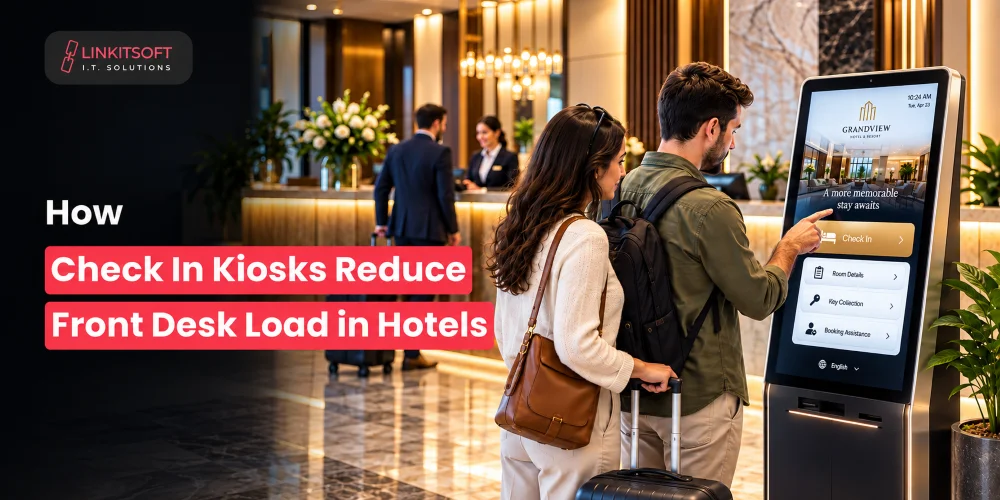
Check In Kiosks
Hospitals and hotels use check in kiosks to reduce waiting lines and automate the registration process for visitors.
What Are the Key Components of Kiosk Management?
Every kiosk is a combination of hardware and security systems working together in real time. If one component fails, the entire customer experience can get permanently scarred.
That is why businesses need to monitor and maintain every part of the kiosk ecosystem along with the screen.
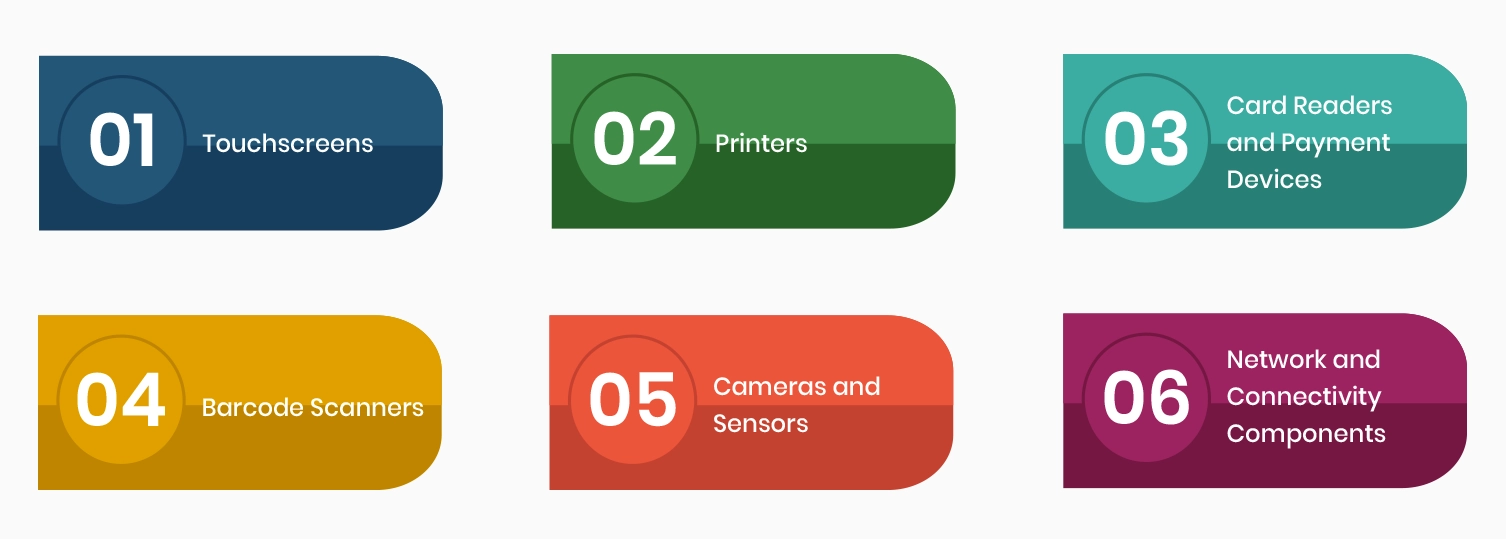
Touchscreens
The touchscreen is the most used part of any kiosk, which also makes it the most vulnerable to wear and tear. In high-traffic environments, screens are constantly exposed to fingerprints nd responsiveness issues.
Even the small touch delays can frustrate users and slow down the functions and transactions.
Hence, businesses often need to monitor the screen’s responsiveness and overall display health to make sure that the experience remains smooth and intuitive.
Printers
Many self-service kiosks still rely heavily on printers for receipts or order confirmations. Yet, printer failures are one of the most common kiosk issues because they involve moving mechanical parts that tend to wear down over time naturally.
Without proper monitoring, a simple paper shortage can leave an entire kiosk unusable.
Card Readers and Payment Devices
Payment processing is one of the most critical parts of a kiosk’s operations. This includes card readers and simple mobile wallet integrations. Now, for safe and secure transactions, they must remain secure and fully functional at all times.
A failed payment terminal does not just interrupt one transaction… it can completely stop revenue generation at that kiosk.
Because kiosks handle sensitive financial data, payment hardware requires constant oversight and regular security updates.
Barcode Scanners
Barcode scanners are also widely used in kiosks that are present in retail and logistics. Customers expect scanners to work instantly, especially in environments that move fast.
Poor scanning performance can create long queues and customer frustration very quickly.
In warehouse or industrial environments, scanners may also need protection from dust and constant physical impact.
Cameras and Sensors
Modern kiosks increasingly include cameras and smart sensors to support advanced functionality. Some systems use cameras for identity verification or complex things like security monitoring.
These components aren’t a part of most kiosks, but for the ones that have them, they add valuable functionality. However, they also introduce additional privacy and maintenance requirements that businesses have to manage carefully.
Network and Connectivity Components
A kiosk is only as reliable as its connection. Most modern kiosks depend on cloud platforms and live data synchronization. Even a brief network interruption can impact the transactions and customer experience.
For large kiosk deployments across multiple locations, network management becomes one of the biggest priorities.
What Can a Kiosk Management System Do?
A Kiosk Management System acts as the control center for the entire kiosk network. Businesses use it to manage several aspects of a kiosk across locations. Here, a centralized management system helps businesses automate many of the repetitive tasks. Here’s how:

Remote Device Monitoring
One of the biggest advantages of a Kiosk Management System is real time remote monitoring.
Administrators can see the status of every kiosk from a centralized dashboard. If a device goes offline or loses internet connectivity suddenly, the system immediately sends alerts to the support team.
This allows businesses to identify problems early before they start affecting customer experience.
Remote monitoring also helps IT teams track:
- Device uptime
- Internet stability
- System health
- CPU and memory usage
- Peripheral status
- App performance
For businesses operating kiosks across multiple cities or regions, this level of visibility becomes essential.
Remote Software Updates
Updating kiosks manually is not practical when businesses operate large kiosk fleets. A Kiosk Management System allows administrators to deploy software updates remotely across all devices. This includes operating system updates and content updates.
Instead of updating the kiosk devices one by one, businesses can schedule updates centrally. Once done, they can simply apply them during low traffic hours to avoid service disruption.
Kiosk Lockdown and Security Control
Public facing kiosks need strict access restrictions to prevent misuse.
A Kiosk Management System helps businesses configure kiosk mode or device lockdown settings. This ensures users can only access approved applications and functions.
These restrictions reduce the risk of unauthorized access or insecure tampering. It saves businesses from accidental system changes.
Content and App Management
Many businesses use kiosks to display menus or customer information or anything else relevant.
A KMS allows administrators to manage this content remotely across all kiosks from one platform.
This helps maintain consistency while also allowing localized content when needed.
Remote Troubleshooting and Maintenance
When kiosk issues occur, businesses do not always need to send technicians on site immediately.
When businesses use a reliable kiosk management system, they often include remote troubleshooting tools that allow IT teams to diagnose and fix problems from a central location.
This reduces downtime and lowers maintenance costs significantly.
Performance Analytics and Reporting
Modern kiosk systems generate large amounts of operational data. A Kiosk Management System helps businesses convert that data into useful insights.
These insights help businesses improve the kiosk’s placement and identify underperforming devices before problems grow larger.
Multi Location Kiosk Management
Managing kiosks across different locations becomes much easier with centralized control.
Businesses can group kiosks by:
- Region
- Store location
- Department
- Device type
- Operational role
This allows administrators to apply policies, updates, and configurations efficiently across specific kiosk groups without affecting the entire network.
For large businesses, centralized multi location management is often one of the most valuable features of a Kiosk Management System.
Frequently Asked Questions
What Happens When Kiosks Are Poorly Managed?
Several issues start appearing when kiosks are not monitored properly. These problems affect a business in serious ways. Here are some example scenarios:
- Screens may freeze during transactions
- Card readers may stop accepting payments
- Printers can run out of paper without anyone ever noticing
- Bugs may remain unresolved for weeks
What Causes Kiosk Failures?
Kiosk failures can happen for both technical and environmental reasons. Common causes that result in kiosks failing include things like:
- Network outages
- Software crashes
- Power failures
- Hardware wear and tear
- Payment processing errors
- Physical vandalism or misuse
Public facing kiosks experience heavy daily usage. This is why these things remain a common long term issue.
Can Kiosks Be Managed Across Multiple Locations?
Yes. Modern kiosk management platforms are built specifically to support multi location deployments. Businesses can monitor and control kiosks across different stores, branches, cities, or regions through a centralized dashboard.
How Often Should Kiosks Be Maintained?
Kiosks require regular maintenance to ensure stable performance and long term reliability. Since public facing kiosks experience constant daily usage. For this reason, businesses usually monitor them continuously while performing scheduled inspections weekly or monthly, depending on traffic volume.
What Industries Benefit Most From Kiosk Management Systems?
Kiosk management systems are widely used in industries that rely on self service operations and high customer traffic. Retail stores use them for self checkout and product browsing, while restaurants depend on them for self ordering and faster service flow.
Hospitals and clinics use kiosks for patient check in and registration, airports use them for ticketing and boarding processes, and hotels often deploy them for automated guest check in. Banking, transportation, education, and government sectors also use kiosk management systems to reduce manual workload.