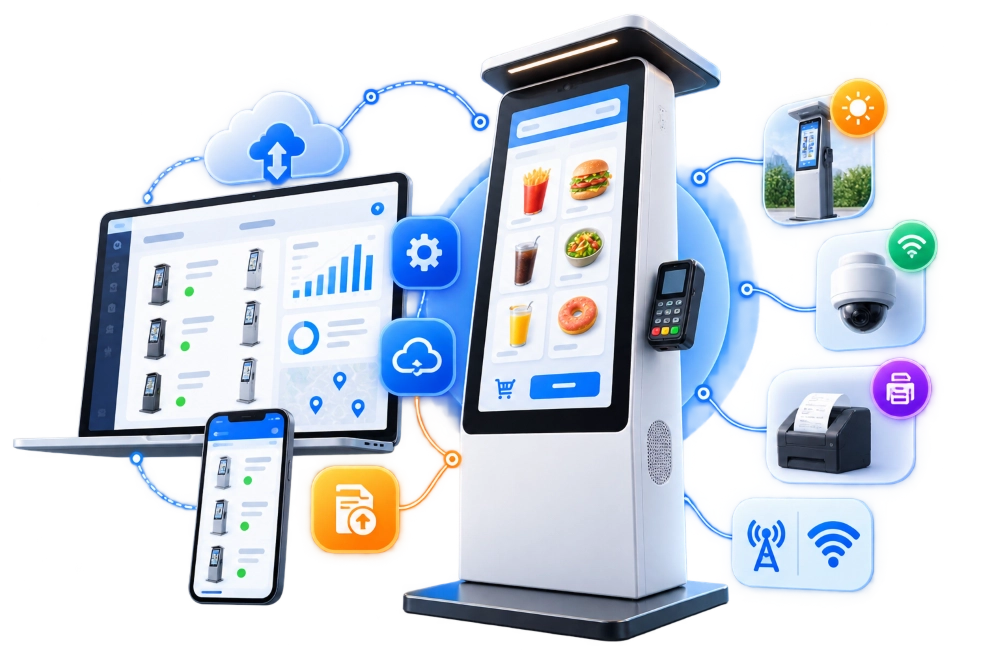
Manage your entire kiosk fleet from one platform. LinkitSoft develops custom kiosk management software for remote monitoring, software updates, and troubleshooting, giving you greater control over your kiosks and their day-to-day operations.





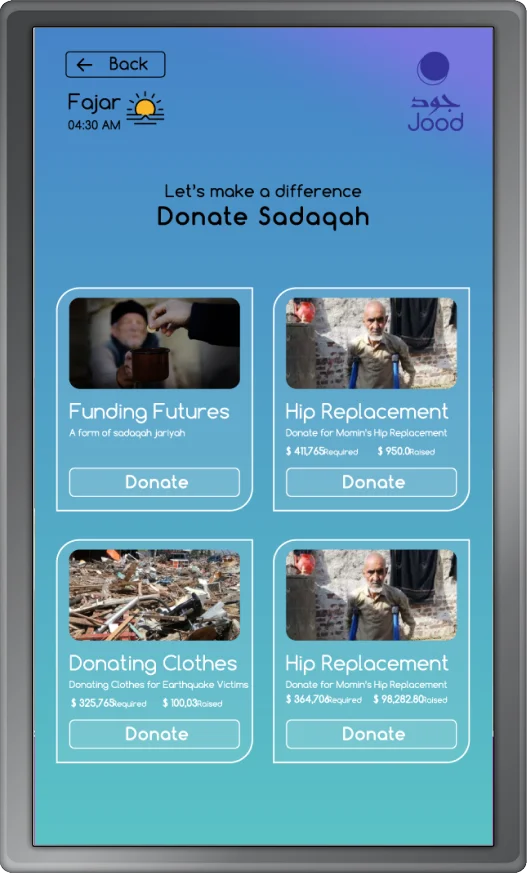
LinkitSoft developed a bilingual donation kiosk and web platform with centralized management, real-time tracking, and secure payment processing.
Highlights:
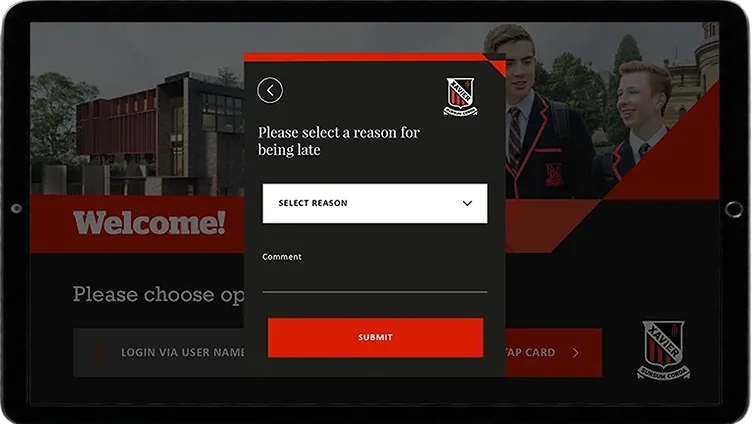
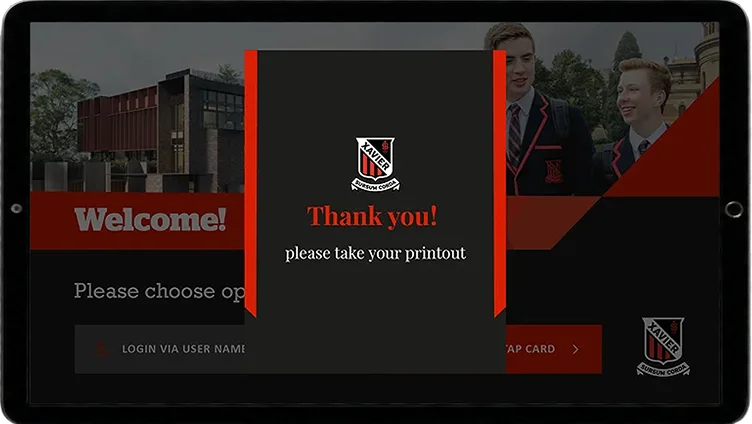
LinkitSoft built a Windows-based attendance kiosk integrated with Microsoft Dynamics CRM for student identification, photo verification, receipt printing, and secure kiosk access.
Highlights:
We develop management software for kiosks for businesses that need a simpler way to maintain their devices and keep track of daily operations. Our team builds the platform around your kiosk network and management requirements.
Manage your kiosks from a central platform without having to visit each device. The software can support remote configuration changes, app restarts, and other administrative tasks based on your hardware and operating system.
Keep track of your kiosk network and identify devices that need attention. The software can monitor device availability, app status, and connectivity, helping your team spot technical issues and decide when maintenance is needed.
Update the information displayed on your kiosks without changing each device individually. Your team can manage menus, promotional content, and other screen content across selected kiosks or locations.
Manage app updates and software versions across your kiosk network. The system can distribute approved updates and help your team roll out changes to selected devices before applying them across the entire network.
Control how kiosks operate in public or shared environments. Depending on the device and operating system, the software can support kiosk lockdown, app restrictions, administrator permissions, session controls, and security configuration management.
Manage kiosks across different branches, facilities, or business locations through one platform. Your team can organize devices by location, apply shared settings, monitor individual kiosks, and give local administrators access to the devices they are responsible for.
Turn your kiosk operations into a connected, easier-to-manage system with custom software built around your devices, locations, and workflows.
Kiosk software becomes particularly useful when devices perform different jobs or operate across multiple locations. We build solutions for businesses that need a practical way to keep their kiosks running and manage changes without relying on manual work at every device.

Retail businesses may operate self checkout terminals, product information kiosks, customer service stations, and promotional displays. A management platform helps teams maintain application versions, update content, and check device availability across their stores.

Ordering kiosks need current menus, accurate prices, and working connections to the systems handling orders. Management software can help restaurant operators distribute menu changes, monitor kiosk status, and manage configurations across multiple outlets.
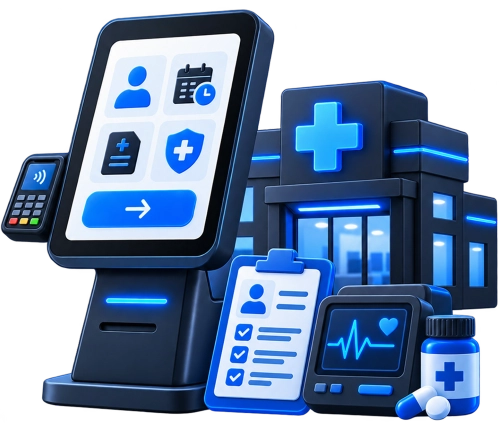
Hospitals and clinics may have patient registration terminals and wayfinding devices throughout their facilities. A central platform helps technical teams monitor these devices and manage approved updates without visiting each department.

Hotels use kiosks for guest check in and other self service tasks. Management software can help operators oversee devices across different properties, update guest facing content, and investigate technical issues that interrupt service.

Banks need careful control over the software and settings used on customer facing terminals. A management platform can support controlled software deployments, device monitoring, administrative permissions, and records of changes made by authorized staff.
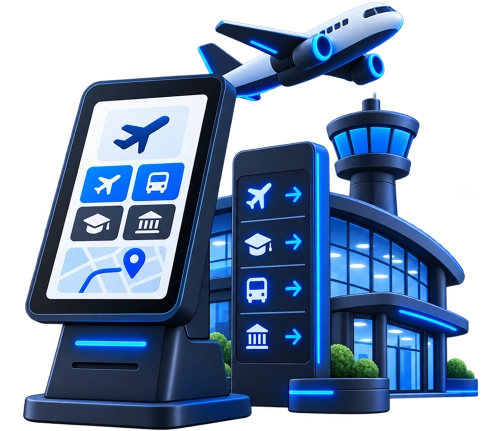
Kiosks in large facilities may be spread across entrances, corridors, service areas, and separate buildings. Management software gives technical teams a way to identify devices that need attention, update public information, and organize equipment by location.
A basic custom kiosk management platform may cost around $15,000 to $30,000 and may include:
A larger platform may cost $50,000 to $100,000 or more and can include:
These figures are initial planning ranges, not fixed quotes. The final cost depends on the project scope, required features, integrations, kiosk types, and technical complexity.

The features included in a management platform should reflect the work your team needs to do. We can develop the following capabilities individually or combine them into a single system, depending on your requirements.
See which kiosks are online, which have stopped communicating, and which may need attention. Devices can be grouped by location, type, or other useful categories so administrators do not have to search through an unorganized list.
Perform supported maintenance tasks through the management interface. Depending on the device, this may include restarting an application, refreshing settings, restarting the kiosk, or collecting diagnostic information.
Keep track of which application version is installed on each kiosk. Administrators can distribute approved updates, check deployment results, and identify devices that are still running an older version.
Prepare content changes and publish them to selected kiosks or groups. Where required, the platform can support scheduled publishing, allowing businesses to coordinate updates around opening hours, promotions, or planned service changes.
Set up alerts for conditions that need attention, such as a kiosk going offline, an application error, or an unsuccessful update. Notifications can be directed to the appropriate team so technical staff know where to investigate.
Give administrators, technicians, and local managers access to the functions relevant to their responsibilities. For example, a content manager may be allowed to update screen content without having permission to change device security settings.
Review information such as device availability, software versions, update results, and recorded errors. Historical records can help teams identify recurring issues and understand whether maintenance changes have resolved them.
Maintain settings for different devices or groups through the management platform. Shared configurations can help keep similar kiosks consistent, while location specific settings allow businesses to accommodate local requirements.
Record administrative actions and changes made through the platform. Depending on the project, the software can also support authenticated device communication, encrypted connections, controlled administrative access, and other security measures suited to the deployment.
Connect the management platform with existing business systems through APIs and other supported interfaces. Depending on your environment, integrations may include identity providers, IT service management tools, notification services, analytics platforms, cloud services, and device management systems.
Kiosk management software sits between the physical devices and the people responsible for maintaining them. The kiosks report information to the platform, the backend processes that information, and administrators use the dashboard to review activity or make changes.
A management application or agent runs on each supported kiosk. It communicates with the central platform, reports device information, and carries out management instructions that the operating system permits.
This layer manages communication between kiosks and the management platform—handling device registration, status reporting, configuration delivery, and updates—while robustly supporting intermittent connectivity and offline reconnection.
The backend processes incoming device information and manages the data used by the platform. This may include device records, configurations, software versions, administrator permissions, update history, and alerts.
The dashboard is where administrators oversee the network. They can search for devices, check their status, review alerts, manage configurations, and perform actions allowed by their permissions.
Device information is organized into dashboards, reports, and notifications that help teams understand what is happening across the network. This can make recurring issues easier to spot and provide a record of changes made over time.
The integration layer connects the management platform with other software and services. This may include identity management, IT support ticketing, reporting tools, cloud infrastructure, or existing device management systems.
Off-the-shelf platforms can cover basic kiosk management, but they may not fit every business, device type, or workflow.
Custom kiosk management software gives you more control over:
It can also scale and adapt as your kiosk network, locations, and operational requirements grow.

We have gained a long list of contented clients by delivering top-notch IT solutions.







Before development begins, we need to understand how your kiosks operate and what your team expects to manage. This helps us define the scope around your requirements instead of adding features without a clear purpose.
We review your kiosk types and current maintenance process. We also identify the issues your team encounters most often and determine which tasks should be handled remotely.
We map out how the kiosks will communicate with the platform and which management functions each device can support. This stage covers the backend, integrations, security, and data storage.
We plan the dashboard around everyday administrative tasks. Device search, status information, configuration changes, and reports should be easy to find without making routine maintenance unnecessarily complicated.
Our team builds the agreed features and connects them with the supported kiosk hardware and existing business software. We develop the backend and dashboard alongside the device communication components required by the project.
We test device registration, software updates, and other included functions. Deployment can begin with a smaller group of kiosks before the platform is rolled out more widely.
Once the system is in use, we can help resolve issues, improve existing features, and accommodate changes to your kiosk network. The scope of ongoing support can be agreed around your operational needs.
We thrive on accelerating the path to disruption and implementing agile methodologies to design, build, deliver, and scale digital solutions. Our future-proof, growth-centric tech has earned us notable awards and recognition across industries and regions.


A management platform needs to fit the equipment and processes already in place. We approach each project by looking at the technical environment, the people who will use the software, and the problems the business wants to solve.
We start with the way you manage your kiosks today. That helps us identify which features need custom development, which existing tools may be useful, and where the platform can reduce manual work.
Remote management depends on what the kiosk hardware and operating system allow. We account for these limitations during planning so the proposed features reflect the capabilities of your actual devices.
Your team may already use software for IT support, reporting, identity management, or device administration. We can assess how the new platform should connect with those systems and avoid duplicating functions that are already covered.
Adding new kiosks or locations can introduce different management requirements. We can build the software with room for additional devices, user roles, reporting needs, and integrations, based on the expected direction of your network.
We understand that kiosk management involves more than a dashboard. The solution may need to communicate with device applications, hardware components, backend services, databases, and third party systems. We plan these connections as part of the overall platform.
The management features available on a kiosk depend on its hardware and operating system. We consider these technical requirements early so the proposed solution reflects what the devices can support, including any limitations on remote control or monitoring.


Yes. We can assess your current hardware, operating systems, available APIs, and device permissions to determine which management features can be developed. The available controls will depend on the capabilities of your existing devices.
It can, provided each operating system supports the required management functions. Some features may work differently across platforms, so the system needs to account for those differences rather than assume every kiosk can be managed in exactly the same way.
The central platform cannot communicate with a kiosk while it has no network connection. However, the kiosk can often continue running its locally installed application, depending on how that application is designed. The platform can record the last reported status and process new information when the device reconnects.
Yes. The platform can use role based permissions to separate responsibilities. For example, a local manager may be allowed to check device status, while a technical administrator can manage software deployments and system configurations.
A straightforward platform may take a few months, while a more complex system can take six months or longer. The time it takes also depends on the technical requirements, number of features, and complexity of the integrations.
If managing your kiosks means checking devices individually, arranging frequent site visits, or handling updates one at a time, it may be time to rethink the process.
LinkitSoft can help you build a management platform that fits your existing equipment and gives your team a more practical way to oversee daily operations.
Share your kiosk type and current management challenges with us. We can help you work out what the software needs to handle and which features make sense for your business.