Create faster, smarter outdoor self-service experiences with custom kiosk software from Linkitsoft. We build solutions for wayfinding, ticketing, payments, public information, hardware integration, remote management, offline workflows, and system connectivity.
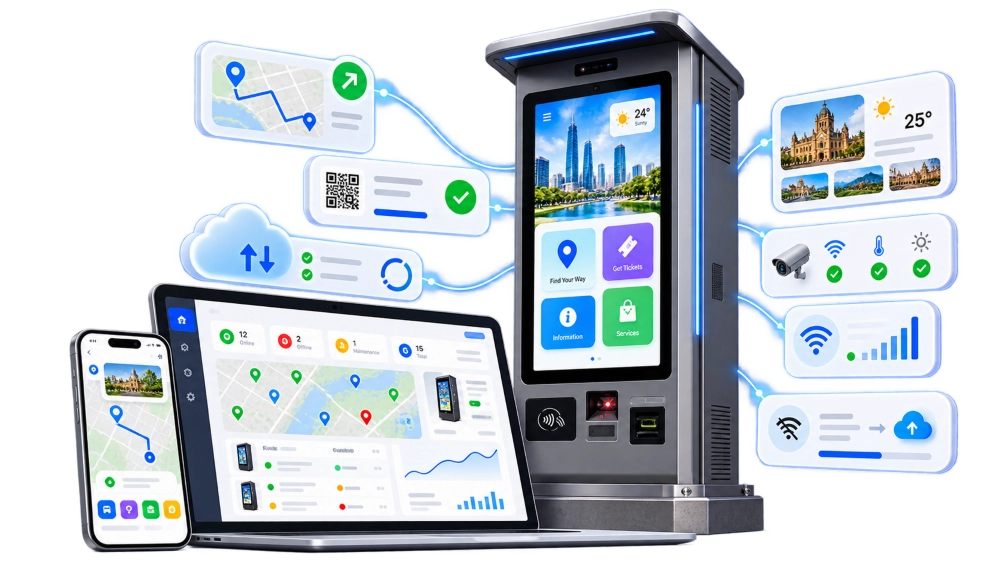





Our kiosk development experience includes high-traffic public check-in systems, unattended vending applications, hardware integrations, enterprise software connections, and locked self-service environments.
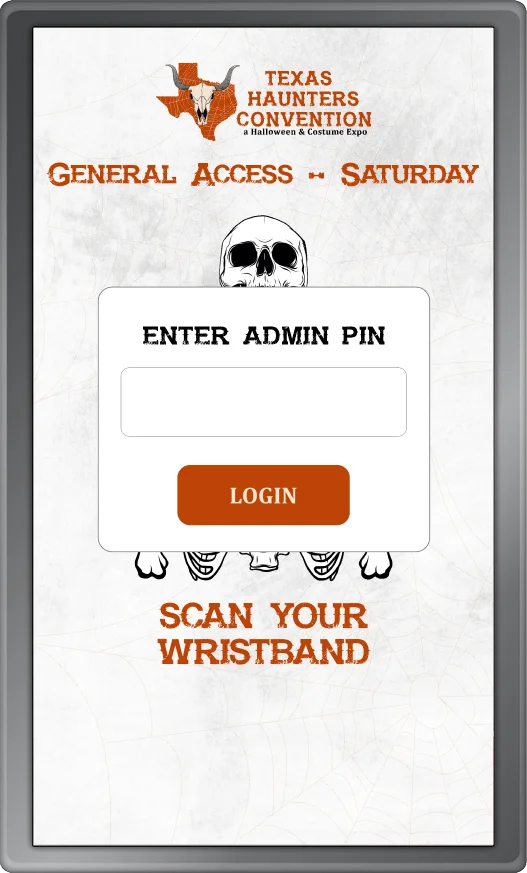
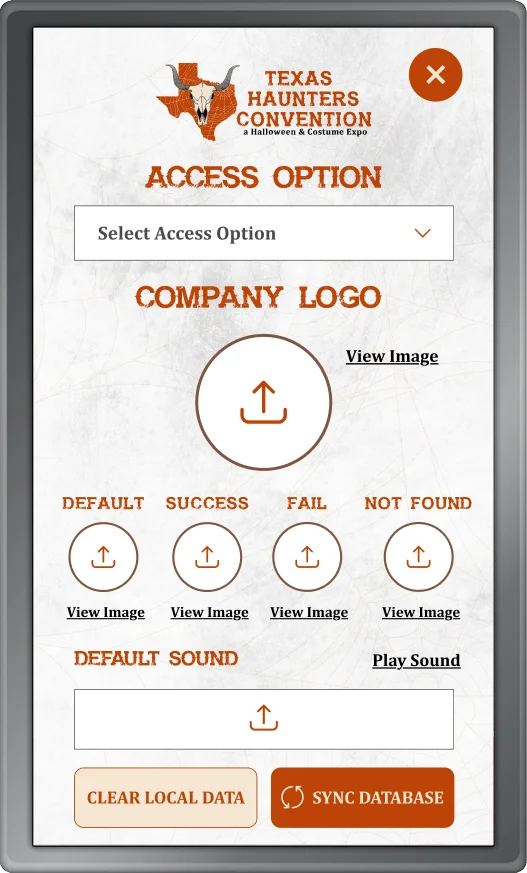
Linkitsoft built a self-service badge-printing kiosk connected to the event registration database, enabling QR or email lookup and instant badge printing.
Highlights:
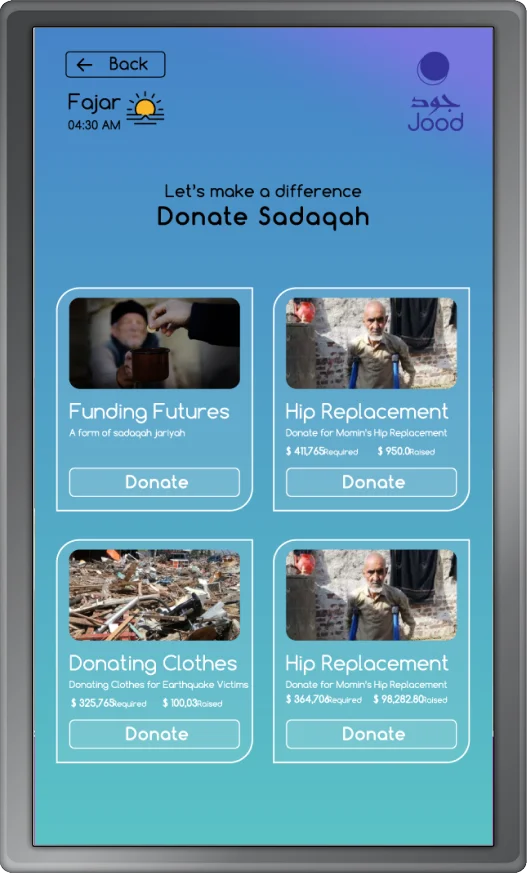
Linkitsoft developed a bilingual donation kiosk and web platform with secure payments, real-time tracking, centralized management, and a streamlined giving experience.
Highlights:
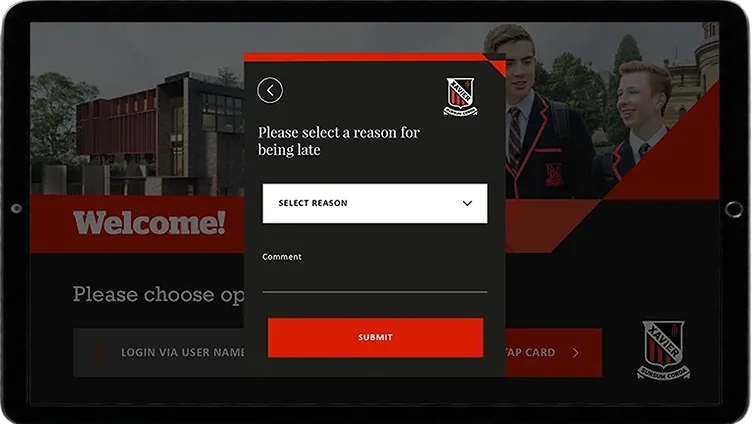
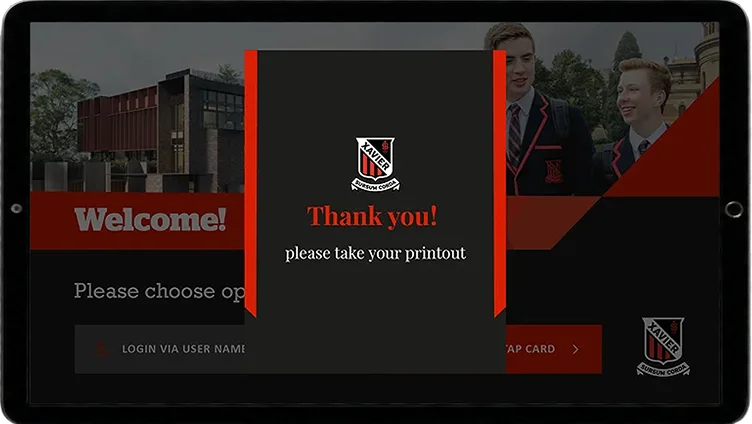
Linkitsoft developed a Windows-based attendance kiosk integrated with Microsoft Dynamics CRM for student identification, photo verification, receipt printing, and kiosk access.
Highlights:
Without reliable kiosk software, outdoor self-service can become slow, disconnected, difficult to manage, and frustrating for users.
Limited self-service forces customers to rely on staff, increasing wait times and operational workload.
Poor integration between kiosks, payments, and business systems can create fragmented workflows and inconsistent data.
Without centralized monitoring, operators may struggle to identify kiosk issues, downtime, or device failures remotely.
Managing kiosk content, settings, and software manually across multiple locations increases maintenance effort.
Unstable internet connections can interrupt kiosk workflows when offline handling and synchronization are not available.
Poorly designed kiosk journeys can make navigation, payments, and self-service tasks confusing or difficult to complete.
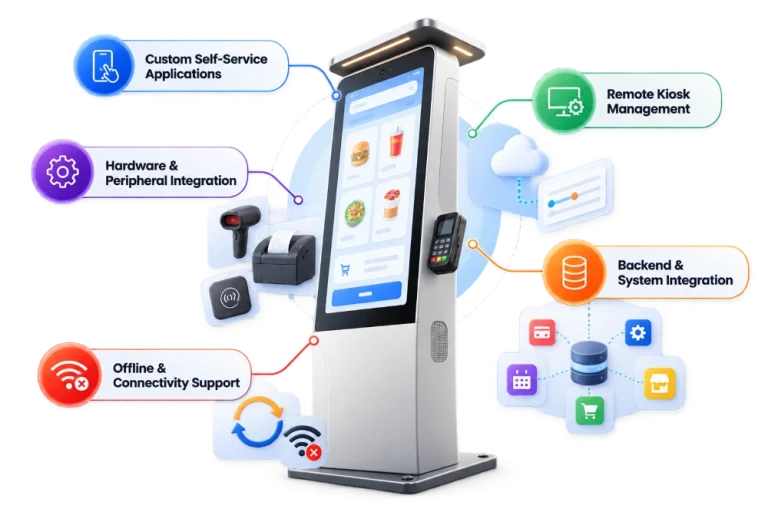
Linkitsoft develops complete outdoor kiosk software solutions tailored to your hardware, workflows, locations, and existing systems.
Build purpose-designed kiosk applications for public, commercial, and unattended self-service environments.
Connect kiosks with scanners, printers, payment terminals, NFC readers, cameras, sensors, and other supported devices.
Monitor kiosk status, manage configurations, update content, and deploy supported software updates remotely.
Connect kiosks with POS, ERP, CRM, booking, ticketing, inventory, payment, and custom business systems.
Design selected workflows to handle connectivity interruptions with caching, retries, and data synchronization.
Build a reliable, connected kiosk solution tailored to your hardware, workflows, and locations.
Our outdoor kiosk development capabilities support a wide range of public, visitor, transportation, and self-service use cases.
Help visitors search destinations, view routes, and navigate campuses, parks, venues, and public spaces.
Provide directories, announcements, services, maps, and location-specific information through self-service kiosks.
Support ticket lookup, purchase, validation, registration, and self-service check-in workflows.
Provide routes, schedules, terminal guidance, passenger information, and travel-related self-service workflows.
Help visitors discover attractions, landmarks, local services, walking routes, and destination information.
Provide trail information, facility locations, events, activities, rules, and visitor guidance.
Guide users through universities, hospitals, offices, government facilities, and large multi-building sites.
Support attendee check-in, venue navigation, schedules, ticketing, and event information.
Build specialized kiosk experiences around unique operational and customer requirements.
Our outdoor kiosk software includes practical features designed to improve usability, accessibility, transactions, and secure self-service.
Create clear interfaces with readable text, large touch targets, and simple navigation.
Enable scanning and contactless interactions for tickets, passes, identification, access, and payments.
Support secure payment workflows for ticketing, parking, retail, admissions, and other transactions.
Generate receipts, tickets, badges, confirmations, and other printed records.
Deliver localized kiosk experiences for users in different languages and regions.
Improve usability with readable layouts, clear navigation, strong contrast, and accessible interaction patterns.
Track searches, transactions, interactions, errors, and kiosk activity to improve performance.
Keep users inside the intended application and restrict unauthorized device access.
Automatically reset inactive sessions and prepare the kiosk for the next user.
From payments and integrations to remote management, Linkitsoft can build the complete kiosk software solution.
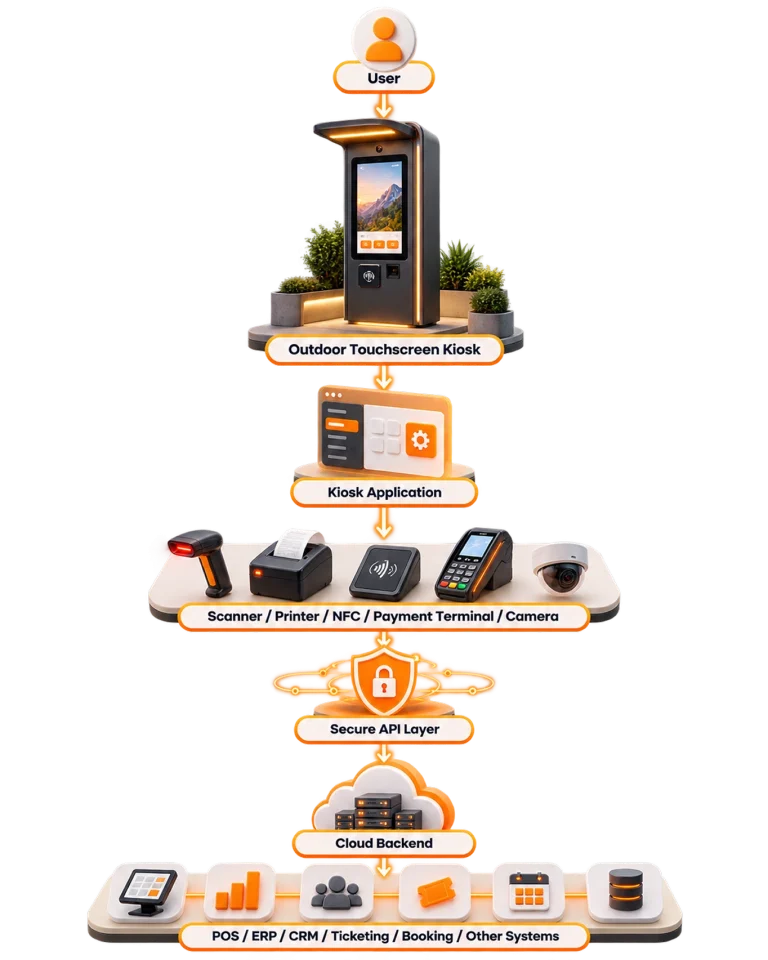
A typical outdoor kiosk solution connects the customer-facing application, hardware, cloud services, and existing business systems.
A remote management layer can support:
The final architecture depends on your hardware, workflow, integrations, and operational requirements.
Outdoor self-service kiosks can support organizations across many public and commercial environments.
Provide access to information, civic services, directories, wayfinding, and supported self-service transactions.
Support routes, schedules, ticketing, passenger information, and navigation.
Help visitors discover attractions, landmarks, maps, local services, and destinations.
Provide trail information, maps, park services, facility locations, and visitor information.
Help students and visitors locate buildings, services, departments, and events.
Guide patients and visitors to entrances, departments, buildings, parking, and facilities.
Support check-in, ticketing, navigation, schedules, information, and visitor assistance.
Support parking information, supported payments, permits, ticketing, and QR workflows.
Enable product information, ordering, payments, pickup, and other self-service experiences.
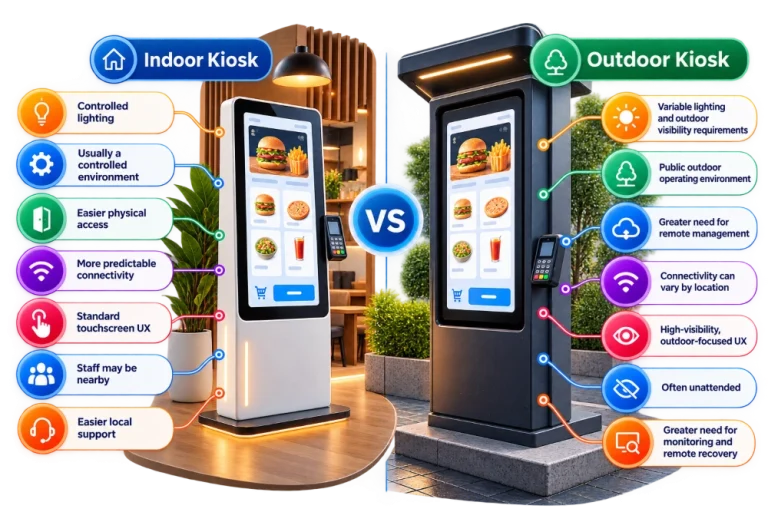
While many kiosk workflows are similar, outdoor environments introduce additional operational considerations.
We have gained a long list of contented clients by delivering top-notch IT solutions.







From planning to deployment, we follow a structured process to build reliable outdoor kiosk software around your users, hardware, integrations, and operational needs.
Define target users, kiosk goals, locations, hardware needs, connectivity, security, and existing business systems.
Map the self-service journey and design clear touchscreen experiences for outdoor users and environments.
Review required devices, peripherals, SDKs, APIs, payment systems, and third-party platform connections.
Build the kiosk application, backend services, APIs, management tools, hardware integrations, and required system connections.
Test user journeys, hardware communication, integrations, connectivity, kiosk mode, failures, and recovery scenarios.
Prepare the solution for launch, then support updates, monitoring, maintenance, scaling, and future improvements.
The right kiosk platform depends on your hardware, existing infrastructure, and deployment requirements.
Build kiosk applications for Android-based terminals and embedded touchscreen devices.
Develop self-service applications for Windows-powered kiosk hardware.
Build APIs, data services, integrations, analytics, and centralized management capabilities.
We thrive on accelerating the path to disruption and implementing agile methodologies to design, build, deliver, and scale digital solutions. Our future-proof, growth-centric tech has earned us notable awards and recognition across industries and regions.


Linkitsoft builds outdoor kiosk solutions around your business operations, hardware, integrations, and long-term growth, not just a standard kiosk app.
Build kiosk apps, backend systems, APIs, and management portals around your specific requirements.
Connect kiosks with payment terminals, scanners, printers, cameras, and other external devices.
Create self-service experiences based on your actual business processes instead of fixed templates.
Connect your kiosk software with POS, ERP, CRM, payment gateways, APIs, and other business platforms.
Monitor kiosk activity, manage devices, deploy updates, and troubleshoot multiple kiosks from one centralized system.
Expand from a single outdoor kiosk to multiple locations without rebuilding the entire software infrastructure.


Outdoor kiosks can support maps, directions, ticketing, parking, payments, tourism, transportation information, check-in, and other unattended services.
Yes. Linkitsoft can design selected kiosk functions with local caching, queued actions, retries, and synchronization to handle temporary connectivity issues.
Yes. Outdoor kiosks can integrate with card readers, payment terminals, NFC devices, and supported payment processors.
Yes. Linkitsoft can build centralized management capabilities for monitoring kiosk connectivity, application health, configurations, content, and device status.
Yes. Linkitsoft can connect outdoor kiosks with POS, ERP, CRM, inventory, booking, ticketing, payment, and custom backend systems through APIs.
Yes. Multi-language kiosk interfaces can be developed for public environments serving users from different linguistic backgrounds.
Yes. AI can support conversational assistance, intelligent search, recommendations, voice interaction, and multilingual kiosk experiences.
Linkitsoft can implement kiosk mode, session timeouts, encrypted communication, device authentication, access controls, audit logs, and secure software updates.
Build a secure, reliable, and scalable outdoor kiosk solution designed to perform in real-world environments. From hardware integration and self-service workflows to payments, remote management, and business system integrations, Linkitsoft can help you turn your kiosk concept into a production-ready solution.