Make ticket purchases, booking retrieval, payments, and ticket validation easier with a self-service kiosk. Linkitsoft develops ticketing kiosk software that connects your kiosk interface with ticketing platforms, payment systems, scanners, printers, and other business systems.
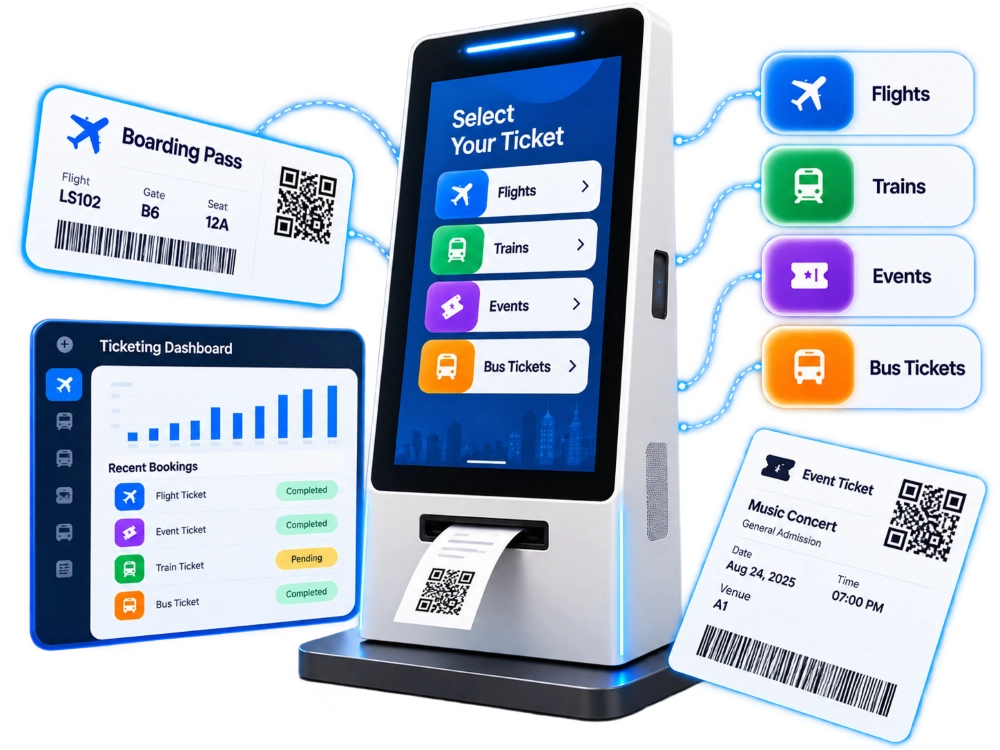





Manual ticketing can create unnecessary delays, increase staff workload, and make it harder to deliver a smooth customer experience during busy periods.
Manual ticket sales and check-in can create long queues during busy hours, increasing customer wait times.
Staff may need to handle ticket selection, payment, verification, and printing manually, making each transaction slower.
Manual ticket verification requires staff involvement, which can delay entry when large numbers of customers arrive at once.
Checking QR codes, barcodes, or ticket details manually can slow down validation and increase the risk of processing errors.
Staff have to manage ticket sales, payments, printing, check-in, and customer support instead of focusing on higher-value tasks.
Crowded counters, longer waiting times, and limited self-service options can create friction and reduce customer satisfaction.
Give customers a faster self-service experience with features designed for ticket purchases, payments, validation, printing, and secure kiosk operation.
Give customers a clear interface for browsing ticket types, dates, times, prices, and available options.
Allow customers to purchase new tickets or retrieve an existing booking using the information required by your system.
Support QR and barcode scanning for ticket retrieval, validation, check-in, and other identification workflows.
Connect the kiosk with supported payment terminals and payment providers to support secure customer transactions.
Connect compatible printers to provide physical tickets, receipts, booking confirmations, or other transaction documents.
Connect with your ticketing or booking system to display current availability where the underlying platform supports real-time data.
Clear customer information and reset the kiosk after a completed or abandoned transaction to prepare it for the next user.
Provide customers with language options that match the needs of your locations and target audience.
Validate ticket information against the connected ticketing system before check-in, entry, or another authorized action.
Capture relevant transaction information for operational tracking, reporting, and system-level management.
Get the design, development, integration, hardware connectivity, and technical support needed to build a ticketing kiosk around your business workflow.
Define your customer journey, ticketing workflow, hardware requirements, integrations, security requirements, and deployment model before development begins.
Create a clear touchscreen experience that helps customers complete ticketing tasks with fewer steps and less confusion.
Develop the customer-facing kiosk application around your ticketing, booking, registration, or check-in requirements.
Build the backend infrastructure and management dashboard required to manage tickets, transactions, devices, users, reports, and operational data.
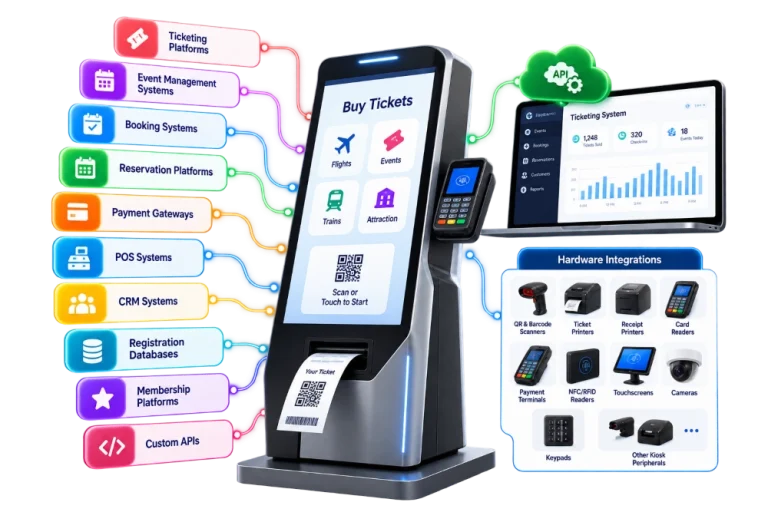
Connect your kiosk with ticketing, booking, reservation, payment, POS, CRM, event management, and other business platforms.
Prepare the software for deployment, monitor operational performance, release updates, troubleshoot issues, and support your kiosk network as it grows.
Your kiosk should work with the systems your business already uses. Linkitsoft can connect the kiosk application with third-party platforms, APIs, databases, payment services, and hardware.
Replace long queues and manual ticketing processes with a secure self-service experience built around your business.
A simple self-service workflow takes customers from ticket selection and payment to ticket delivery and validation.
Customers select their ticket, service, date, seat, event, or other available option from the touchscreen.
The kiosk connects to the selected payment method and processes the transaction securely.
After successful payment, the customer receives a printed ticket, receipt, QR code, or digital confirmation.
At the point of entry, customers scan their ticket or QR code for fast validation and access.

Support self-service ticketing, check-in, registration, and access workflows across transportation, events, entertainment, sports, and public services.
Support ticket purchases and passenger services at airports, railway stations, bus terminals, and transit locations.
Automate registration, ticket collection, attendee check-in, and access verification for conferences, exhibitions, trade shows, and other events.
Provide self-service ticketing for cinemas, museums, amusement parks, attractions, and entertainment venues.
Support ticket purchases, visitor verification, ticket validation, and event entry at sports venues and stadiums.
Use self-service kiosks for queue ticketing, appointment check-in, service requests, and citizen-facing workflows.
Support campus events, admissions, registrations, visitor management, and other institutional services through self-service kiosks.
Build ticketing software with architecture designed to support fast customer interactions, concurrent usage, and growing kiosk networks.
This helps businesses serve more customers efficiently without adding unnecessary manual processes.

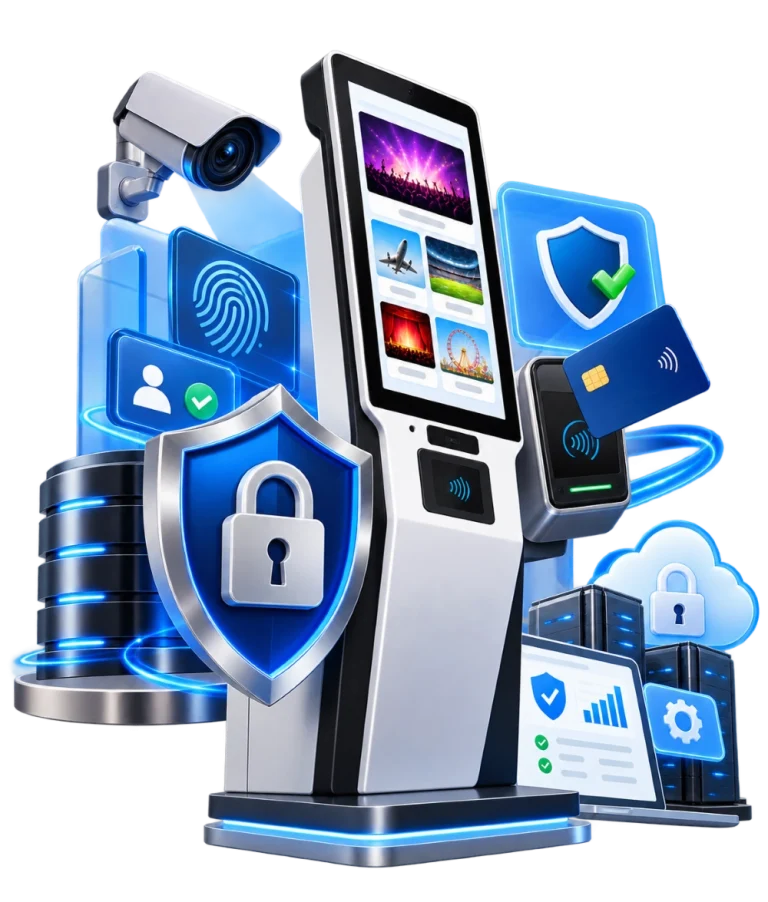
Protect kiosk applications, customer information, transactions, and connected systems with security controls designed for public self-service environments.
Security measures can be aligned with your payment provider, ticketing platform, and deployment requirements.
We have gained a long list of contented clients by delivering top-notch IT solutions.







From initial planning to deployment and ongoing support, our process keeps your kiosk project focused on usability, integration, reliability, and scalability.
We define your ticketing workflow, customer journey, hardware, integrations, security needs, and deployment requirements.
We create a simple touchscreen experience focused on fast navigation and easy customer interactions.
We develop the kiosk application, backend, APIs, database components, and required integrations.
We connect scanners, printers, payment terminals, card readers, displays, and other hardware kiosk peripherals.
We test payments, ticket printing, scanning, validation, security, hardware communication, and connectivity before deployment.
We monitor performance, resolve issues, release software updates, and provide ongoing technical support.
We thrive on accelerating the path to disruption and implementing agile methodologies to design, build, deliver, and scale digital solutions. Our future-proof, growth-centric tech has earned us notable awards and recognition across industries and regions.


Build a kiosk solution around your workflow with custom development, hardware integration, scalable architecture, and ongoing technical support.
Build the kiosk around your ticketing process instead of forcing your business workflow into generic software.
Connect the application with the physical devices required for ticket sales, printing, payments, scanning, and validation.
Design payment and customer-data workflows with security considerations appropriate for public-facing self-service systems.
Start with a pilot deployment and expand the same software architecture across additional kiosks and locations.
Monitor kiosk health, connectivity, errors, configurations, and software updates without requiring physical access to every device.
Linkitsoft develops custom kiosk applications with backend systems, hardware integrations, remote monitoring, and multi-location management capabilities.


Custom ticketing kiosk software projects can range from approximately $10,000 for a relatively basic solution to $75,000 or more for complex, multi-location platforms. Costs vary based on payment processing, ticketing-system integrations, kiosk hardware, backend functionality, offline support, remote management, security requirements, and deployment scale. We provide a project-specific estimate after reviewing your requirements. Contact us today.
Selected workflows can continue during temporary connectivity issues, with data synchronization when the connection is restored, depending on the system architecture.
Yes. The interface can support multiple languages based on your target customers, locations, and business requirements.
Yes. A kiosk can support multiple workflows, allowing customers to purchase tickets, retrieve bookings, or validate tickets through the same device.
Yes. The software can be developed to work with the scanners, printers, payment terminals, displays, readers, and other peripherals required for your kiosk setup.
The timeline depends on the number of features, integrations, hardware requirements, and deployment scope. The development schedule can be defined after reviewing your technical and business requirements.
Whether you need one kiosk or a multi-location network, Linkitsoft builds software around your ticketing platform, hardware, payment systems, and workflow.
From ticket purchase and payment to QR validation, printing, check-in, and reporting, manage the complete self-service journey in one connected solution.