Kiosks have become a practical part of many businesses, from helping customers place orders to checking in for appointments, all without staff assistance. But behind these different kiosk experiences is software that needs to fit the way each business operates.
For some businesses, an off-the-shelf solution may provide everything needed to get a kiosk up and running. Others may need more control over the interface or integrations with existing systems. As those requirements become more specific, choosing between ready-made and custom software becomes an important part of planning the kiosk.
This guide looks at the differences between the two approaches and what businesses should consider before making that decision.
What Is Off the Shelf Kiosk Software?
Off the shelf kiosk software is a ready-made product built for common kiosk use cases. You purchase or subscribe to it, configure what’s available, and deploy. No development is required.
These platforms are usually built around specific categories. Some focus on visitor management and check-in. Others handle ordering or information display.
For businesses with fairly standard requirements, buying existing software is a way to get kiosks running without taking on a full software build.
Standard Features
Most ready-made kiosk platforms offer some combination of:
- Touchscreen navigation
- Content management
- Customer registration
- Payment support
- Printing
- Basic reporting
- Device management
- Customization for branding to some degree.
Common Use Cases
Off the shelf kiosk software works well for common processes. This includes tasks such as:
- Visitor registration
- Event check-in
- Customer feedback
- Appointment booking
- Information browsing
- Basic ticketing
If a business only needs visitors to enter their details, select who they’re there to see, and print a badge, building a custom platform for that would be unnecessary.
Limitations
The fundamental constraint with ready-made software is that you’re always working within the boundaries of what someone else built. For simple requirements, that’s fine. But as workflows become more specific, those boundaries become visible. As an example:
- A particular payment provider might not be supported.
- Your preferred printer might not be compatible.
- A critical integration might not exist.
- The customer journey might be fixed in ways you can’t change.
Workarounds exist, but they tend to add complexity. The fact that a platform lists all the features you need doesn’t necessarily mean it fits how your business actually operates.
What Is Custom Kiosk Software?
Custom kiosk software is designed and built around your specific requirements. Instead of adapting business processes to fit an existing product, the software is planned around your customer journey and your operational workflow.
This doesn’t mean starting from scratch on everything. Developers can use existing APIs, frameworks, and third-party tools where they make sense. The difference is that the overall solution is built around your needs rather than the constraints of a standard product.
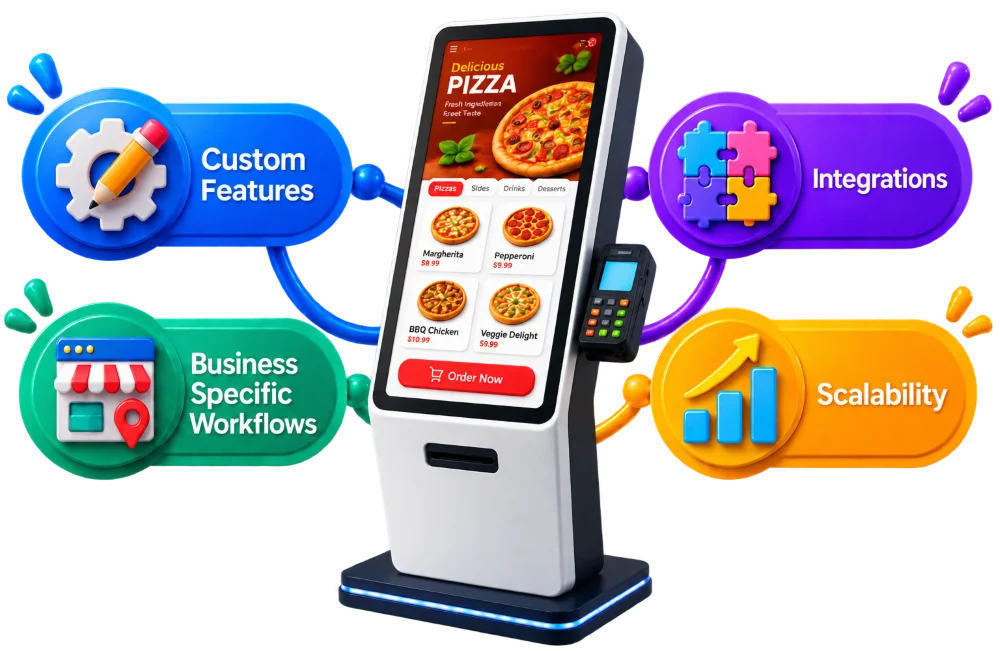
Custom Features
Custom development gives businesses genuine freedom over what the kiosk does. As an example, a restaurant could build a system covering:
- Menu browsing
- Meal customisation
- Loyalty discounts
- Payments
- Order management
The software can also deliberately exclude features that aren’t useful.
Business Specific Workflows
This is where custom kiosk software makes the most noticeable difference. Businesses rarely operate identically even within the same industry. A hotel wanting a check-in kiosk might need it to connect with a booking system. A retailer might need a kiosk that checks local stock availability before confirming an order.
Ready-made platforms might cover parts of those processes. Custom software can bring all of them together without requiring staff or customers to work around the gaps in the system.
Integrations
Integrations are often where build versus buy decisions get made in practice. Off the shelf platforms support the connections their vendor chose to build. If the system your business relies on isn’t on that list, you’re either finding a workaround or changing your process. With custom development, required integrations are planned as part of the project. A kiosk that needs to process a payment and update inventory or notify the kitchen staff can have all of that built into a single workflow.
Scalability
A business might start with two kiosks in one location and grow to multiple branches. As that happens, requirements change. These aren’t complications for a small deployment but they matter enormously at scale.
Custom software can be architected with future growth in mind from the start. That doesn’t mean over-engineering things on day one. It means not building yourself into a corner that requires replacing the entire platform when the business expands.
Custom vs Off the Shelf Kiosk Software: A Quick Comparison
Let’s compare both options to see which one makes more sense for your business.
Here is a detailed comparison below:
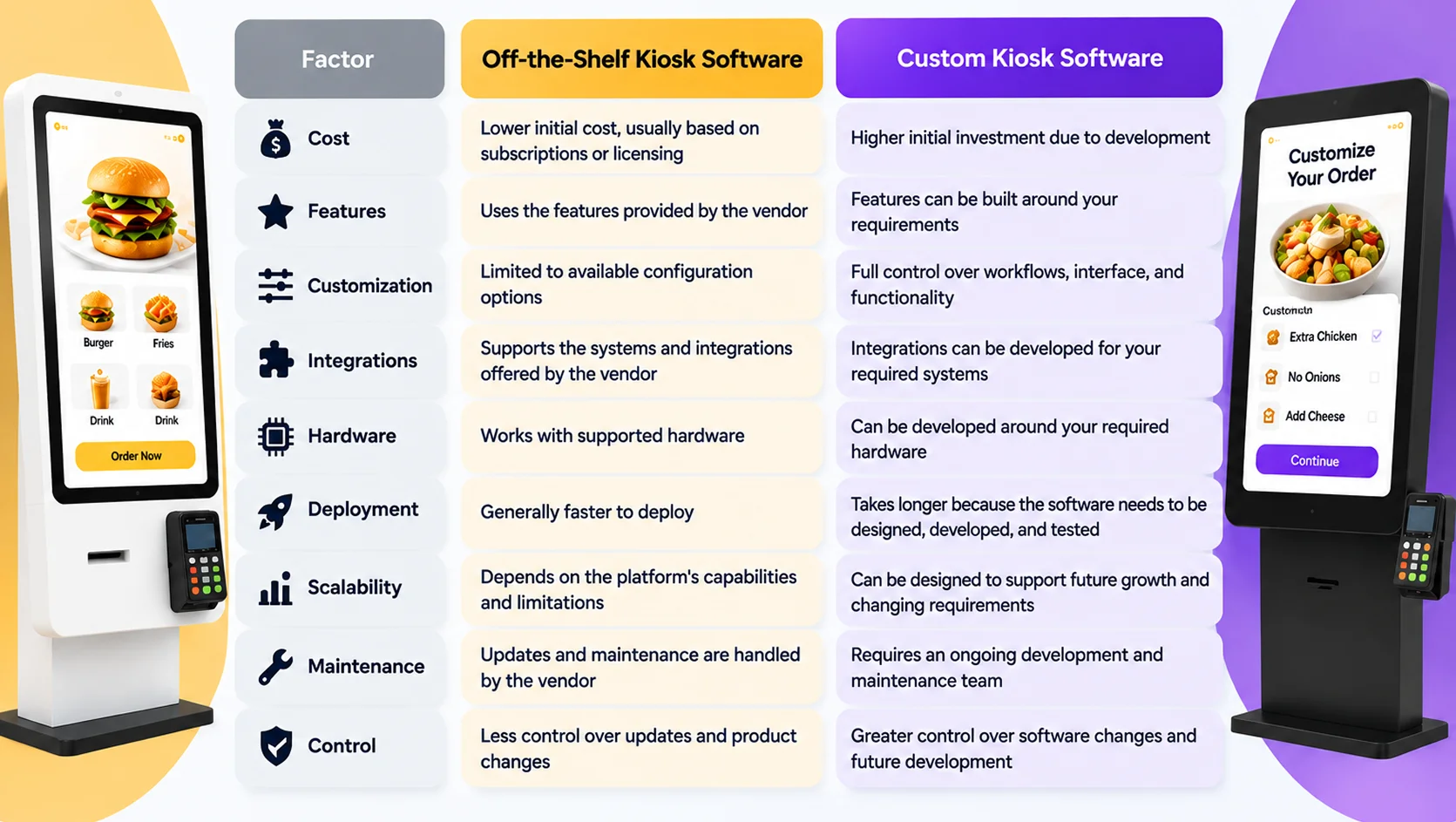
Cost
Off the shelf software typically has a lower starting point because the core product already exists. It only comes with the subscription fees, license costs, and setup charges.
Custom software requires a larger initial investment because the software needs to be planned, designed, built, and tested. That’s a real difference, and it matters for budgeting.
Development and Deployment Time
Speed is where off the shelf software has a clear advantage. If the hardware is supported and the required features are available, deployment can happen relatively quickly.
Custom development takes longer. Requirements need to be defined. The interface needs to time to be designed. Then the software is built, integrations are connected, and everything is tested on actual kiosk hardware. Simpler custom kiosks might take several weeks. Complex ones can take several months.
Features and Customization
Off the shelf software gives you what the vendor built. Configuration options exist but there are limits to how much can be changed.
Custom software lets you design the interface around your brand, build the customer journey in the sequence that actually makes sense for your process, and create features that reflect how your business works.
Hardware Compatibility
Kiosk software needs to work with the physical devices attached to it. This could include:
- Touchscreens
- Printers
- Barcode scanners
- Cameras
- Payment terminals
- NFC readers
- Card readers.
Off the shelf platforms support specific hardware lists. If your preferred devices aren’t on those lists, you’re either switching hardware or switching software.
Custom development offers more flexibility because the app can be built around the hardware you intend to use, provided the devices have the technical support for integration.
Maintenance and Updates
Ready-made software is maintained by the vendor. Updates and bug fixes get handled without the business needing to manage them. The tradeoff is limited control over those changes. An update might alter something that was working for your setup.
Custom software requires ongoing maintenance from a development team. This includes updates, security fixes, and hardware compatibility changes that need to be managed. The advantage is full control over what changes and when.
When Should You Choose Off the Shelf Kiosk Software?
When requirements are standard, the timeline is short, or the initial budget is limited, buying existing software often makes sense.
If the kiosk only needs basic actions like visitor registration, basic check-in, simple forms, or straightforward information display, a ready-made product will probably cover it. There’s no reason to build a new system when an existing one already handles the process properly.
When Should You Choose Custom Kiosk Software?
Custom development becomes relevant when the kiosk needs to do something beyond a standard workflow.
Unique customer journeys, specialised ordering flows, unusual approval processes, industry-specific forms, or any process that involves multiple departments or systems tends to push toward custom. The same applies when the kiosk needs to connect with several existing systems in a coordinated way, or when specialised hardware isn’t supported by standard platforms.
If the kiosk network is expected to grow significantly, or if the kiosk is expected to evolve as new services get added, building a flexible foundation from the start is considerably cheaper than replacing the platform later.
Build vs Buy: Which Option Fits Your Business?
Answer these questions:
- What should customers be able to do?
- What information does the kiosk collect?
- Which systems need to communicate with it?
- What hardware will be connected?
- Will staff manage it remotely?
The answers will quickly show whether an existing platform covers the project or whether something more specific is needed.
Compare total costs over several years rather than entry prices. Factor in things like the subscription fees, premium features, integration charges, and device limits for off the shelf options. For custom builds, factor in development, hosting, maintenance, and future improvements.
Finally, think about where the kiosk fits into longer-term plans. A simple kiosk for one location with stable requirements is a different decision from a network that will expand, integrate with more systems, and develop over time.