
An empty reception desk can make visitor check-ins slow and frustrating. Virtual receptionist kiosk software solves this problem by allowing visitors to check in, contact employees, complete forms, and receive instructions through a touchscreen kiosk without constant staff assistance.
From corporate offices to healthcare facilities, these systems help businesses simplify visitor management and improve front-desk operations.
This guide explores how virtual receptionist kiosks work, their key features, integrations, practical use cases, and how to choose the right software for your business.
What Is Virtual Receptionist Kiosk Software?
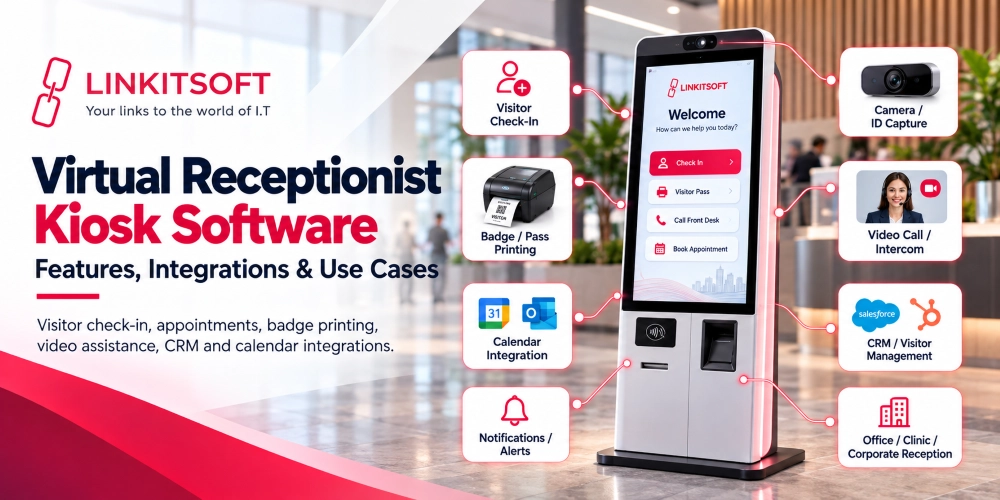
Virtual receptionist kiosk software enables visitors to check in, confirm appointments, notify employees, and request assistance through a touchscreen kiosk or tablet.
It integrates with calendars, visitor management systems, and access control platforms. Some kiosks also support live video calls with remote receptionists for additional assistance.
How Does Virtual Receptionist Kiosk Software Work?
Virtual receptionist kiosk software connects a visitor-facing screen with a backend system that manages check-ins, employee notifications, and visitor records.
The process usually follows these steps:
- Visitor Arrival: A guest approaches the kiosk and selects a check-in option.
- Visitor Registration: The guest enters their name, scans a QR code, or uses a PIN provided before the visit.
- Information Verification: The software checks available appointment records or collects the required visitor details.
- Host Notification: The system sends an alert to the employee through email, SMS, or a connected workplace application.
- Visitor Approval: Depending on the setup, the visitor may receive instructions, speak with a receptionist, or wait for host approval.
- Badge or Access Pass: The kiosk may print a visitor badge or issue a temporary digital credential.
- Visitor Check-Out: The visitor checks out when leaving, and the system updates the visit record.
For example, an office may send a meeting guest a QR code in advance. When the guest arrives, they scan it at the kiosk. Their host receives a notification, and the guest gets instructions about where to wait.
The exact process depends on the business, its security rules, and the systems connected to the kiosk.

Key Features of Virtual Receptionist Kiosk Software
A virtual receptionist kiosk needs more than a digital registration form. The right features should help visitors complete their tasks while giving employees control over reception activities.
Here are the main features businesses should consider.
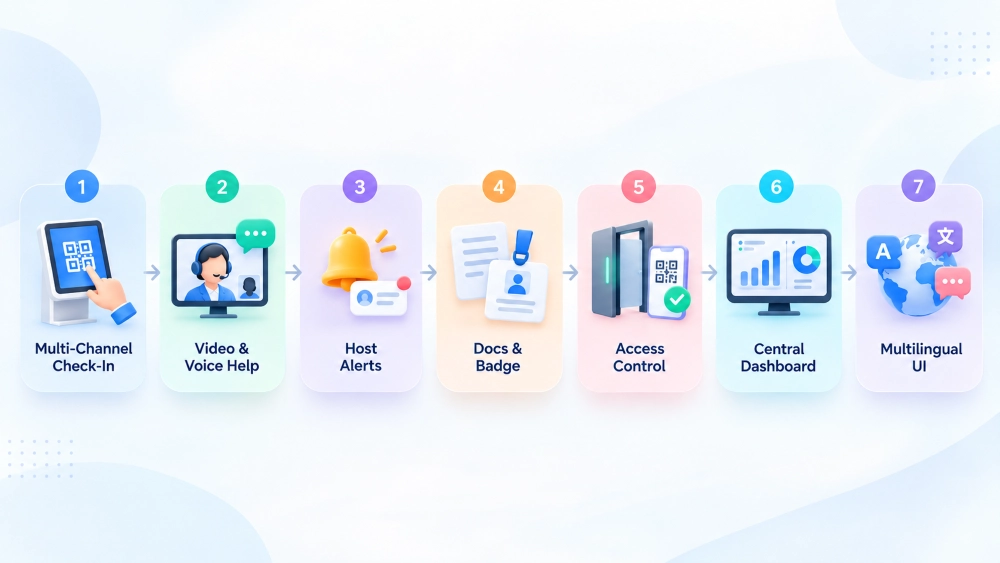
1. Multi-Channel Visitor Check-In
Multi-channel check-in allows visitors to register using different methods.
Common options include:
- QR code check-in: Visitors scan a code received before their appointment.
- PIN-based check-in: Guests enter a unique code to confirm their visit.
- Manual check-in: Walk-in visitors enter their details using the touchscreen.
- Appointment lookup: Visitors select or confirm an existing booking.
These options can help businesses manage both scheduled and unexpected visitors.
For example, a corporate office may use QR codes for meeting guests while keeping manual registration available for contractors.
2. Live Video and Voice Assistance
Some visitors may need help beyond a standard check-in process.
With live video and voice assistance, a kiosk can connect visitors to a remote receptionist or support team.
Depending on the system, this may include:
- Two-way video calls
- Voice communication
- VoIP phone routing
- Call queues
- Transfer to another employee or support desk
For example, a visitor who cannot find their appointment can start a video call with a remote receptionist.
This feature is particularly useful for unmanned offices and businesses that manage multiple reception locations.
3. Automated Host Notifications
Automated notifications keep employees informed when their visitors arrive.
Once a guest checks in, the software can send an alert through:
- SMS
- Microsoft Teams
- Slack
- Other connected messaging systems
A notification may include the visitor’s name, arrival time, and meeting details, depending on the organization’s privacy settings.
For example, when a client checks in for a meeting, the assigned employee receives an alert and can come to reception.
Some systems can also notify another staff member if the original host does not respond.
4. Credential and Document Management
Certain workplaces need visitors to complete additional steps before entering.
Virtual receptionist kiosk software may support:
- Digital non-disclosure agreement (NDA) signing
- Electronic visitor forms
- Visitor photo capture
- ID card scanning
- Safety policy acknowledgments
- Automated badge printing
For example, a contractor entering a manufacturing facility may need to review safety instructions and sign an acknowledgment before receiving a visitor badge.
These features help businesses maintain organized records and apply their visitor procedures consistently.
However, collecting identity documents or photographs should be limited to what is necessary and permitted under applicable privacy requirements.
5. Access Control and Digital Visitor Credentials
Virtual receptionist kiosks can connect with compatible building access control systems.
Once a visitor is approved, the system may issue:
- Temporary QR access codes
- Digital visitor passes
- Mobile access credentials
- Time-limited access permissions
These credentials can be used with supported doors, elevators, turnstiles, or entry gates.
For example, a coworking space may provide a scheduled guest with a temporary QR code that works only during their approved visit.
However, a kiosk should not grant access simply because someone enters their name. Access permissions must follow the organization’s authorization rules.
6. Centralized Dashboard and Multi-Site Management
A centralized dashboard allows authorized staff to manage reception activities from one place.
Common capabilities include:
- Viewing visitor check-ins and check-outs
- Managing multiple office locations
- Monitoring current visitor activity
- Reviewing audit logs
- Generating reports
- Managing reception settings
- Checking kiosk device status
For example, a company with offices in several cities may use one management portal to review visitor activity across its locations.
This reduces the need to manage every kiosk separately.
7. Multilingual and Accessible Kiosk Interfaces
Reception kiosks should be easy to use for visitors with different language needs and abilities.
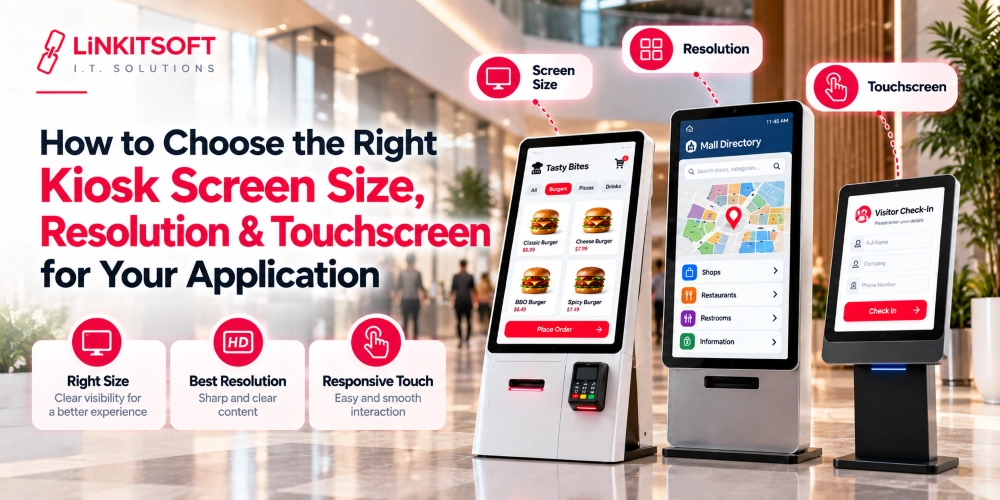
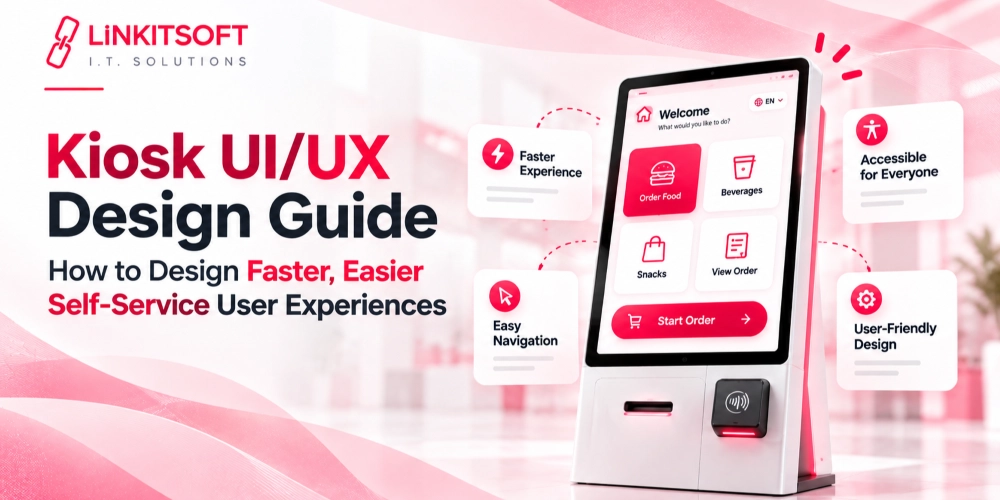
Useful interface features include clear instructions, readable text, large touch controls, multilingual support, and accessible interaction options.
Businesses should also provide an alternative way to check in when someone cannot use the touchscreen independently.
A simple and accessible interface is particularly important in hospitals, government offices, and other public-facing locations.
Virtual Receptionist Kiosk Software Integrations
Virtual receptionist kiosk software connects with existing business systems to manage visitor check-ins, verify appointments, notify employees, and control authorized access.
1. Access Control and Security Platforms
Integration with security platforms like Kisi allows kiosks to verify visitor permissions and issue temporary access credentials. Once approved, visitors may receive QR codes or digital passes for authorized areas, depending on system compatibility.
2. Calendar and Scheduling Tools
Kiosks can connect with Microsoft Outlook, Google Calendar, and appointment booking systems to verify scheduled visits. For example, visitors can enter a meeting code to confirm their appointments. These integrations use supported APIs, such as Microsoft Graph.
3. Communication and Notification Suites
Integration with Microsoft Teams, Slack, email, SMS gateways, and VoIP systems helps visitors contact employees quickly. Kiosks can automatically notify hosts upon arrival or connect guests with remote receptionists through supported voice and video services.
4. Peripherals and Kiosk Hardware
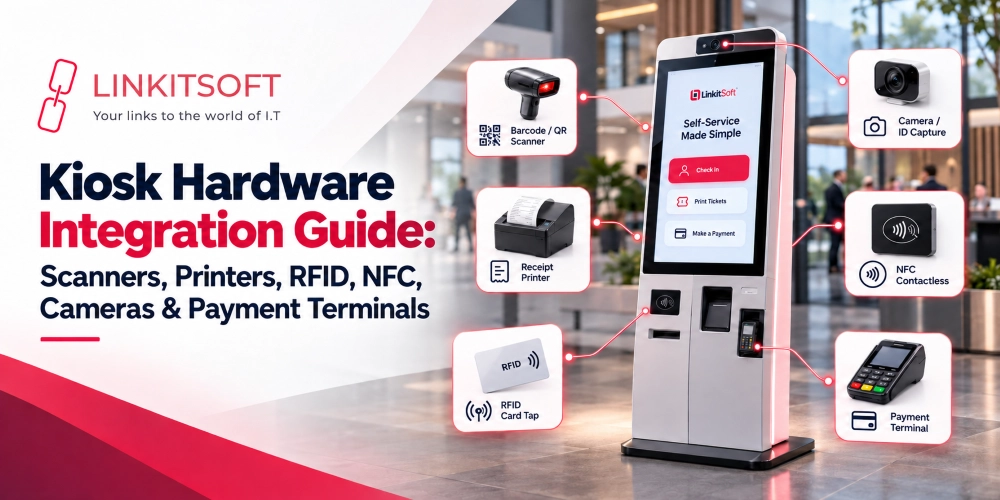
Virtual receptionist kiosks can connect with badge printers, QR scanners, ID readers, cameras, microphones, motion sensors, and payment terminals. These devices support visitor verification, badge printing, and interactive check-ins. Compatibility depends on hardware drivers and available SDKs.
5. Visitor Management, CRM, and Backend APIs
Backend integrations connect kiosks with visitor databases, CRM platforms, and internal applications. Through APIs or middleware, businesses can retrieve visitor details, update check-in records, synchronize information, and generate reports from connected systems.
Virtual Receptionist Kiosk System Architecture and Deployment
Virtual receptionist kiosk software typically uses a kiosk application, backend system, and admin portal to manage visitor check-ins and reception operations.
Kiosk Application, Cloud Backend, and Admin Portal
- Kiosk Application: Allows visitors to register, scan QR codes, complete forms, and request assistance.
- Backend System: Processes visitor data, manages records, and connects with business systems.
- Admin Portal: Enables staff to monitor visitors, manage settings, view reports, and control kiosks remotely.
These components work together to manage check-ins, host notifications, and visitor records.
Android, iPad, and Windows Kiosk Deployment
Virtual receptionist software can run on different platforms:
- Android: Suitable for touchscreen kiosks and dedicated applications.
- iPad: Commonly used for tablet-based visitor check-ins.
- Windows: Supports specialized hardware and enterprise applications.
The right platform depends on hardware compatibility, integrations, and maintenance needs.
Real-Time Synchronization and Device Monitoring
Connected kiosks can update visitor records in real time, while remote monitoring helps staff track device status, connectivity, and software updates. Secure updates and error recovery support reliable operation.
Virtual Receptionist Kiosk Software Use Cases by Industry
Virtual receptionist kiosks can support different reception workflows depending on the industry.
1. Unmanned and Hybrid Offices
Hybrid offices may not need a full-time receptionist at every location. A virtual receptionist kiosk allows visitors to check in, notify their hosts, and request remote assistance.
For example, when a guest arrives at an office with no receptionist on duty, they can use the kiosk to contact their host or speak with a remote support team.
2. Corporate Campuses and Multi-Site Enterprises
Large organizations often manage visitors across several buildings or office locations. A centralized receptionist kiosk system can help maintain consistent registration processes and visitor records.
For example, one remote reception team may assist visitors at multiple sites through connected video kiosks. Individual buildings can still have their own check-in rules and access permissions.
3. Healthcare Facilities and Clinics
Healthcare organizations can use reception kiosks for selected patient arrival and administrative tasks.
Common uses include:
- Appointment confirmation
- Patient check-in
- Digital form completion
- Staff notifications
- General directions and assistance
For example, a patient arriving for a scheduled appointment may confirm their visit and receive directions to the waiting area.
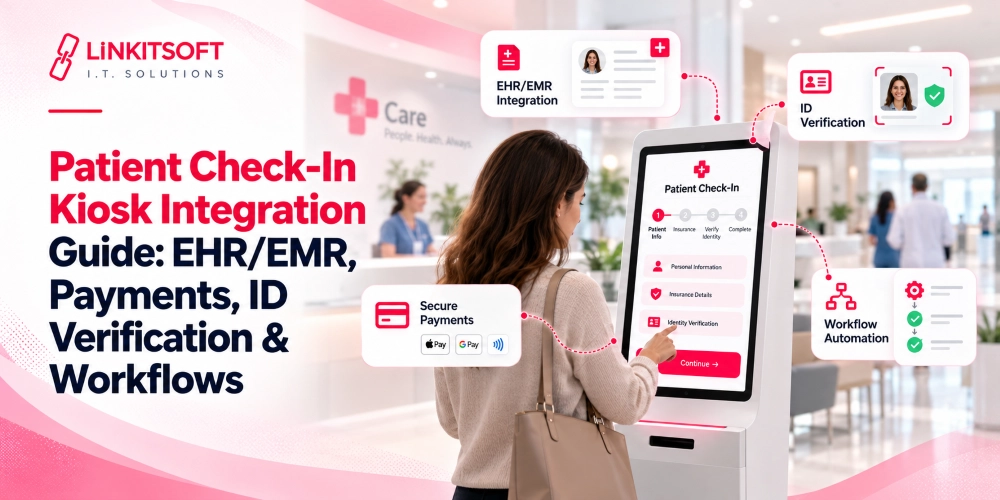
When protected health information is involved, the complete system and its operating procedures must meet applicable privacy and security requirements. Using a kiosk does not automatically make a healthcare workflow HIPAA-compliant.
4. Manufacturing and Industrial Facilities
Virtual receptionist kiosks help industrial facilities manage contractor check-ins, safety acknowledgments, host notifications, and temporary visitor badges. Access to restricted areas remains subject to proper authorization.
5. Coworking Spaces and Gyms
Coworking spaces and gyms use receptionist kiosks for member verification, guest check-ins, and digital access passes. Integration with access control systems can also support authorized entry outside staffed hours.
Benefits of Virtual Receptionist Kiosk Software
Businesses adopt virtual receptionist kiosks to make reception processes more consistent and easier to manage.
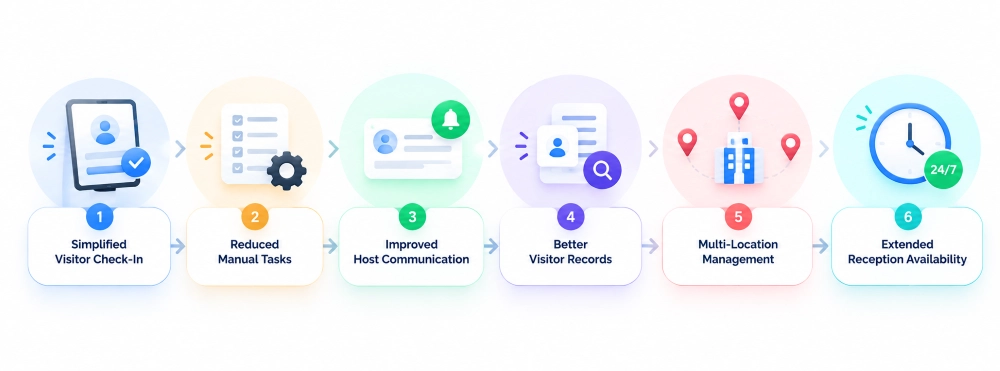
Simplified Visitor Check-In
Visitors can complete routine registration steps without waiting for a staff member to enter their details.
Reduced Manual Reception Tasks
Automated registration, notifications, and badge printing can reduce repetitive administrative work.
Improved Host Communication
Connected alerts help employees know when their scheduled guests arrive.
Better Visitor Records
Centralized logs make it easier for authorized teams to review visits and maintain consistent records.
Multi-Location Management
Businesses can manage reception settings and visitor activity across several offices through a connected system.
Extended Reception Availability
Self-service registration and remote assistance can support reception workflows when front-desk staff are unavailable.
However, these benefits depend on the software design, integrations, visitor needs, and operating procedures. Some situations will still require direct human assistance.
Security, Privacy, Accessibility, and Offline Operations
Virtual receptionist kiosks handle visitor information, making security, accessibility, and reliable operation essential.
Visitor Data Security and Privacy Protection
Kiosks should protect visitor data through encryption, secure storage, and limited data collection. Automatic session timeouts should clear personal details after check-in, while data retention policies determine how long records are stored.
Role-Based Access and Audit Logs
Role-based access ensures only authorized employees can view visitor records or change settings. Audit logs track visitor approvals, permission changes, and administrative activities for better security oversight.
ADA Accessibility and Assisted Check-In
Kiosks should offer readable text, accessible screen placement, clear instructions, and alternative check-in options. Businesses should follow applicable ADA requirements and consider W3C accessibility guidelines when designing interfaces.
Offline Mode, Failed Notifications, and Recovery
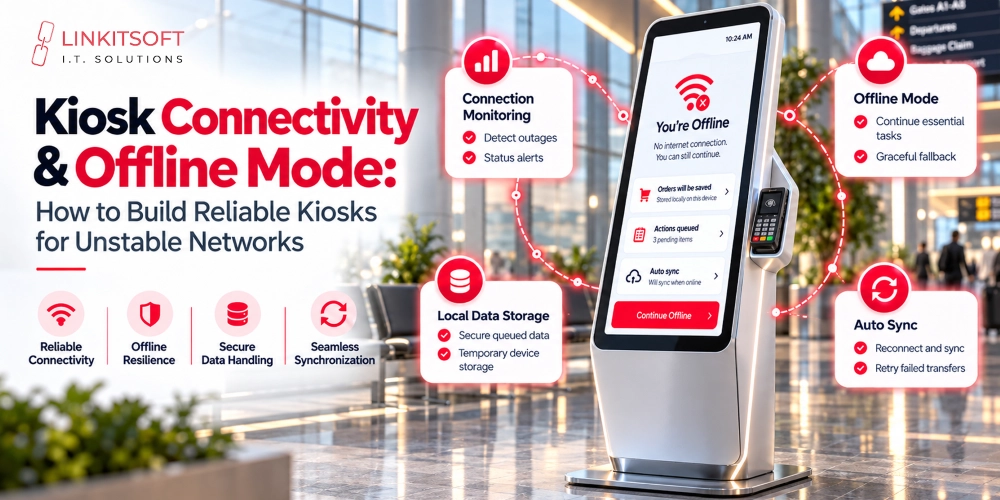
Some kiosk functions can operate offline if designed for it, but live notifications and cloud services generally require internet access. Secure offline data handling, clear error messages, and manual check-in options help businesses manage outages and failed notifications.
Virtual Receptionist Kiosk vs. Traditional Receptionist vs. AI Receptionist
These reception solutions serve similar goals, but they work differently.
| Reception solution | How it works | Main consideration |
| Traditional receptionist | An employee welcomes visitors and handles reception tasks | Direct human assistance |
| Self-service receptionist kiosk | Visitors complete predefined steps on a touchscreen | Best for structured workflows |
| AI-powered receptionist kiosk | AI supports conversational questions or guided interactions | Requires safeguards and escalation |
| Remote video receptionist | Visitors connect to a human receptionist through video or voice | Depends on staff availability and connectivity |
A standard self-service kiosk may be enough for appointment confirmation and visitor registration. A remote video receptionist is useful when visitors regularly need personal assistance.
AI features can support more flexible interactions, but they do not replace security checks or human judgment in sensitive situations. Some businesses combine these approaches in one reception system.
Custom vs. Off-the-Shelf Virtual Receptionist Kiosk Software
Businesses can choose an existing receptionist platform or develop software for their specific requirements.
| Factor | Off-the-shelf software | Custom kiosk software |
| Setup | Often quicker to deploy | Requires development and testing |
| Features | Based on available product capabilities | Designed around selected requirements |
| Integrations | Limited to supported connectors and APIs | Can support tailored integrations |
| Hardware | Depends on vendor compatibility | Can be designed for chosen devices |
| Upfront cost | Often lower | Usually requires greater initial investment |
| Maintenance | Often handled partly by the provider | Needs a defined maintenance approach |
| Flexibility | Depends on configuration options | Greater control over the developed solution |
Off-the-shelf software handles basic check-ins and notifications, while custom solutions support specialized workflows, hardware integrations, and advanced access control but require ongoing maintenance.
How to Choose the Right Virtual Receptionist Kiosk Software
Before selecting a system, businesses should identify what visitors need to do and how the reception process should work.
Consider the following:
- Visitor volume: How many people typically check in each day?
- Reception workflow: Do visitors need appointments, approvals, signatures, or badges?
- Integrations: Which existing calendars, communication tools, or security platforms must connect?
- Hardware: Will the software run on tablets or commercial kiosks?
- Security: What information will be collected, and who can access it?
- Accessibility: Can visitors with different needs complete check-in?
- Scalability: Will the system support additional locations?
- Maintenance: Who will monitor, update, and support the kiosks?
Businesses should also test serious situations before a full rollout, including failed scans, missed notifications, unavailable hosts, and internet outages.
A successful kiosk should be simple for visitors to use and practical for staff to manage.
Develop Custom Virtual Receptionist Kiosk Software With Linkitsoft
Every business has different reception needs, from basic visitor check-ins to advanced integrations and multi-location management.
Linkitsoft develops custom kiosk software designed around your business workflows. Our expertise includes touchscreen applications, backend systems, hardware integrations, and remote device management.
Whether you need a simple visitor check-in system or a complete digital reception solution, we can help you build software that meets your requirements.