
When a business installs a kiosk, the screen is one of the first things users notice. But choosing the right display is not simply about selecting the biggest screen or the highest resolution available.
Screen size affects how much information users can view and the distance from which they can comfortably interact with the display. Resolution affects how clearly that information appears, while the touchscreen itself determines how easily people can interact with it. The right combination depends on what the kiosk needs to do and where it will be installed.
In this guide, we’ll explain how to choose the right kiosk screen size, resolution, and touchscreen technology for your application.
What Kiosk Screen Size Should You Choose?
There is no single screen size that works for every kiosk. Start by looking at the amount of information users need to see and the distance from which they will interact with the display.
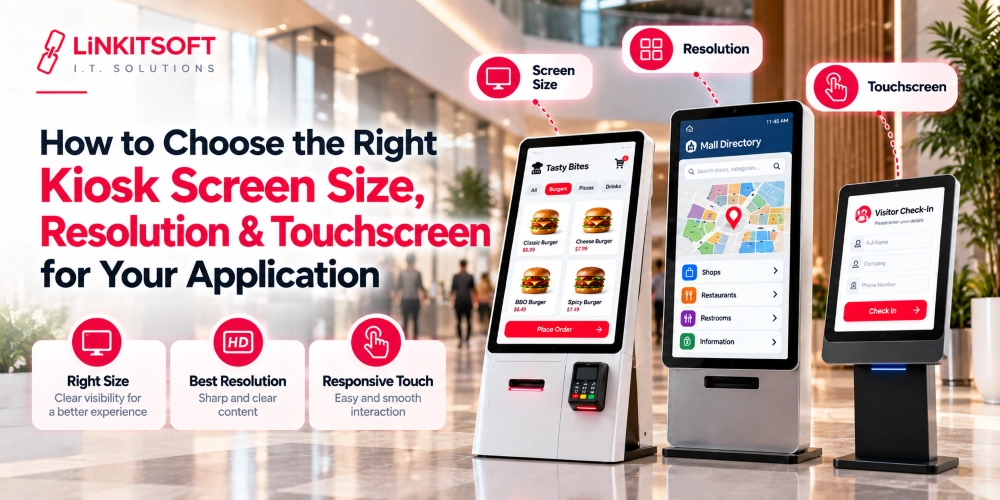
Small Screens for Simple Interactions
Small displays can work well for kiosks with a limited number of functions, such as:
- Employee attendance
- Simple check-in
- Visitor registration
- Basic forms
These use cases usually do not require a large screen. Small displays also make sense when space is limited and users will interact with the kiosk from a short distance.
Medium Screens for Self-Service Applications
Medium-sized displays are a practical choice for many self-service applications. They provide enough space for users to:
- Browse menus
- Fill out forms
- Make selections
- Complete payments
These displays offer enough room for a comfortable interface without making the kiosk unnecessarily large.
Large Screens for Detailed or Interactive Experiences
Larger displays are useful when users need to browse substantial amounts of information or interact with detailed visual content, such as:
- Product catalogues
- Maps
- Directories
- Multimedia content
- Detailed menus
These applications can benefit from the additional screen space.
What Resolution Is Best for a Kiosk Display?
Resolution determines the level of visual detail a display can show. For most kiosks, the important thing is choosing a resolution that fits the screen size and the content being displayed.

HD vs. Full HD vs. 4K
HD can be enough for simple kiosk interfaces with basic forms, menus, and text.
Full HD is a common choice for many interactive kiosks because it provides clear text and images without requiring an unnecessarily high-resolution display.
4K can be useful for larger screens and applications where visual detail is especially important. Product images, maps, and multimedia displays can benefit from the extra detail.
Match Resolution to Screen Size and Content
A higher resolution is not automatically better for every kiosk. A small screen showing a simple attendance form may not gain much from 4K.
On a larger display, however, higher resolution can make images and videos look sharper. The content itself should therefore be part of the decision.
What Type of Touchscreen Should a Kiosk Use?
Touchscreen technology should be selected based on how users will interact with the kiosk and the environment in which it will operate. Two common options are projected capacitive and resistive touchscreens.
Projected Capacitive Touchscreens
Projected capacitive touchscreens are common in modern interactive kiosks. They provide responsive touch interaction and can support multi-touch gestures such as:
- Tapping
- Scrolling
- Zooming
They are a good fit for many indoor environments where users interact directly with the screen using their fingers. Some projected capacitive systems may also support compatible gloves, depending on the touch controller and configuration.
Resistive Touchscreens
Resistive touchscreens respond to physical pressure rather than relying on the electrical properties of a user’s finger. They can work with:
- Gloves
- Styluses
- Other objects
They provide a different interaction experience from capacitive screens, so the choice should depend on the kiosk’s operating conditions rather than simply which technology is newer.
What Should You Consider When Choosing a Kiosk Touchscreen?
The touchscreen should remain accurate, responsive, and easy to use throughout the kiosk’s expected lifespan. Consider the following factors when making your selection:
Touch Accuracy and Responsiveness
Users should be able to tap buttons and enter information without repeated attempts.Fast and accurate touch response is especially important when the kiosk handles ordering, check-in, payments, or other time-sensitive tasks.
Durability and Continuous Use
A public kiosk may be used repeatedly throughout the day, so the display and touch layer should be suitable for the expected level of use.
Glare and Brightness
Lighting conditions can significantly affect screen readability. A display that looks clear indoors may become difficult to read under strong sunlight, reflections, or bright overhead lighting.
Orientation and Viewing Angle
Portrait displays can work well for forms and vertical menus, while landscape screens often suit wider content such as product browsing and multimedia.
Indoor vs. Outdoor Environment
An indoor restaurant kiosk has very different requirements from an outdoor information kiosk. Outdoor kiosks may require higher-brightness displays and hardware designed to handle changing temperatures, sunlight, moisture, and other environmental conditions. Indoor kiosks usually operate under more controlled conditions.
How Does the Kiosk Application Affect the Display Choice?
The kiosk application should guide the display and touchscreen decision. A screen that works perfectly for employee attendance may feel cramped when used for product browsing.
| Kiosk Application | Typical Display Considerations |
| Check-in and registration | Medium screen, clear interface, responsive touch |
| Self-service ordering | Medium to large screen, responsive multi-touch interface. |
| Product browsing | Large screen, higher resolution |
| Digital directory | Large display, wide viewing angle |
| Employee attendance | Small to medium screen, fast touch response |
| Multimedia kiosk | Large display, high resolution, strong brightness |
These are general guidelines rather than fixed requirements. The actual choice will depend on the interface, physical kiosk design, operating environment, viewing distance, and expected user behavior.
What Other Display Factors Should You Consider?
Screen size and resolution are only part of the decision. Before selecting a display, review the kiosk’s physical, environmental, and technical requirements as well.
- Portrait or landscape orientation: Choose an orientation that suits the content and physical kiosk design.
- Brightness and visibility: Make sure the screen remains readable under the lighting conditions where it will be installed.
- Screen durability: Consider how frequently the display will be used and whether it needs additional protection.
- VESA or mounting compatibility: Check that the display can be securely mounted inside the planned kiosk enclosure.
- Touch controller compatibility: Make sure the touchscreen controller and required drivers are compatible with the kiosk operating system and software environment.
- Operating system support: Confirm that the touchscreen drivers, controller, and related display functions are supported by the kiosk operating system.
- Peripheral connectivity: Check whether the kiosk setup requires USB, HDMI, DisplayPort, serial, or other connections for the display and related hardware.
How Do You Choose the Right Kiosk Display?
A simple way to approach the decision is to start with the user, the kiosk application, and the installation environment. Follow these steps:
- Define what users will be doing on the kiosk.
- Determine how much information needs to fit on the screen.
- Consider the typical viewing and interaction distance.
- Select the proper screen size.
- Choose the resolution based on screen size, viewing distance, and the type of content being displayed.
- Select touchscreen technology based on the environment.
- Confirm compatibility with the kiosk’s hardware, operating system, touchscreen controller, and software.
Following these steps can help you select a display that fits the kiosk’s user experience, hardware, and operating environment.