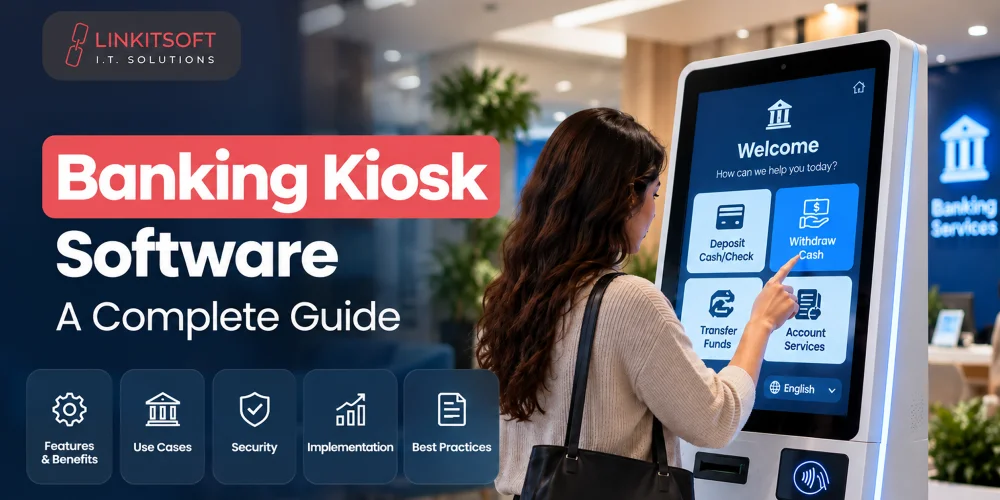
Not every bank visit needs to end at a teller counter. Customers often visit branches for simple tasks like checking balances or submitting routine requests that can be handled through self service.
Banking kiosks help move these everyday tasks away from the counter, reducing queues and giving staff more time for complex customer needs. However, banking kiosks must do more than provide a convenient touchscreen interface. They need secure controls and compliance with financial regulations.
In this guide, we’ll explore how financial kiosk software works, the services it can support, and what banks should evaluate before development.
What Is Banking Kiosk Software?
Financial kiosk software allows customers to access selected banking services through a self-service terminal. It:
- Manages the user interface
- Handles customer interactions
- Communicates with banking platforms
- Coordinates connected hardware (card readers, printers, etc)
The scope can be narrow or broad depending on what the bank needs. One kiosk might focus purely on account information and statement printing. Another might handle cash deposits and account transfers.
How Does Banking Kiosk Software Work?
The customer experience should feel simple even though several processes are running in the background. Most kiosk interactions follow a consistent sequence.
Customer Authentication
Before anything else, the system confirms who is using the kiosk and whether they’re authorised for the requested service. Authentication methods vary by bank and by service type. This may include:
- Card and PIN combinations
- One-time passwords
- Mobile verification
- Biometric authentication
- Account details
- Security questions
Not every service needs the same level of verification. Checking a balance involves fewer steps than processing a cash withdrawal or changing account details.
Service Selection
Once authenticated, customers see the services available to them. The interface should be clear and easy to navigate for people who aren’t particularly comfortable with digital tools. The kiosk should only display services that are both supported by the hardware and permitted for that specific customer.
Transaction Processing
When a customer selects a service, the kiosk sends the request to the relevant banking system. That system verifies account information, permissions, and transaction limits before approving or declining. The kiosk then guides the customer through any remaining steps. If something fails, it should explain what happened clearly without surfacing sensitive technical details.
Confirmation and Receipt
Completed transactions generate a confirmation and a receipt where relevant. Depending on the setup, this may include:
- Printed receipts
- Digital confirmations
- Reference numbers
- Account statements
Critically, the software should make failed or incomplete transactions clearly identifiable so customers never leave assuming a payment went through when it didn’t.
What Banking Services Can Kiosk Software Support?
Bank software for kiosks can support different services depending on the bank’s infrastructure and the hardware installed at each location.
Cash and Account Services
Some kiosks handle cash withdrawals and deposits through integrated cash handling modules. These require tight coordination between the kiosk, the account system, and the cash hardware. Beyond cash, account services commonly include:
- Balance inquiries
- Recent transaction history
- Account summaries
- Cash deposit confirmation
Customer Service Requests
A lot of what brings people into branches doesn’t involve cash or complex decisions. These things can be simple, like:
- Requesting statements
- Submitting card-related requests
- Updating certain customer details
- Starting an address change
- Checking the status of a previous request
A kiosk can collect the required information and submit it to the appropriate system without the customer needing to wait for a staff member. Some requests may still need staff approval afterward, in which case the kiosk collects the information and forwards it for review rather than completing the process entirely on its own.
Payments and Transfers
With the right integrations, kiosks can support a variety of bill payments, from fees to utility bills, and transfers between eligible accounts. Each of these services needs clearly defined transaction limits and handling for declined transactions and connectivity interruptions.
Document and Form Services
Kiosks can reduce the flow of customers to service counters for paperwork. From completing forms to submitting supporting information for standard requests. This is particularly useful for routine tasks where a physical document is needed or where the bank wants to move parts of its branch process into a digital format.
What Features Should Banking Kiosk Software Include?
The right features depend on the kiosk’s purpose, but several capabilities are important for most banking environments.
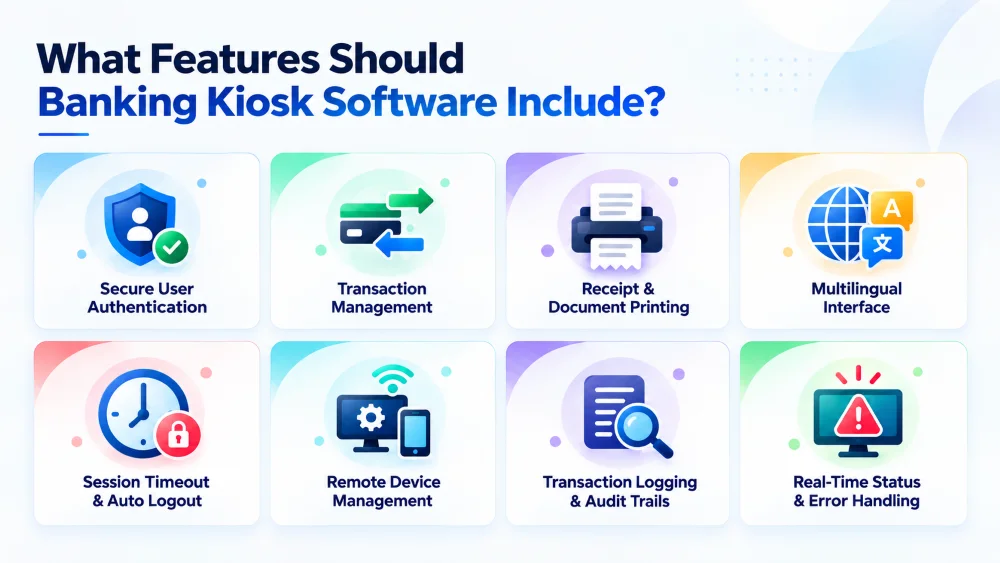
Secure User Authentication
Authentication needs to be proportionate to the service being accessed. The software should handle failed attempts appropriately and verify identity before any sensitive action is permitted.
Transaction Management
The software manages the full transaction lifecycle from request to completion or failure. It should prevent duplicate requests and maintain accurate transaction states even when backend systems respond slowly or connectivity is intermittent.
Receipt and Document Printing
Customers need to receive receipts, statements, and documents at the kiosk rather than at a separate counter. The software should monitor printer status, paper levels, and handle failed print jobs without leaving customers uncertain about what happened.
Multilingual Interface
Banks serve diverse customer bases with different language preferences and varying comfort levels with digital services. A multilingual interface makes the kiosk more accessible. Financial terms, warnings, and instructions deserve particular care in translation.
Session Timeout and Automatic Logout
A previous customer’s session should never be visible to the next person. Automatic logout and session timeout protect customer information when someone walks away or goes inactive. Temporary data should be cleared completely when the session ends.
Remote Device Management
Banks managing kiosks across multiple branches need remote administration capability. Monitoring device health, reviewing alerts, applying updates, and troubleshooting issues, all without physically visiting every location. This shifts from a convenience to a necessity as the kiosk network grows.
Transaction Logging and Audit Trails
Transaction and administrative activities need to be logged securely. These records support dispute resolution, unusual activity review, performance monitoring, and audit requirements. Logs should be protected from unauthorized modification and shouldn’t expose unnecessary customer information.
Real Time Status and Error Handling
When something goes wrong, customers and staff need clear and actionable information. The kiosk should identify issues like service unavailability, failed payments, empty cash modules, or lost connectivity and explain what the customer should do next rather than showing a confusing technical error.
What Systems Does Banking Kiosk Software Integrate With?
A kiosk does not operate independently. It relies on secure connections with several banking platforms and hardware components to deliver services accurately. The software must coordinate these integrations so customers can complete transactions without unnecessary delays.
Common integrations include:
- Core Banking Systems: Provide account information and transaction processing.
- Payment Systems: Support card transactions and account transfers.
- CRM Platforms: Manage customer information and follow up activities.
- Identity and Authentication Systems: Handle customer verification through methods such as OTPs or identity document checks.
- Hardware and Peripheral Systems: Connect with card readers, cameras, etc.
The software should also monitor the status of these systems and devices. If a component becomes unavailable, it should display a clear message and alert the relevant team instead of failing silently.
How Do You Secure Banking Kiosk Software?
Security is one of the most important parts of kiosk software development. These devices may be placed in public areas while handling account details and financial transactions.
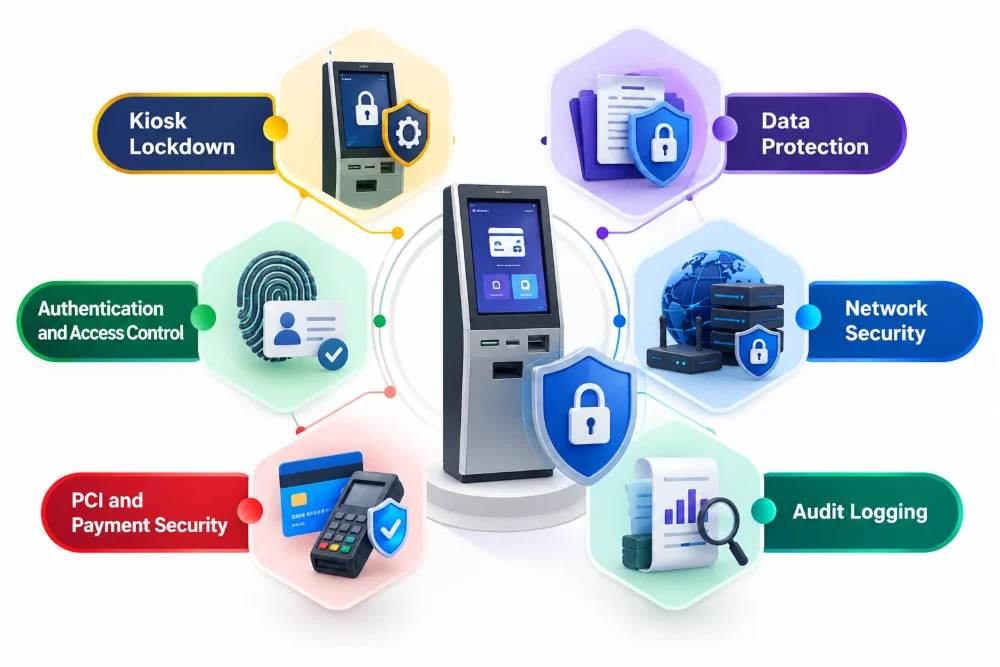
Kiosk Lockdown
The device should operate in a restricted environment where customers cannot access the operating system or applications outside the intended banking workflow. Keyboard shortcuts and service ports should all be controlled.
Data Protection
Customer information should be encrypted during transmission. Sensitive data should not be stored locally without a clear operational reason and appropriate protection. Temporary customer data should be cleared after every session.
Authentication and Access Control
Customer access and administrative access are separate. Staff and technicians may need additional permissions for maintenance, but those permissions should never be available through the customer-facing interface. Role-based access controls limit the risk of unauthorised changes.
Network Security
The kiosk should communicate only with the services it actually needs. Firewalls, network segmentation, encrypted protocols, certificate validation, and traffic monitoring all reduce exposure. A kiosk connected to internal infrastructure should not be treated like an ordinary public internet device.
PCI and Payment Security
Where card payments are involved, approved payment components and applicable PCI DSS requirements should be followed. Payment information should be handled through secure dedicated payment hardware rather than stored within the kiosk application itself.
Audit Logging
Security and transaction logs help banks understand what happened during disputes or suspicious activity. Logs should capture relevant actions, failed access attempts, administrative changes, and transaction events while complying with data protection requirements.
What Should Banks Consider Before Developing Kiosk Software?
Developing kiosk software for banks involves more than selecting a touchscreen and building an interface.
Banking System Compatibility
The kiosk needs to integrate with existing core banking, payment, authentication, and customer management systems. Compatibility should be reviewed early because older systems sometimes require additional middleware or custom integration work that affects timeline and cost.
Hardware Requirements
A statement printing kiosk has completely different hardware needs from a cash deposit terminal. Device reliability, maintenance requirements, replacement costs, physical security, and software compatibility should all be part of the hardware selection process.
Security and Compliance
Security requirements should be defined before development starts, not retrofitted afterward. Authentication, encryption, access controls, audit logging, payment security, data retention, and applicable banking regulations all need to be addressed. Testing should cover failed logins, interrupted payments, and abandoned sessions alongside normal transaction flows.
Transaction Types
Each transaction type may require different authentication levels, approval processes, limits, and error handling. Starting with a focused set of services makes initial deployment more manageable and easier to test thoroughly.
Network and Infrastructure
Kiosks need reliable connectivity to work. Banks should plan for network outages, backup connections, power interruptions, and secure communication between branches and central platforms. The kiosk should communicate clearly when a service is temporarily unavailable rather than simply failing.
Remote Management
As the number of kiosks grows, remote monitoring and administration become critical. Banks need to view device health, receive alerts, manage software updates, and identify problems before they affect a large number of customers.
Scalability Across Branches
A solution that works in one branch should be deployable across many without significant rework. Central configuration, consistent security policies, controlled updates, and reporting across the network are all necessary for scaling software effectively.