Long lines, order-entry mistakes, staffing pressure, and disconnected ordering channels can make busy restaurant operations harder to manage.
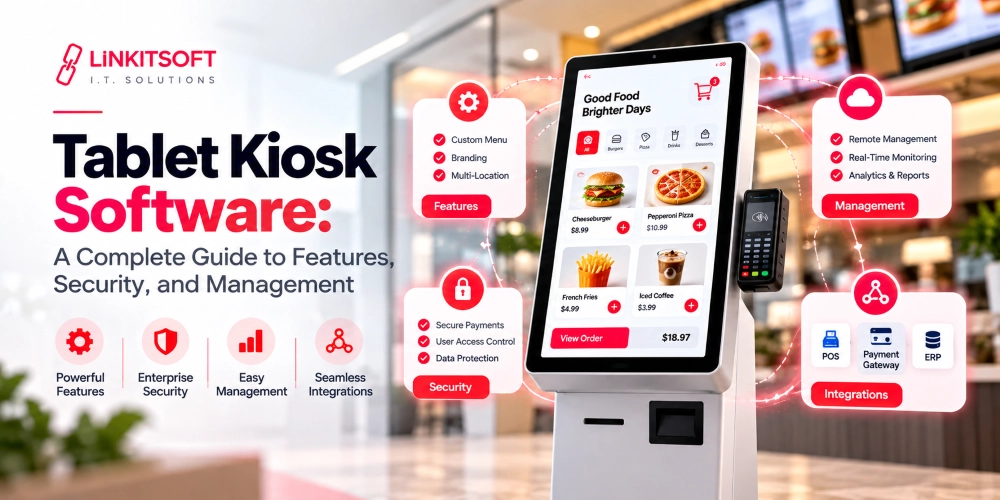
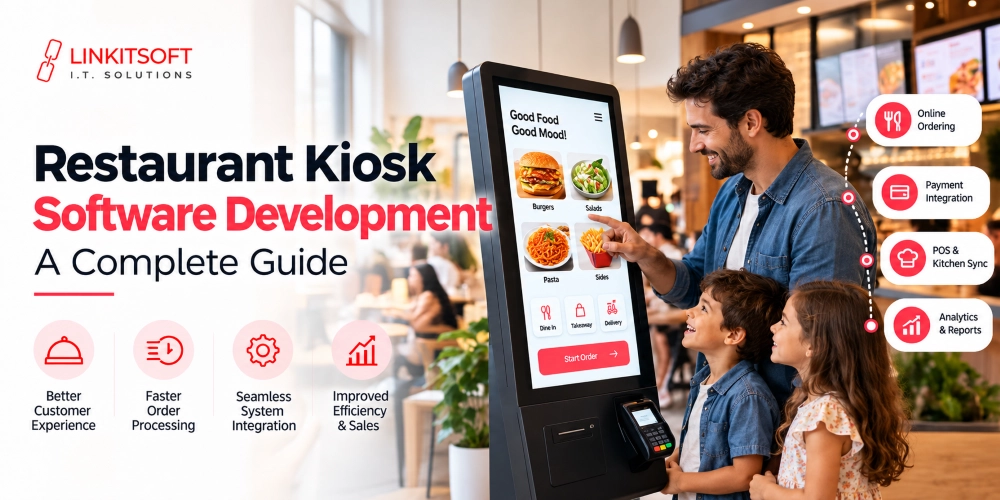
Restaurant kiosk software gives customers a self-service way to browse the menu, customize items, select add-ons, pay, and send an order into the restaurant’s workflow through a touchscreen.
The touchscreen itself is only one part of the system. A kiosk may also need to communicate with the point-of-sale (POS) system, kitchen display system (KDS), loyalty platform, printers, and other restaurant technology. At the same time, the customer experience has to remain simple enough to use without staff assistance.
That creates an important decision: should the restaurant use an existing kiosk product, or does the workflow justify custom software development?
This guide explains how the kiosk software works, the features and integrations to plan, the cost factors, and how to evaluate a development partner.
What Is Restaurant Kiosk Software?
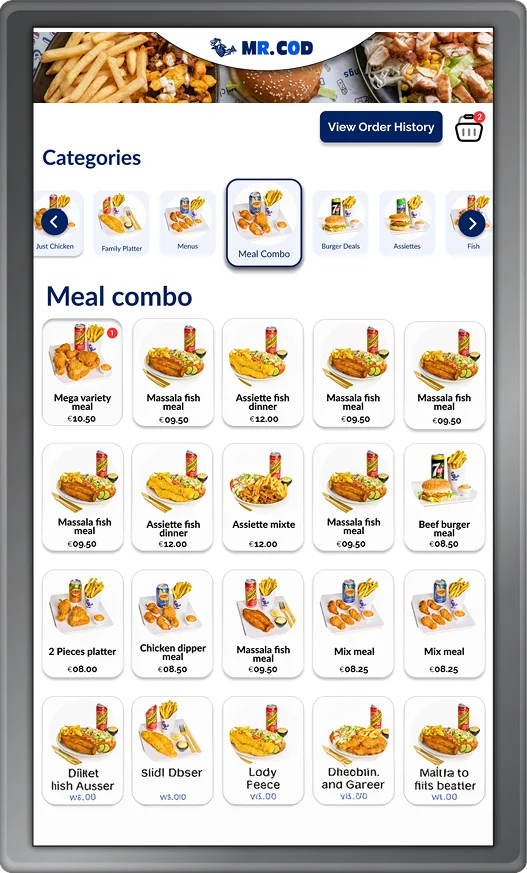
It is a self-service ordering app that allows customers to browse a digital menu, customize items, place an order, and often make a payment through a touchscreen kiosk.
Depending on the system, the software can also connect the customer-facing ordering experience with the restaurant’s POS and other required systems and tools.
A typical self-service kiosk can allow a customer to:
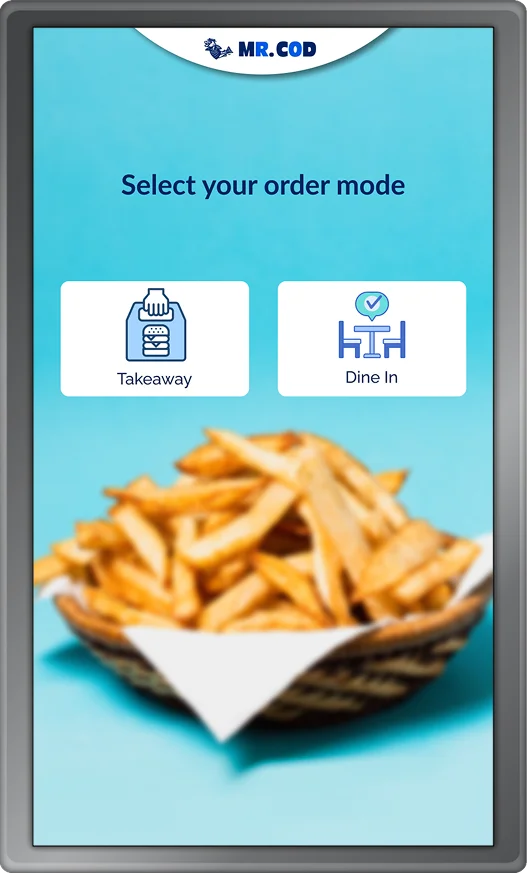
- Choose dine-in or takeout
- Browse menu categories
- View product images and descriptions
- Select sizes and variations
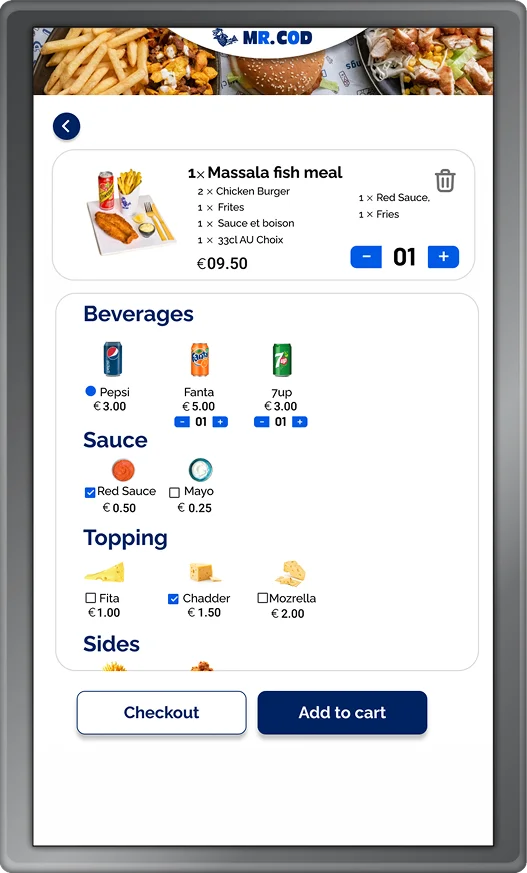
- Add or remove ingredients
- Choose modifiers and extras
- Pay for the order
- Receive an order number or receipt
Modern restaurant kiosk platforms can send orders directly into the POS and kitchen workflows. A well-designed kiosk project requires both the hardware and the software to work together. A great touchscreen cannot compensate for a poorly designed ordering flow, and good software cannot solve hardware that is unreliable or incompatible with required peripherals.
How Does a Restaurant Self-Service Kiosk Work?
A restaurant self-service kiosk guides the customer through an ordering process and then sends the completed order to the restaurant’s systems.
A typical workflow looks like this:
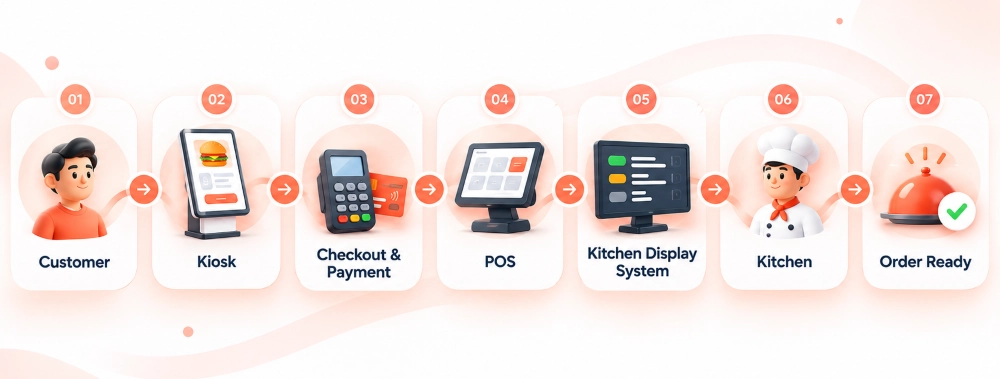
1. Order Selection and Customization
Customers select their order type, browse the digital menu, and customize items. They do so by choosing sizes, toppings, sides, or other available options. The software applies relevant pricing, taxes, and order rules based on the selected options and fulfillment method.
2. The Kiosk Presents Relevant Add-Ons
The system can prompt customers with appropriate additions before checkout.
For example:
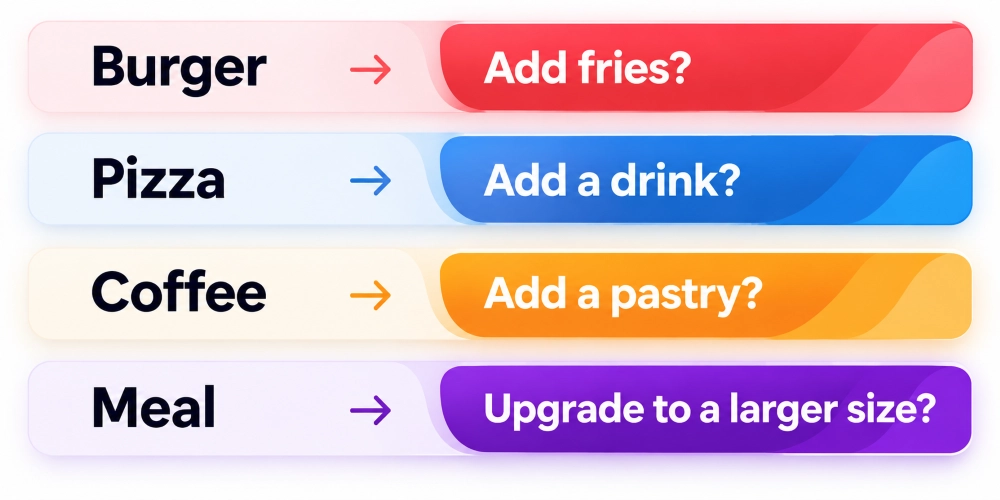
Unlike verbal cashier upselling, software allows restaurants to apply the same upsell rules consistently across kiosk orders.
3. The Customer Reviews and Pays
Before payment, customers should be able to clearly review their order. This includes the products, add-ons, discounts, and taxes. Depending on the restaurant and region, payment options may include card payments, contactless payments, or other supported methods.
4. Order Processing and Confirmation
Once confirmed, the kiosk sends the order to the POS and routes it to the appropriate kitchen station or KDS. The customer then receives an order confirmation through an on-screen message, printed receipt, order number, or SMS, depending on the restaurant’s setup.
What are Different Restaurant Models for Restaurant Kiosk Software?
The kiosk requirements vary a lot depending on the menu, ordering process, and number of locations. Restaurants have specific needs as well, depending on customer expectations and workflows.
Quick-Service Restaurants (QSRs)
Kiosks for QSRs focus on fast ordering and high transaction volumes. They typically need combo building, upselling, payment processing, and POS and KDS integration.
Fast-Casual Restaurants
These kiosks need flexible menus that support ingredient selection, meal customization, and add-ons without making the ordering process complicated.
Cafés and Coffee Shops
Coffee kiosks require detailed modifiers for drink sizes, milk types, temperatures, syrups, and extra shots, with a simple way for customers to select them.
Food Courts
Food court kiosks may support multiple food outlets through a shared ordering system, with separate order routing and kitchen management for each vendor.
Multi-Location Chains and Franchises
These systems require centralized menu management, reporting, and device control, alongside location-specific pricing and product availability. Franchise platforms may also need permissions that balance corporate control with local flexibility.
What are the Essential Features in a Restaurant Kiosk?
Not every restaurant needs the same kiosk functions. A single café may require a relatively simple solution, while a large QSR chain may need sophisticated controls. However, the following features should normally be evaluated before development begins.
Digital Menu Management
Restaurant teams need a practical way to manage menu information. The system may need to support:
- Categories
- Products
- Pricing
- Descriptions
- Ingredients
If menu information is already managed through the POS, synchronization may be preferable to maintaining two independent menu databases.
Product Modifiers and Customization
Modifier management becomes critical for restaurants with highly configurable products. The software may need rules such as:
- Select exactly one option
- Select up to three toppings
- Require a size
- Make things optional
- Allow extra ingredients at an additional cost
These rules should align with the POS and kitchen workflow.
Upselling and Cross-Selling
Upsells should be contextual rather than random. If they feel too robotic, customers may get frustrated. For example:
- Recommend fries with a burger
- Offer a drink with a meal
- Suggest an extra topping for pizza
- Offer a dessert before checkout
Restaurants may also want reporting that shows which recommendations are accepted.
Inventory and Availability Synchronization
One of the worst kiosk experiences is allowing a customer to complete an order for an item that is already unavailable. Ideally, product availability should be synchronized with the appropriate restaurant system. When an item is sold out, the kiosk could:
- Hide it
- Disable it
- Mark it unavailable
- Suggest an alternative
The correct approach depends on the restaurant’s POS and inventory architecture.
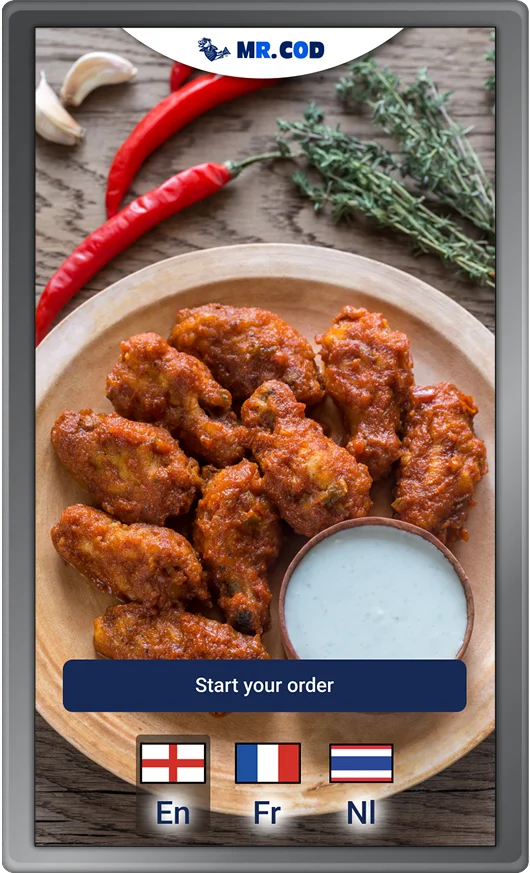
Multilingual Ordering
Restaurants serving multilingual markets may want customers to switch languages at the beginning of the session. Translation should apply consistently across:
- Navigation
- Product names
- Descriptions
- Errors
Even the payment instructions should change to that language.
Accessibility
Accessibility should be treated as a product and deployment requirement from the beginning rather than added after development. This can involve:
- Touch-target sizing
- Contrast
- Readable text
- Alternative input methods
- Screen-reader considerations
Restaurant operators should also verify any accessibility laws and standards applicable to the countries and locations where kiosks will be deployed.
Offline and Connectivity-Failure Handling
Restaurants should decide what the kiosk does when connectivity becomes unstable. Possible scenarios include:
- Internet connection fails
- POS API is temporarily unavailable
- Payment terminal disconnects
- KDS connection fails
- Printer stops responding
Depending on the architecture, the system may support local queuing, retry mechanisms, connection monitoring, or specific offline functionality.
Analytics and Reporting
Kiosk analytics can help operators understand how the channel is being used. Useful metrics can include:
- Number of kiosk orders
- Revenue by kiosk
- Average order value
- Popular products
- Popular modifiers
These insights can help restaurant teams improve menus, ordering flows, promotions, and operations.
Remote Device Management
Managing one kiosk manually is possible. For larger fleets, the operating model becomes a dedicated discipline; LinkitSoft covers this in its kiosk management guide. Managing hundreds of kiosks across multiple locations is a different problem. Multi-location deployments may need:
- Device status monitoring
- Application version monitoring
- Remote configuration
- Error logs
- Health alerts
- Remote restart
Device management should therefore be considered part of the software architecture for larger deployments.
What Integrations Should Businesses Plan for the Restaurant Kiosk?
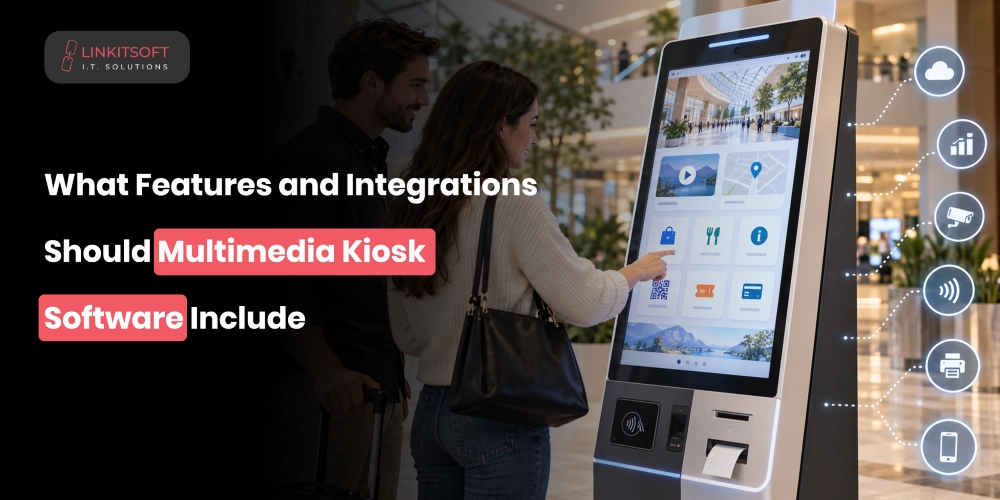
The kiosk itself is only one part of a restaurant’s technology stack. Before development starts, create an integration map showing which systems need to exchange data. For each data domain, identify which system is the source of truth and how failures will be reconciled. Common integrations include:
POS System Integration
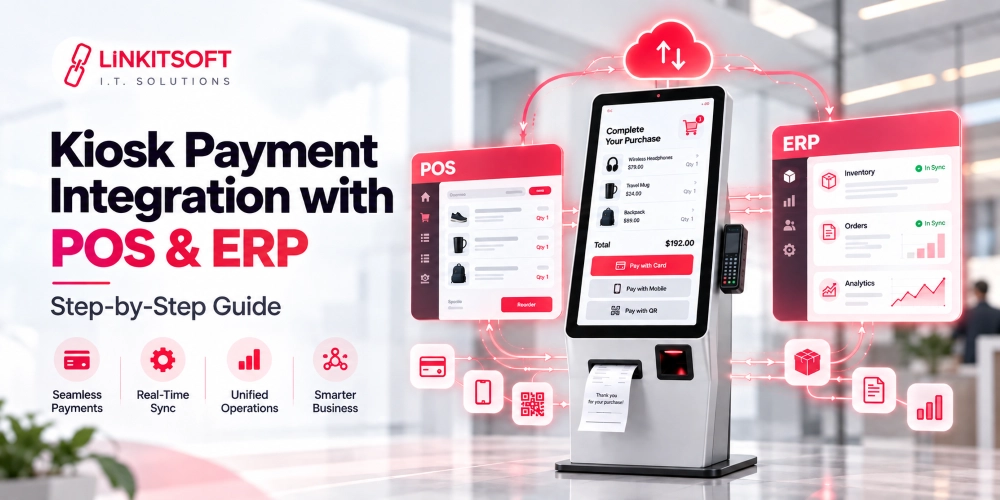
POS integration synchronizes menu items, pricing, taxes, and order details between the kiosk and the restaurant’s central system. It also helps maintain consistent transaction records and reporting.
Kitchen Display System (KDS) Integration
KDS integration sends kiosk orders directly to the appropriate kitchen stations, allowing staff to track incoming orders and manage food preparation.
Payment Gateway and Terminal Integration
Payment integration allows customers to pay directly at the kiosk using supported payment methods. It also handles transaction authorization and payment status updates.
Inventory Management Integration
Inventory integration helps kiosks reflect product availability based on stock levels and restaurant-defined availability rules, reducing orders for unavailable items.
Online Ordering and Delivery Integration
Integrating kiosk software with online ordering and delivery platforms can centralize orders from different channels. Shared menus and order workflows also help maintain consistency across in-store and digital ordering.
Receipt and Kitchen Printer Integration
Printer integration supports customer receipts, kitchen tickets, and product labels, depending on the restaurant’s operational requirements.
Accounting and Reporting Integration
These integrations transfer transaction and financial data to accounting or reporting platforms, reducing manual data entry and supporting consolidated business reporting.
Development Tip: Validate major integrations before finalizing the kiosk architecture. Review the actual POS, payment, KDS, loyalty, and inventory APIs or SDKs. This includes authentication, rate limits, sandbox access, error behavior, and required permissions. Discovering a critical limitation after you’ve already built the kiosk application can force expensive architectural rework.
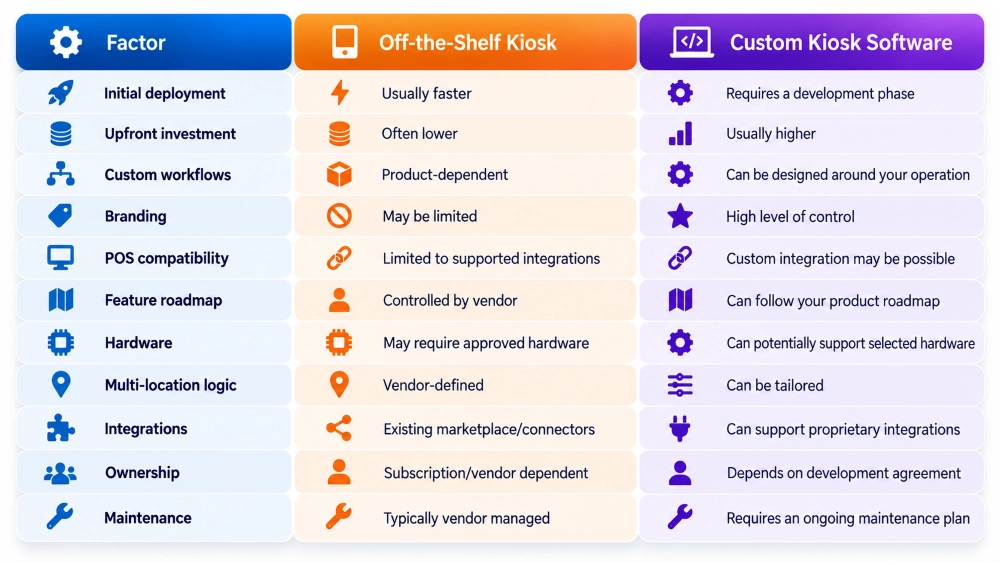
Off-the-Shelf vs. Custom Restaurant Kiosk Software
Restaurant owners do not always need custom development. A broader comparison is available in LinkitSoft’s custom vs. off-the-shelf kiosk software guide.
The better approach depends on the restaurant’s existing technology, workflows, growth plans, and integration requirements.
When an Existing Kiosk Product May Be Better
An established kiosk solution may make more sense if:
- You operate a small number of locations
- Your POS already offers a compatible kiosk
- Your ordering workflow is relatively standard
- Standard branding is acceptable
- You prefer predictable subscription pricing
In that situation, custom development may introduce cost and complexity without providing enough additional business value.
When Custom Restaurant Kiosk Software May Make Sense
Custom development becomes more relevant when:
- Your POS does not provide the kiosk experience you need
- You operate a large multi-location or franchise network
- You want control over the customer experience
- You have complex pricing or promotion rules
- You need specialized hardware
The decision should therefore be based on requirements, not simply whether custom software sounds more advanced.
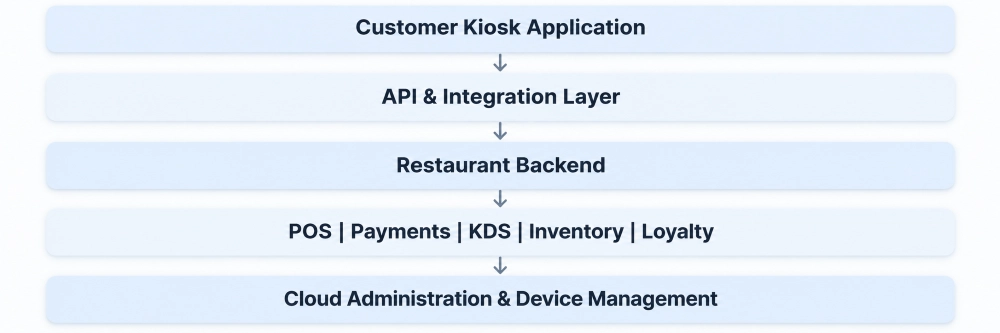
Restaurant Kiosk Software Architecture
A typical custom restaurant kiosk platform can include several layers that work together:
What is the Restaurant Kiosk Software Development Process?
A successful kiosk project should begin with understanding the restaurant’s operations and then moving further.
Step 1: Requirement Analysis and Workflow Planning
The process begins with understanding the restaurant’s operations, including its menu structure, ordering workflows, locations, existing POS and KDS systems, payment methods, and hardware requirements. The development team uses this information to determine the software’s features, integrations, and security requirements.
Step 2: UI/UX Design and Architecture Planning
The team designs the complete customer ordering journey, from menu browsing and customization to payment and order confirmation. Clickable prototypes help validate the interface before development. At the same time, the software architecture is planned to support the kiosk app, backend, database, integrations, and device management.
Step 3: Kiosk Software Development
Developers build the customer-facing kiosk app and its core ordering functionality, including menus, modifiers, and checkout. The backend and administration dashboard are developed alongside it to support menu updates, pricing, user permissions, reporting, and centralized management.
Step 4: Integration, Hardware Setup, and Testing
The kiosk software is connected to the required POS, KDS, payment systems, and other third-party services. Developers then test it with the actual hardware, including touchscreens, payment terminals, and printers. Quality assurance covers normal ordering as well as failed payments, network interruptions, unavailable items, and other errors.
Step 5: Pilot Deployment and Full Rollout
The completed kiosk system is first deployed at selected locations to evaluate its performance under actual restaurant conditions. Feedback and issues identified during the pilot are addressed before broader deployment. After rollout, ongoing monitoring helps identify software errors, integration failures, and device issues.
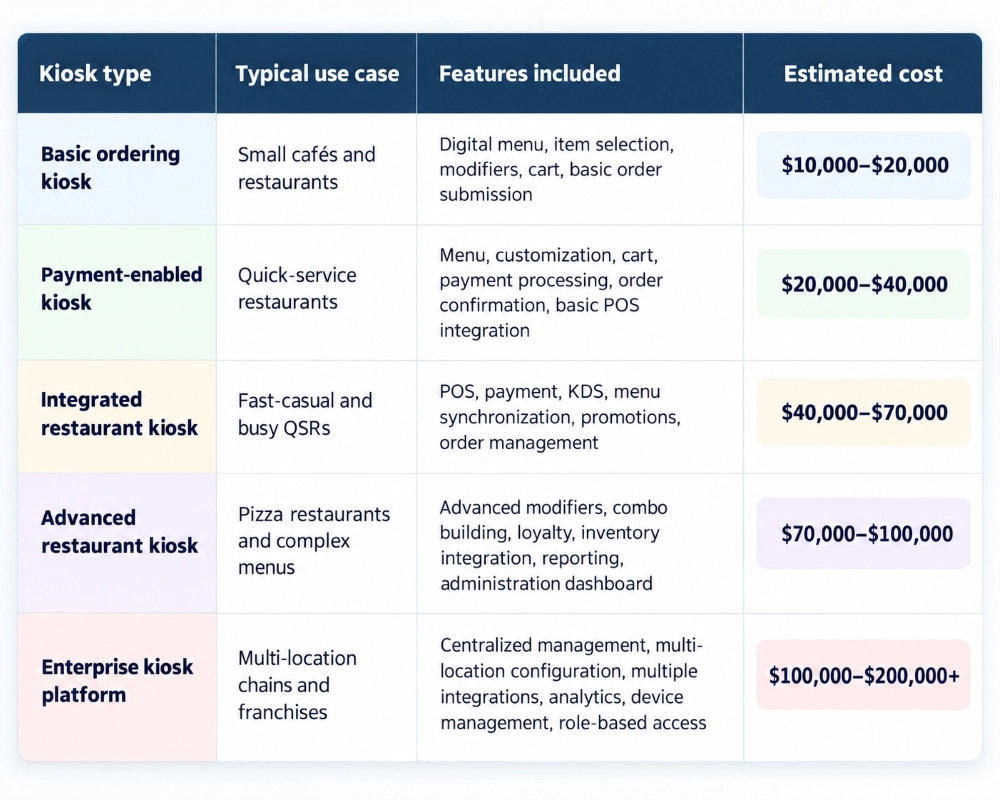
How Much Does Restaurant Kiosk Software Development Cost?
The cost of developing the kiosk software depends on several factors. The following estimates provide a breakdown of development costs:
How Is Restaurant Kiosk Software Secured?
A self-service kiosk is an unattended customer-facing endpoint connected to business systems.
Security therefore needs to be built into the architecture. For a broader device-level treatment, see LinkitSoft’s kiosk security and lockdown guide.
The software must protect customer information, payment transactions, and connected business systems. Security starts with payment handling, including appropriate PCI requirements, secure API authentication, and encryption of sensitive data in transit and at rest. Kiosk lockdown also prevents customers from accessing the underlying operating system, administrative settings, or other applications.
Session management should clear customer information after each transaction to prevent exposure to subsequent users. Administrative access should follow role-based permissions, while regular software updates, security patches, and centralized device monitoring help protect kiosks against vulnerabilities.
How to Choose a Restaurant Kiosk Software Development Company
Choosing a development company requires evaluating its experience with restaurant workflows, hardware, integrations, and long-term support. Focus on questions that reveal whether the team can meet your current requirements and accommodate future expansion.
- Have you developed kiosk software for restaurants before?
- Can you integrate the software with our existing POS, KDS, and payment systems?
- Does the software support our selected kiosk hardware and peripherals?
- How will the system handle internet outages and failed transactions?
- How do you handle kiosk security, software updates, and ongoing maintenance?
- How do you test the software and handle support after deployment?