
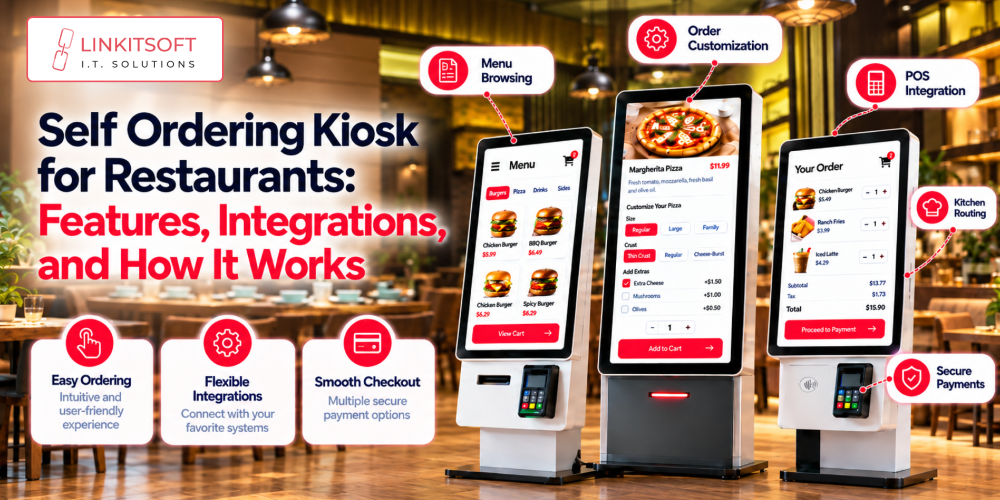
Ordering at a restaurant can get frustrating when the counter is busy, and customers have to wait just to place a simple order. Self ordering kiosks give customers another option.
They give them an independent option to browse the menu and customize their meals on their own. From adding extras to paying within seconds on the screen, things become possible without needing a staff member to handle every step.
In this blog, we’ll look at how self ordering kiosk software works, the features restaurants need, and what to consider before choosing a solution.
What Is Self Ordering Kiosk Software?
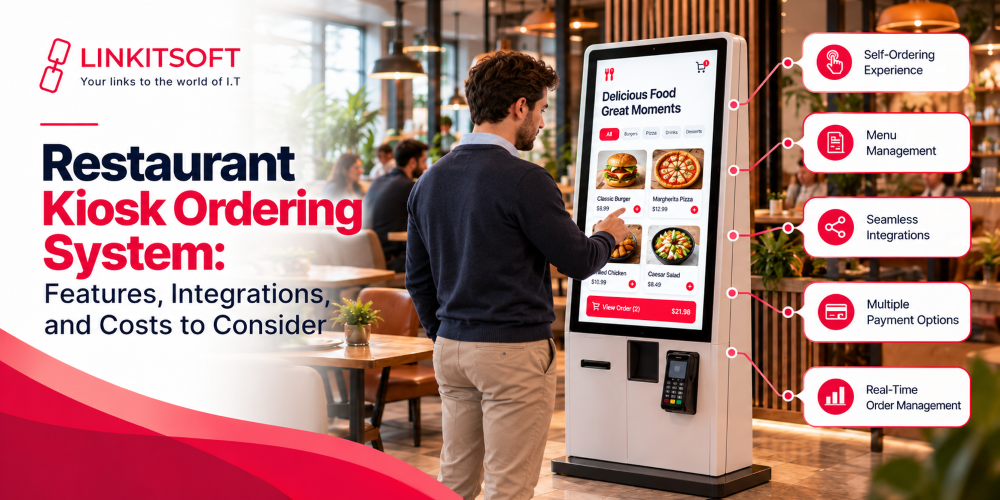
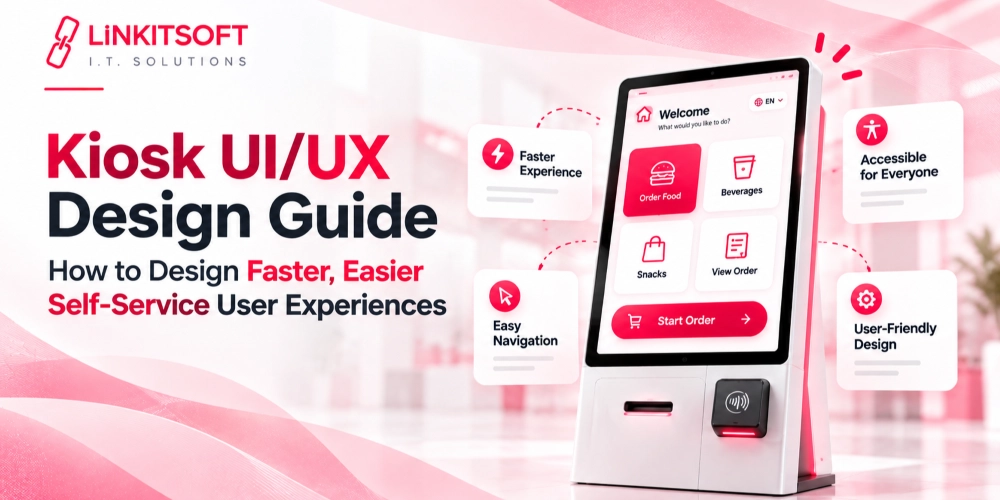
Self ordering kiosk software for restaurants allows customers to place their own orders through a touchscreen. It displays the menu and guides customers through their selections while they customize their orders. Once done, customers can pay directly as well.
For example, a customer ordering a burger meal might choose a burger, add extra cheese, and remove an ingredient. The software needs to understand which choices are included in the meal, highlighting the ones that cost extra. It should also be aware of which selections are required before the customer can continue.
There is also a lot happening behind what the customer can see. The software communicates with systems responsible for payments and order processing, and sometimes inventory or customer loyalty, too.
Once an order is submitted, the restaurant needs the correct details to reach the right place without staff having to enter everything again.
A self service kiosk for restaurants should therefore fit into the entire ordering process, from the moment a customer opens the menu to the point when the kitchen receives the order.
The Custom Self Ordering Kiosk Solution Linkitsoft Built for Mr. Cod
Mr. Cod was a popular restaurant dealing with a high volume of customers daily. An off the shelf self-ordering kiosk wasn’t enough. So Linkitsoft built Order Wave, a custom self ordering kiosk solution that allowed customers to:
- Order as a guest or log in with phone number
- Save up to five customized orders by simply logging in every time
- Place an order and pay within five straightforward steps
Along with that, the restaurant was also able to collect daily taxes because every time a customer would place an order, the system would group, collect, and present them to the admin panel.
How Does Self Ordering Kiosk Software Work?
The process usually follows a few simple steps, but the software needs to handle each one carefully.
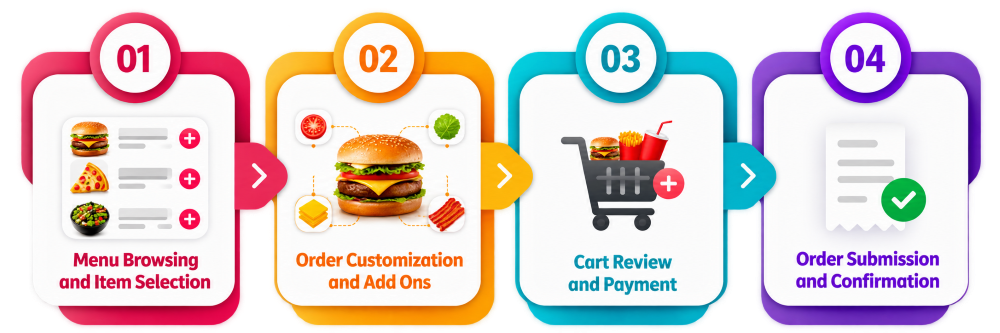
Menu Browsing and Item Selection
Customers begin by browsing the menu. Items may be grouped into categories such as:
- Meals
- Sides
- Drinks
- Desserts
- Special offers
Additionally, accurate information can also help customers decide what they want without asking a staff member for every detail; this may include:
- Photos
- Descriptions
- Prices
- Dietary information
Restaurants can also use the menu to highlight popular items or current promotions. However, the information displayed on the kiosk needs to match the restaurant’s actual menu. If an item is no longer available or its price has changed, customers should not continue seeing outdated information.
Order Customization and Add Ons
Once customers select an item, the software presents the available modifications. Depending on the menu, these might include:
- Adding toppings
- Changing a side
- Choosing a drink size
- Removing certain ingredients
The important part is that the options follow the restaurant’s actual rules. If a meal includes one side and one drink, the software should let customers make those selections without charging them incorrectly. If they upgrade to a larger drink or add another side, the additional cost should appear in the order total.
Cart Review and Payment
Before the checkout, customers should be able to:
- Review their order
- Change quantities
- Remove items
- Check the final amount
Additional payment info should be displayed clearly so there are no surprises at payment. This includes:
- Taxes
- Discounts
- Any additional charges
The kiosk then connects to the supported payment terminal or payment service. Depending on the setup, customers may be able to pay by their preferred method.
Order Submission and Confirmation
After the payment and order checks are complete, the software sends the order to the restaurant’s order management system or point of sale system. From there, it can appear on a kitchen display or follow another workflow configured by the restaurant.
The kiosk then confirms that the order has been accepted. This might involve:
- Displaying an order number
- Printing a receipt
- Telling the customer where to collect their food
The distinction between payment and order confirmation is important. Customers need to know that the restaurant has actually received their order, not simply that a payment screen has disappeared.
What Features Should Self Ordering Kiosk Software Include?
The right features depend on the restaurant’s menu and their existing systems.
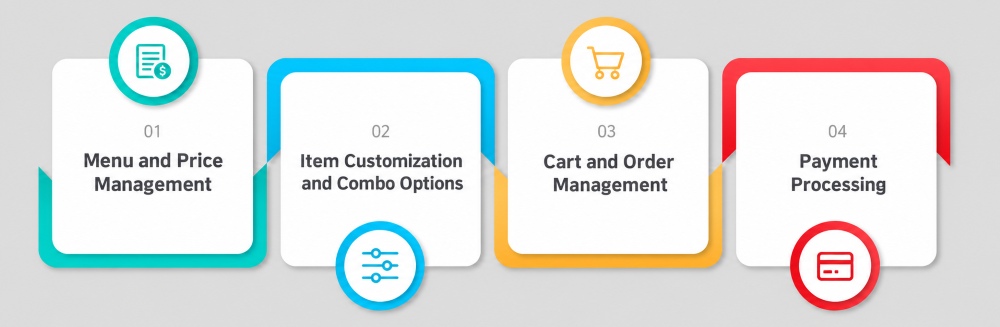
Menu and Price Management
Restaurants regularly change prices, introduce seasonal items, and remove products that are unavailable. The software should make these updates manageable without requiring a developer to change the application every time the menu changes.
Authorized staff should be able to update item names, descriptions, prices, categories, and availability. Where possible, the kiosk should receive these changes from the restaurant’s existing menu or POS system so that information stays consistent.
Different menus may also be needed for breakfast, lunch, dinner, or individual branches. If the restaurant offers different products at different locations, the software should support those differences instead of forcing every kiosk to display the same menu.
Item Customization and Combo Options
Customization is a basic requirement for restaurants that sell meals with several choices. The software should support required selections, optional extras, substitutions, and upgrades while applying the correct prices.
Consider a combo that includes a main item, a side, and a drink. The customer should be able to choose each part of the meal, see any additional cost for upgrades, and understand which selections are still required.
These rules should be configured around the restaurant’s actual menu. Too few options can restrict customers, while poorly configured choices can lead to incorrect orders and unnecessary questions at the counter.
Cart and Order Management
A clear cart helps customers catch mistakes before they pay. Each item should show its quantity, selected modifications, and price. If a customer changes an option or removes an item, the total should update accordingly.
The submitted order must preserve those details. It is not enough to send the kitchen a burger and a drink if the customer requested extra cheese, no onions, and a particular drink size.
Restaurants should also consider what happens when a customer goes back to change an order. The software needs to update the cart properly rather than leaving old selections or charging for an item that has already been removed.
Payment Processing
Payment processing needs to work reliably with the restaurant’s chosen payment provider and terminal. The software should distinguish between approved, declined, cancelled, and unresolved transactions.
The payment options available will depend on the provider, country, and hardware. Restaurants should confirm these requirements before choosing a solution, particularly if they plan to operate in more than one market.
What Systems Does Self Ordering Kiosk Software Integrate With?
A kiosk can handle the customer facing part of ordering, but it still needs to communicate with the restaurant’s other systems. These integrations determine how smoothly orders move from checkout to preparation and sales reporting.
Restaurant POS Systems
The point of sale system is often the main connection. Depending on the integration, it can provide menu items, prices, taxes, and availability while receiving completed kiosk orders and recording sales.
Many restaurant kiosk systems rely on this connection to keep order information consistent across the counter and the kiosk. Without a suitable integration, staff may have to reenter orders or correct differences between the menu displayed on the kiosk and the one used at the POS.
Before implementation, restaurants should confirm which information can be exchanged and whether updates happen automatically. Compatibility with the POS brand alone does not necessarily mean every required feature will work.
Kitchen Display Systems
A kitchen display system shows incoming orders to the staff preparing them. When connected to the kiosk workflow, it can receive order items and customizations as soon as the order is accepted.
Some restaurants prepare different parts of an order at separate stations. Drinks may go to one area, while hot food goes to another. The software should support the restaurant’s preparation process so orders reach the appropriate staff with clear instructions.
If the kitchen system cannot receive certain order details, the restaurant needs to know that before launch. Otherwise, employees may have to check the original order or ask customers to clarify their choices.
Payment Terminals and Payment Gateways
The payment integration allows the kiosk to request a transaction and receive its result. The software should connect the transaction to the correct order so staff can identify whether a payment was completed.
It is particularly important to plan for interrupted transactions. For example, a terminal might stop responding just after a customer taps their card. The system should check the transaction status where supported rather than immediately asking the customer to pay again.
Inventory and Menu Management Systems
Inventory integrations can help restaurants manage availability, although the level of detail varies between systems. Some setups can update menu availability based on stock information, while others rely on staff to mark items as unavailable.
Either approach can work if the process is dependable. The goal is to avoid accepting orders for products the kitchen cannot prepare.
Restaurants should also decide who is responsible for updating availability and how quickly those changes need to reach the kiosk. A useful integration can reduce manual work, but only when it reflects the way the restaurant manages its stock.
Loyalty and Customer Accounts
Some kiosks connect with loyalty programs to apply rewards or discounts. Depending on the system, customers may enter a membership number, scan a code, or identify themselves through another supported method. The software needs to check whether a reward is valid and apply the correct conditions.
How Does the Software Handle Order and Payment Errors?
Even a well designed kiosk can encounter problems. What matters is how the software responds.
Failed or Unclear Payments
When a payment is declined, the kiosk should explain what happened and let the customer try another supported method. It should not mark the order as paid when the payment provider has rejected the transaction. This helps reduce duplicate charges and gives staff a clearer record if a customer needs assistance.
Unavailable Items and Interrupted Orders
If a product becomes unavailable while a customer is ordering, the kiosk should make that clear and offer an alternative where possible. It should not allow the customer to complete checkout for an item the restaurant can no longer prepare.
The software also needs to distinguish between an order that is still being created and one that has already been accepted.
Preventing Duplicate Orders
Customers may tap a button twice when the screen appears slow to respond. The software should prevent repeated submissions from creating multiple orders or charges.
This can involve disabling the submission control while a request is processing and using unique order and transaction references to identify repeated requests. Clear messages also help customers understand whether they should wait, try again, or ask a staff member for assistance.
What Hardware Does a Self Ordering Kiosk Need?
The hardware depends on the restaurant’s setup and the payment methods it plans to support. Not every kiosk needs the same collection of devices.
Touchscreen and Kiosk Computer
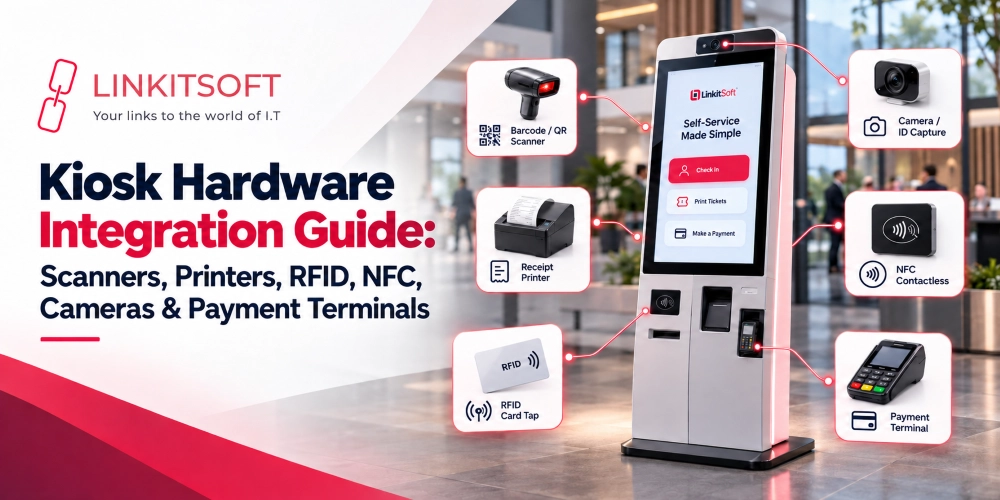
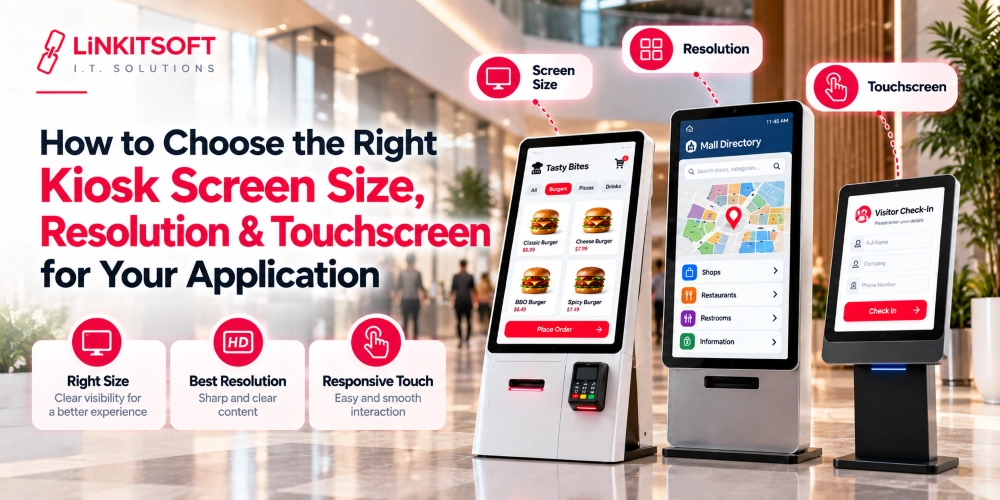
The touchscreen is the part customers interact with, so it should be responsive, readable, and suitable for the restaurant environment. Screen size and placement matter too. Customers should be able to browse the menu and complete an order comfortably without struggling to find buttons.
The computer running the application must meet the software’s operating system and performance requirements. It also needs to support the peripherals and network connections required by the restaurant.
Payment Terminal and Optional Peripherals
A payment terminal is needed when customers pay directly at the kiosk. Restaurants may also choose to add a receipt printer, barcode scanner, or QR code reader, depending on how orders, discounts, and loyalty programs work.
These devices should serve a clear purpose. A restaurant that does not use printed receipts or scanned loyalty codes may not need the extra hardware. Choosing equipment around actual workflows can keep the setup simpler and reduce unnecessary maintenance.
Network Connectivity
The kiosk needs a dependable connection to communicate with payment services, the POS, and kitchen systems. Wired or wireless connectivity may be suitable depending on the location and the available infrastructure.
Restaurants should consider what happens if the connection drops. Some systems can preserve certain information locally, but payment processing and order submission may still depend on external services. The software provider should explain which functions continue working during an outage and what staff need to do when connectivity returns.
What Should Restaurants Consider Before Choosing Self Ordering Kiosk Software?
The best self ordering kiosk for restaurants is not necessarily the one with the longest feature list. It is the one that fits the menu, works with the existing systems, and makes ordering easier for both customers and staff.
Menu Complexity and Customization Rules
Start by reviewing the menu. A restaurant with a small selection of fixed meals will have different requirements from one offering extensive customization, combo deals, and multiple serving sizes.
Ask how the software handles required choices, substitutions, extra charges, and unavailable items. It should support the menu as it actually works, rather than requiring staff to find workarounds for everyday orders.
Existing POS and Kitchen Integrations
Check whether the software supports the restaurant’s current POS and kitchen display systems. Find out what information is exchanged, how menu changes are handled, and whether customizations reach the kitchen correctly.
A smooth customer interface is not enough if the staff still need to correct orders manually. Integration should reduce extra work, not shift it from the counter to the kitchen.
Payment Methods and Local Requirements
Make sure the kiosk supports the payment methods customers are likely to use. The restaurant should confirm compatibility between the software, payment terminal, and provider before purchasing hardware.
For businesses operating self ordering kiosk for restaurants across different regions, payment options, language requirements, and local operating needs may vary. A setup that works well in one location may need adjustments before it can be used elsewhere.
Hardware, Security, and Maintenance
Confirm that the software supports the planned touchscreen, computer, operating system, and peripherals. It is also worth asking how updates, remote monitoring, troubleshooting, and device maintenance will work after installation.
A public kiosk needs appropriate security controls. These may include restricting access to the underlying operating system, returning the screen to its starting point after each customer, and clearing information that should not remain visible to the next person.
Restaurants should also understand how support works when a kiosk stops responding during service. A clear troubleshooting process can make the difference between a brief interruption and a long queue.
Number of Kiosks and Restaurant Locations
A single kiosk in one restaurant may need only basic management tools. Businesses with several kiosks or branches may benefit from a central platform that manages software updates, menu changes, device status, and location specific settings.
Ask whether prices and menus can be adjusted for individual branches while still being managed from one place. The right arrangement depends on how much the locations have in common and how much flexibility each one needs.