Long waiting times, rising operational costs, and repetitive tasks can negatively affect customer satisfaction and business efficiency.
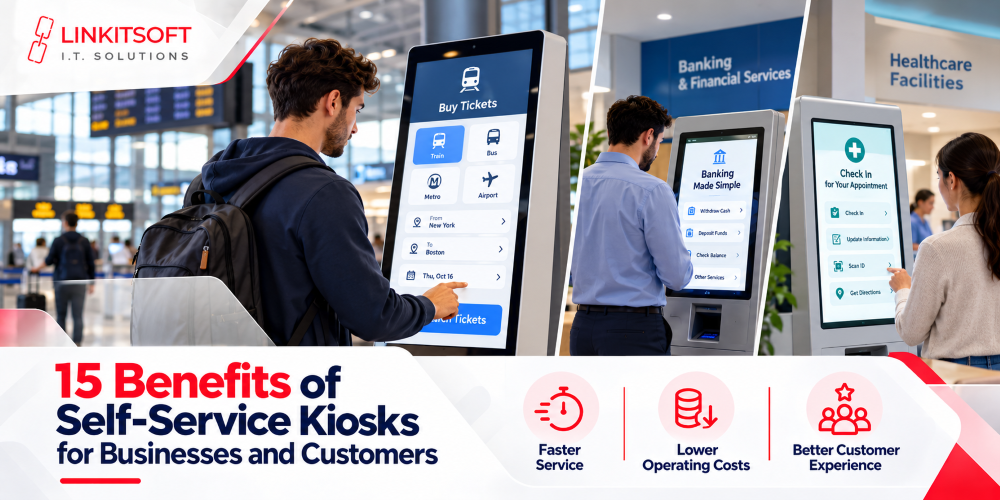
Self-service kiosks help businesses address these challenges by allowing customers to place orders, make payments, and access services independently. Key benefits include faster transactions, improved order accuracy, reduced manual workloads, and increased sales opportunities.
In this guide, we’ll explore 15 benefits of self-service kiosks, their applications across different industries, potential challenges, and return on investment (ROI).
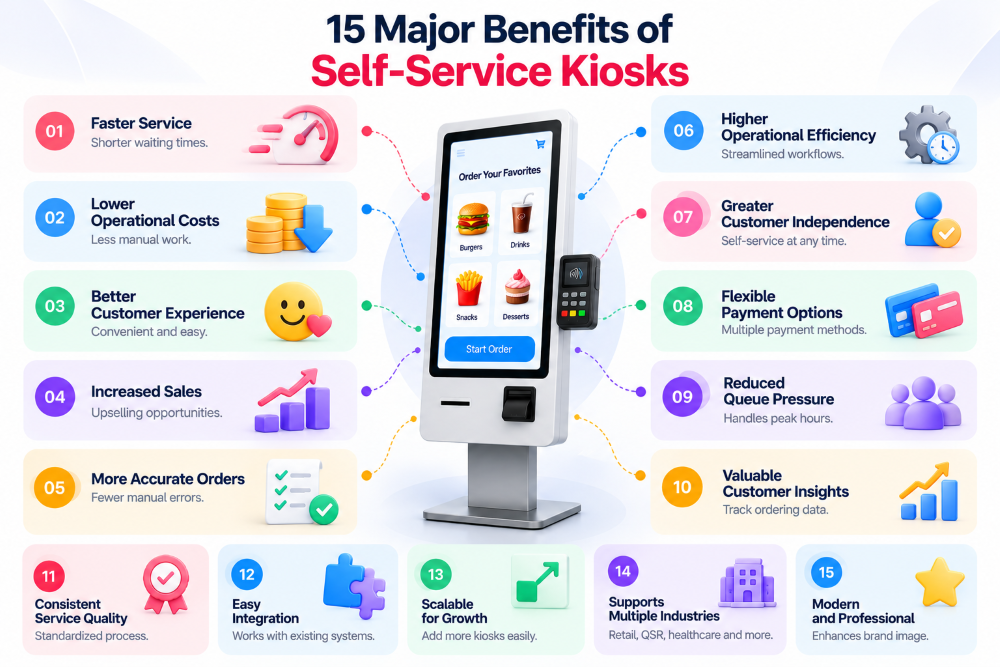
15 Major Benefits of Self-Service Kiosks
Self-service kiosks help businesses streamline customer interactions, improve operational efficiency, and deliver more convenient services. From restaurants to retail stores, these systems automate routine tasks while giving customers greater control over transactions.
1. Faster Service and Shorter Waiting Times
Self-service kiosks allow customers to complete transactions without waiting for an available employee. Businesses can handle multiple customer interactions simultaneously, helping reduce congestion during busy hours.
Key advantages include:
- Faster ordering, checkout, and registration.
- Shorter queues during peak business hours.
- Multiple customers completing transactions independently.
- Reduced pressure on staffed service counters.
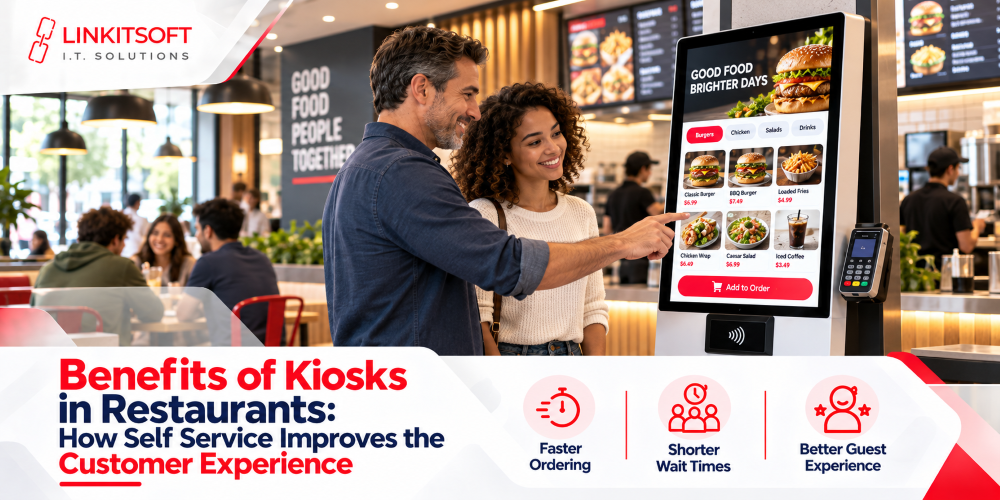
For example, restaurant self-ordering kiosks let customers place orders while employees focus on food preparation and fulfillment.
2. Reduced Operational and Labor Costs
Self-service kiosks automate repetitive tasks such as order entry, payment processing, and customer registration. This allows businesses to allocate employees more efficiently and potentially reduce operating expenses.
Key advantages include:
- Reduced manual transaction handling.
- Better allocation of employee resources.
- Less time spent on repetitive administrative work.
- Potential savings through more efficient workflows.
For example, hotels can use self-check-in kiosks for routine registrations while reception employees handle complex guest requests.
Actual cost savings depend on staffing requirements, transaction volumes, and ongoing kiosk expenses.
3. Improved Customer Experience and Satisfaction
Self-service kiosks provide customers with a convenient way to access products and services without relying entirely on employee assistance.
Customers can browse available options, customize selections, and complete transactions at their preferred pace.
Key advantages include:
- Greater customer control over transactions.
- Convenient access to products and services.
- Easier browsing and order customization.
- More consistent service experiences.
Research published in the Journal of Retailing and Consumer Services in 2025 examined customer satisfaction across several cashierless shopping technologies, including self-checkout. It found that perceived convenience, customer empowerment, and positive experiences contribute to satisfaction and willingness to use these systems.
This highlights the importance of designing self-service experiences around actual customer needs.
4. Increased Sales and Upselling Opportunities
Self-service kiosk software can display relevant product recommendations, upgrades, and promotional offers during transactions.
These suggestions help businesses introduce additional purchasing options without relying entirely on verbal recommendations from employees.
Key advantages include:
- Automated product upselling.
- Relevant cross-selling recommendations.
- Greater visibility for promotional offers.
- Opportunities to increase average order value.
For example, a restaurant kiosk can recommend drinks, desserts, or larger meal options before a customer completes an order.
Businesses should measure sales performance to determine whether these recommendations improve purchasing outcomes.
5. Better Order Accuracy and Fewer Manual Errors
Self-service kiosks allow customers to enter their selections directly into a digital system, reducing opportunities for miscommunication during order-taking.
Customers can review quantities, preferences, and selected items before confirming their transactions.
Key advantages include:
- Reduced verbal communication errors.
- Clear order confirmation before payment.
- More consistent transaction information.
- Direct communication with integrated business systems.
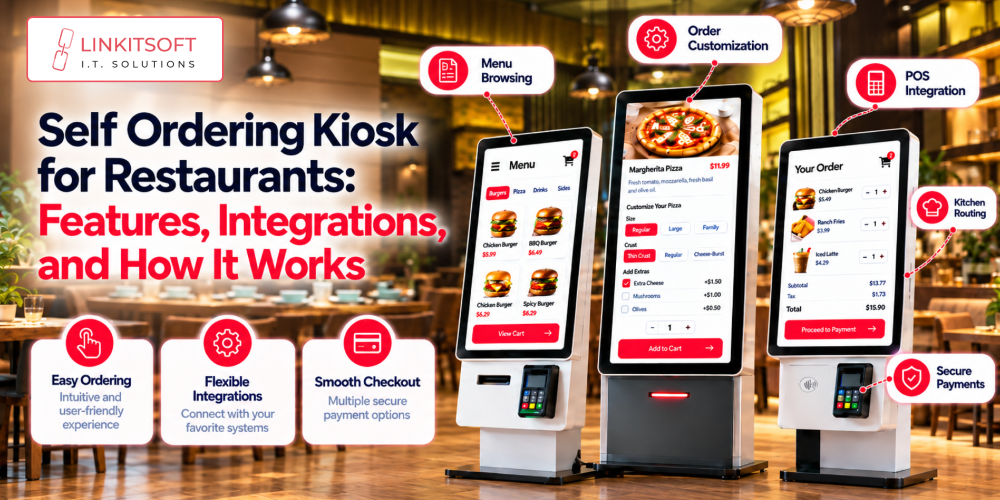
For example, restaurant kiosks connected to POS and kitchen systems can transfer confirmed orders without requiring employees to enter the same information again.
However, accuracy still depends on clear interface design, correct system configurations, and reliable integrations.
6. Increased Operational Efficiency
Self-service kiosks simplify business processes by automating routine customer interactions and reducing unnecessary manual steps.
When connected to existing business systems, kiosks can support faster information exchange between customers and internal operations.
Key advantages include:
- Standardized transaction workflows.
- Reduced repetitive data entry.
- Better coordination between connected systems.
- More efficient processing of routine requests.
For example, healthcare check-in kiosks can collect registration information and transfer it to authorized systems, reducing administrative work at reception desks.
7. Greater Customer Independence and Convenience
Self-service kiosks allow customers to manage routine interactions independently, without requiring assistance at every stage.
This can be especially valuable for people who prefer browsing options, comparing services, or making decisions without feeling rushed.
Key advantages include:
- Independent ordering and checkout.
- More control over transaction details.
- Convenient access to information.
- Flexible interaction at the customer’s preferred pace.
For example, ticketing kiosks allow passengers to review available options, choose tickets, and complete payments independently.
Businesses should also provide accessible interfaces and assistance for customers who need additional support.
8. Consistent Service Quality
Self-service kiosk software helps businesses maintain standardized information and processes across customer interactions.
Unlike manually communicated information, kiosk content can be centrally configured and presented consistently.
Key advantages include:
- Standardized product and service information.
- Consistent pricing and promotional displays.
- Uniform transaction processes.
- Improved consistency across multiple locations.
For example, restaurant chains can use centralized kiosk management to update menu information across connected devices.
Regular software updates and accurate system synchronization remain essential for maintaining this consistency.
9. Multiple Payment Options
Self-service kiosks can integrate with payment technologies that support different customer preferences.
Depending on the hardware and payment provider, kiosks may accept debit cards, credit cards, contactless payments, and supported digital wallets.
Key advantages include:
- Convenient digital payment processing.
- Support for multiple payment methods.
- Reduced dependency on cashier-assisted payments.
- Streamlined checkout experiences.
For example, retail self-checkout kiosks with integrated payment terminals can allow customers to complete transactions independently.
Payment systems should use secure, supported integrations and comply with applicable payment-security requirements.
10. Improved Staff Productivity
By automating suitable customer-facing tasks, self-service kiosks can free employees to focus on responsibilities that require personal attention.
Businesses can use this flexibility to improve service delivery and manage employee workloads more effectively.
Key advantages include:
- Less employee time spent on repetitive transactions.
- More attention available for complex customer requests.
- Improved allocation of operational responsibilities.
- Potential productivity improvements during busy periods.
For example, restaurant employees may spend less time manually taking orders and more time preparing and fulfilling them.
The outcome depends on how the business adjusts staffing and operational workflows.
11. Personalized Customer Experiences
Self-service kiosks can support personalized interactions through configurable interfaces and integrations with relevant business systems.
Depending on their capabilities, kiosks may offer language selection, loyalty program access, customized products, and relevant recommendations.
Key advantages include:
- Personalized product and service options.
- Support for multiple languages.
- Loyalty program integration.
- Customized recommendations and promotions.
For example, a restaurant kiosk connected to a loyalty program may allow eligible customers to redeem rewards during checkout.
Personalization features should respect customer privacy and applicable data-protection requirements.
12. Better Data Collection and Business Insights
Self-service kiosks can generate transaction and usage information that helps businesses understand operational performance.
When combined with reporting software, these insights can support decisions about products, customer demand, and service workflows.
Key advantages include:
- Transaction volume monitoring.
- Identification of popular products.
- Analysis of purchasing patterns.
- Better visibility into kiosk performance.
For example, a restaurant can analyze kiosk transaction records to identify frequently selected menu combinations.
Businesses can use these insights to evaluate promotions, adjust offerings, and identify opportunities for improvement.
13. Scalability Across Multiple Locations
Self-service kiosk platforms with centralized management capabilities can help businesses expand digital services across multiple branches.
Instead of configuring every device individually, administrators may manage content, settings, and updates through connected systems.
Key advantages include:
- Centralized device administration.
- Consistent software configurations.
- Simplified content and menu updates.
- Easier management of multiple kiosk locations.
For example, a retail chain can distribute approved promotional changes across connected kiosks.
Scalability depends on reliable backend infrastructure, secure device management, and software designed for business growth.
14. Flexible Service Availability
Self-service kiosks can extend access to selected services beyond the hours when staffed counters are available.
Automated transactions make it possible for some businesses to support customers with limited direct employee involvement.
Key advantages include:
- Extended access to routine services.
- Reduced reliance on staffed counters.
- Greater flexibility for customer transactions.
- Support for selected unattended operations.
For example, hotel check-in kiosks may allow eligible guests to complete routine arrival procedures during late hours.
However, continuous availability depends on hardware reliability, connectivity, maintenance, and the nature of the service.
15. Stronger Business Competitiveness
Self-service kiosks provide businesses with additional ways to serve customers and improve operational processes.
When deployed effectively, they can support modern service experiences while helping businesses respond to changing customer expectations.
Key advantages include:
- More flexible customer service channels.
- Modernized transaction workflows.
- Improved service convenience.
- Opportunities for operational differentiation.
For example, a retail store offering both staffed and self-service checkout gives customers more choice over how they complete purchases.
The competitive value comes from delivering a better experience, not simply installing new technology.
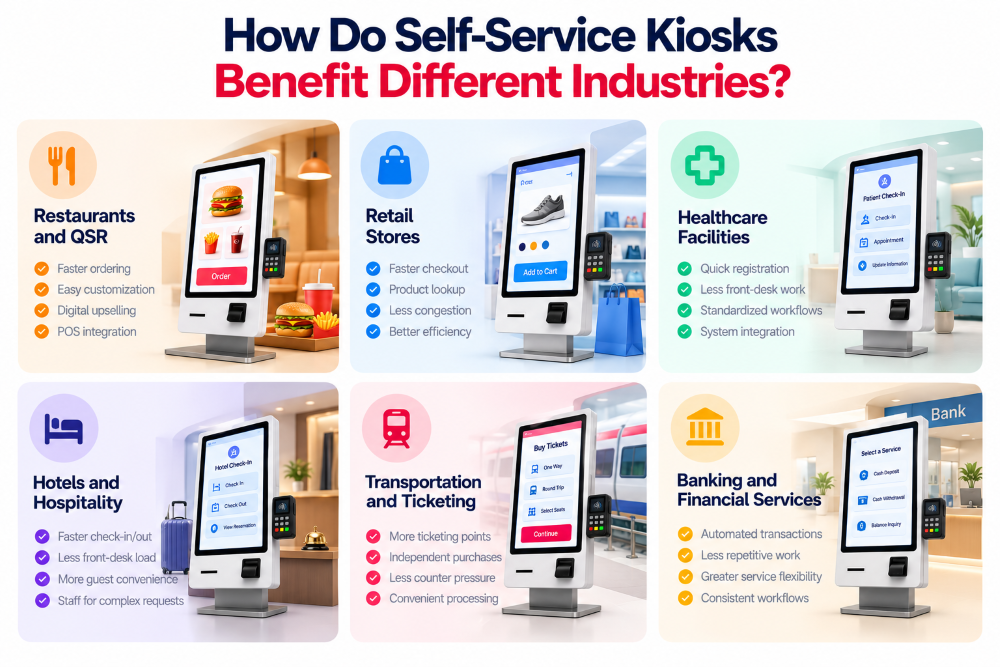
How Do Self-Service Kiosks Benefit Different Industries?
Self-service kiosks support different business requirements depending on the industry and customer workflow.
Restaurants and Quick-Service Businesses
Restaurant kiosks help customers browse menus, customize meals, and complete payments independently.
Main benefits include:
- Faster ordering during busy periods.
- Improved order customization.
- Digital upselling opportunities.
- Integration with POS and kitchen systems.
Retail Stores
Retail kiosks support self-checkout, product lookup, and customer transactions.
Main benefits include:
- Reduced checkout congestion.
- Faster routine purchases.
- Convenient product information access.
- Better transaction efficiency.
Healthcare Facilities
Healthcare kiosks simplify administrative activities such as patient registration and appointment check-ins.
Main benefits include:
- More efficient check-in processes.
- Reduced repetitive front-desk work.
- Standardized registration workflows.
- Better coordination with authorized healthcare systems.
Healthcare kiosks also require appropriate privacy controls and accessible interfaces.
Hotels and Hospitality
Hospitality kiosks allow guests to complete eligible check-in, check-out, and reservation-related tasks.
Main benefits include:
- Faster routine guest processing.
- Reduced front-desk congestion.
- Greater convenience for guests.
- More staff availability for complex requests.
Transportation and Ticketing
Transportation kiosks automate activities such as ticket purchasing, booking confirmation, and receipt generation.
Main benefits include:
- Additional ticketing points.
- Independent ticket purchases.
- Reduced pressure on staffed counters.
- More convenient transaction processing.
Banking and Financial Services
Financial service kiosks can support selected routine transactions and information requests.
Main benefits include:
- Automation of eligible transactions.
- Reduced repetitive counter activities.
- Greater service flexibility.
- More consistent transaction workflows.
Implementations require appropriate authentication, transaction security, and regulatory controls.
How Do Self-Service Kiosks Reduce Costs and Improve ROI?
Self-service kiosks can generate financial value by reducing repetitive operational work, improving transaction efficiency, and supporting additional sales.
However, businesses should compare expected benefits with initial and recurring expenses before investing.
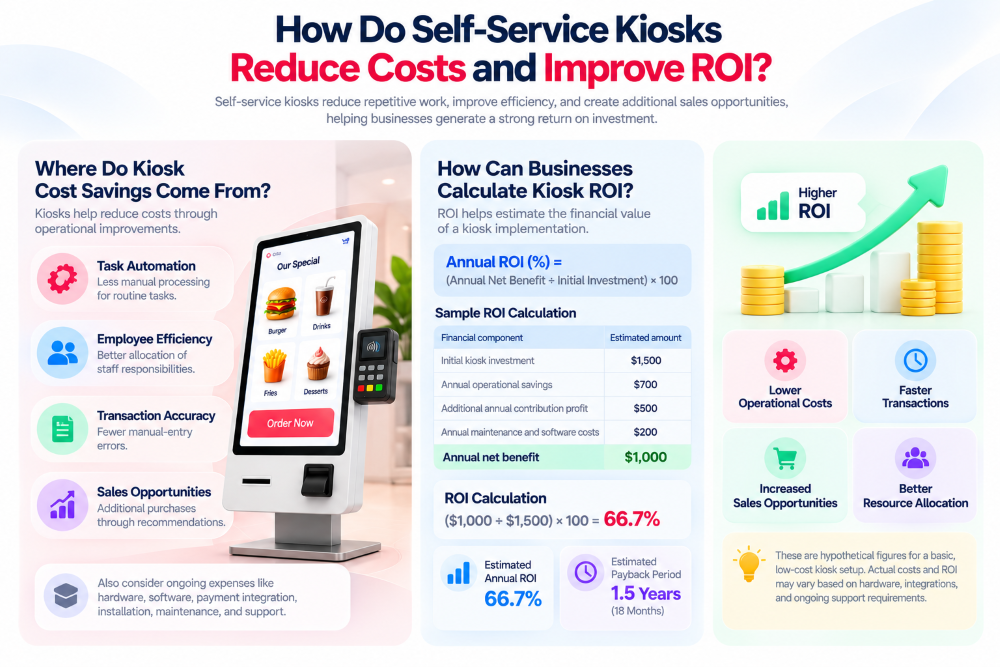
Where Do Kiosk Cost Savings Come From?
Potential savings may come from several operational improvements.
- Task automation: Less manual processing for routine activities.
- Employee efficiency: Better allocation of staff responsibilities.
- Transaction accuracy: Fewer certain types of manual-entry errors.
- Sales opportunities: Additional purchases through relevant recommendations.
Businesses should also account for hardware, software, payment integration, installation, maintenance, and technical support expenses.
How Can Businesses Calculate Kiosk ROI?
Return on investment helps businesses estimate the financial value of a kiosk implementation.
A simplified formula is:
Annual ROI (%) = (Annual Net Benefit ÷ Initial Investment) × 100
Annual net benefit is the additional contribution profit plus operational savings, minus recurring kiosk-related costs.
Consider this hypothetical example:
| Financial component | Estimated amount |
| Initial kiosk investment | $1,500 |
| Annual operational savings | $700 |
| Additional annual contribution profit | $500 |
| Annual maintenance and software costs | $200 |
| Annual net benefit | $1,000 |
ROI Calculation
Annual ROI = (Annual Net Benefit ÷ Initial Investment) × 100
($1,000 ÷ $1,500) × 100 = 66.7%
- Initial investment: $1,500
- Annual net benefit: $1,000
- Estimated annual ROI: 66.7%
- Estimated payback period: 1.5 years (18 months)
Note: These are hypothetical figures for a basic, low-cost kiosk setup using existing software or minimal customization. Actual hardware, integration, and maintenance costs may be higher.
How to Choose the Right Self-Service Kiosk Solution
Choosing the right kiosk solution requires understanding customer needs, software requirements, and long-term operating costs.
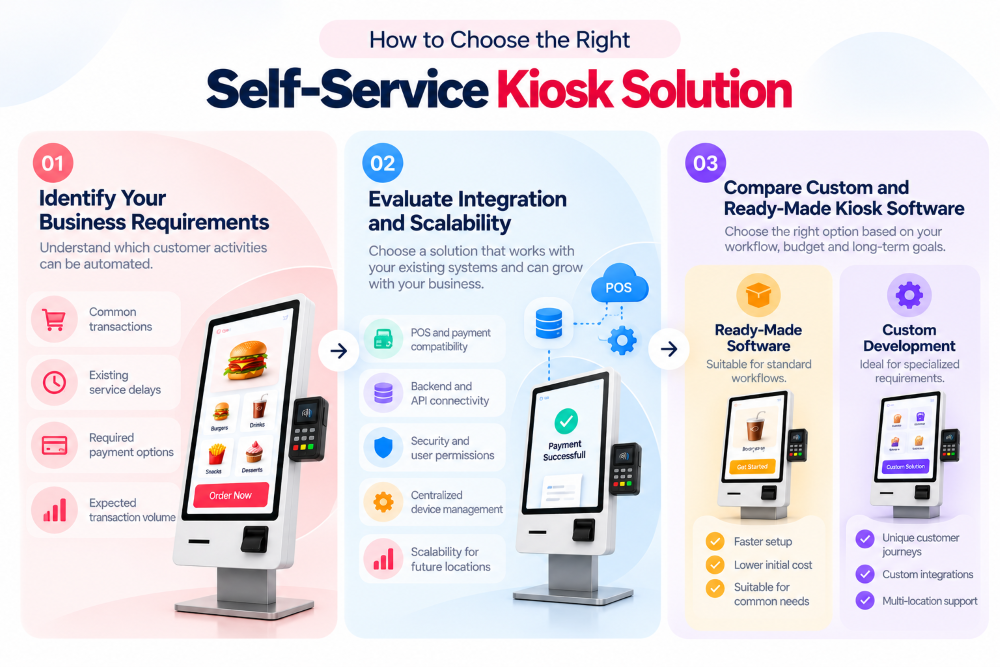
Identify Your Business Requirements
Begin by identifying which customer activities could benefit from self-service automation.
Consider:
- Common customer transactions.
- Existing service delays.
- Required payment options.
- Expected daily transaction volume.
These details help define suitable hardware and software requirements.
Evaluate Integration and Scalability
A kiosk should work effectively with relevant business systems.
Important considerations include:
- POS and payment compatibility.
- Backend and API connectivity.
- Security and user permissions.
- Centralized device management.
- Scalability across future locations.
Reliable integrations can reduce operational complexity and support consistent service delivery.
Compare Custom and Ready-Made Kiosk Software
Ready-made kiosk software may be appropriate for standard business workflows. Custom kiosk software development is often better suited to specialized processes or unique integration requirements.
Custom development may be useful when businesses need:
- Specialized customer journeys.
- Custom touchscreen interfaces.
- Proprietary POS or backend integrations.
- Multi-location management requirements.
- Features unavailable in existing platforms.
The right approach depends on budget, complexity, maintenance expectations, and long-term flexibility.
How Linkitsoft Can Help With Self-Service Kiosk Software Development
Choosing the right kiosk software is essential for creating convenient customer interactions and efficient business workflows.
Linkitsoft provides software development services for businesses planning digital self-service solutions.
Depending on project requirements, custom kiosk software may involve:
- Touchscreen application development.
- User interface and experience design.
- POS and payment integrations.
- Backend system connectivity.
- Centralized administration features.
- Software maintenance and technical support.
A well-planned development approach helps align kiosk functionality with customer needs and operational goals.